SPC Servis PC Brno

Blog

Practical guides on Windows, privacy and security

Tested on real machines, written in plain English, with sources for every strong claim. No marketing, no rewritten filler.
Hardware

Laptop Fan Won't Stop Roaring Even When You're Doing Nothing

Laptop fan at full speed even at idle? How to find the process hogging your CPU, when dust and dried thermal paste are to blame, and when a power mode switch helps.

· 11 min read

Security

Securing Small Business Computers: 7 Steps Without an IT Department

7 steps to secure small business computers without an IT department: non-admin accounts, updates, 3-2-1 backups, password manager, BitLocker, and email rules.

· 10 min read

Security

Paid vs. Free Antivirus: What Paying Actually Adds (2026)

What a paid antivirus actually adds: VPN, password manager, identity protection, business management. When free Defender is enough, and the auto-renewal trap.

· 11 min read

Security

Antivirus Reports a Virus: What to Do Immediately and How to Recognize a False Alarm

Your antivirus found a threat? How to read the detection name, what quarantine is for, how to verify the finding with VirusTotal, and when it's a real infection.

· 13 min read

Security

How to Properly Configure Windows Defender: Step-by-Step (2026)

A Windows 11 guide: how to verify that Defender is running, enable cloud protection and controlled folder access, schedule scans, and when (not) to add an exclusion.

· 10 min read

Security

The BitLocker key wasn't there: what to check before you write the drive off

Key not in your Microsoft account? Before you format the drive, check the second identity, company management in Entra ID or Intune, and the original computer's TPM.

· 14 min read

Hardware

Spilled laptop: what to do in the first minutes and why not to power it on

Spilled coffee or water on your laptop? What to do right away, why rice and a hairdryer don't help, what gets damaged inside, and how much cleaning after a spill costs.

· 12 min read

Hardware

Laptop Not Charging or Not Holding a Charge: Common Causes and When to Replace

Laptop not charging, or dies the moment you unplug it? How to tell a faulty battery from a weak adapter, USB-C dock, or damaged connector — and when to replace it.

· 13 min read

Windows

Windows 11 Won't Start: Automatic Repair, Blue Screen, and Data Recovery

Windows 11 stuck in an automatic repair loop or crashing on a blue screen? What to do now, how to tell a failing drive from a software error, when to save data first.

· 11 min read

Hardware

Is Your SSD Dying? Signs of Failure, Data Backup, and When to Replace It

System freezes, copy errors, disk disappearing from BIOS. How to recognize a failing SSD, what to look for in SMART, how to save data, and when replacement makes sense.

· 11 min read

Windows

Black screen in Windows after login: you see the cursor, but no desktop

Windows accepts your password, but the desktop never loads — just black and a cursor. How to tell if it's Explorer, a graphics driver, or a profile — and what not to do.

· 12 min read

Security

BitLocker Wants a Recovery Key: Where to Find It via aka.ms (Personal vs. Work Account)

The BitLocker blue screen asks for a 48-digit key? Where to find it via aka.ms/myrecoverykey (personal) or aka.ms/aadrecoverykey (work), and what if it's missing.

· 12 min read

Backup

Bad Sectors on a Disk: When to Shut Down Your Computer Immediately and What a Service Does (Including CHKDSK)

Disk reporting read errors, freezing, or growing bad sectors? When to shut down, why CHKDSK won't fix a physical defect, and how data recovery works in Brno.

· 11 min read

Hardware

Notebook and Desktop PC Overheating and Shutting Down: Cleaning, Repasting, and When to Visit a Service Center

Does your PC shut down under load and run again once cooled? Tell a thermal shutdown from a faulty power supply, what to measure, and when cleaning or repasting helps.

· 13 min read

Backup

Data Recovery in Brno: What to Do Immediately, Chances of Success, and Costs

Is your disk clicking, unrecognized, or files gone? What to do immediately, how logical and mechanical failures differ, and the estimated cost of data recovery in Brno.

· 9 min read

Hardware

Laptop Dust Cleaning in Brno: Cost, Symptoms, and When to Stop Putting It Off

Laptop making noise, overheating, or slowing down? How to spot clogged cooling, what cleaning costs in Brno, and when blowing from the outside isn't enough.

· 10 min read

Security

Ransomware at Home: How to Defend Yourself and Recover Encrypted Files

Ransomware encrypted your photos or documents? A home guide: disconnect the network, don't pay, try No More Ransom, restore backups, and set up protection.

· 9 min read

Hardware

Switch to SSD Without Reinstalling: Clone and Replace Your Drive

Is your old HDD slowing down Windows? A practical guide to choosing an SSD, backing up, cloning your drive, and verifying TRIM after the swap—no reinstall needed.

· 9 min read

Security

Does My Computer Have a Virus? How to Spot and Safely Remove It

How to tell if your PC has a virus and safely remove it in Windows 11: symptoms, Defender Offline, Malwarebytes, Safe Mode, password resets, and when to call a pro.

· 9 min read

Windows

Windows 11 starts slowly? How to speed up boot without a reinstall

Windows 11 booting slowly? Practical guide: disable startup programs, background apps, check SSD, RAM, and malware. What to leave enabled.

· 17 min read

Windows

How to Free Up Disk Space in Windows 11 (10 Ways)

C: drive full in Windows 11? Here are 10 ways to safely free up space — from Storage Sense and Disk Cleanup to hibernation, WinSxS, and disk visualization.

· 18 min read

Security

New Cybersecurity Act and NIS2: What Your Company Must Do in 2026

Who is covered by the new NIS2 Cybersecurity Act, reporting deadlines, and what to handle in practice: backups, recovery tests, MFA, audits, documentation.

· 17 min read

Backup

Degraded RAID and NAS data recovery: what to do first

NAS reports degraded, RAID crashed or the server cannot see data? What to do first, why not to do a blind rebuild and when to recover data.

· 15 min read

Hardware

GPU Acting Up: Artifacts, Stripes, or Black Screen?

Seeing artifacts, stripes, or a black screen with 'No signal'? Learn to tell if the fault is the GPU, monitor, or cable—and what to try at home.

· 15 min read

Hardware

Data Recovery: When data can be saved and what not to do

When you can recover data yourself, when it's a job for a lab — and which mistakes can destroy your data permanently. Practical insights from a Brno service center.

· 13 min read

Hardware

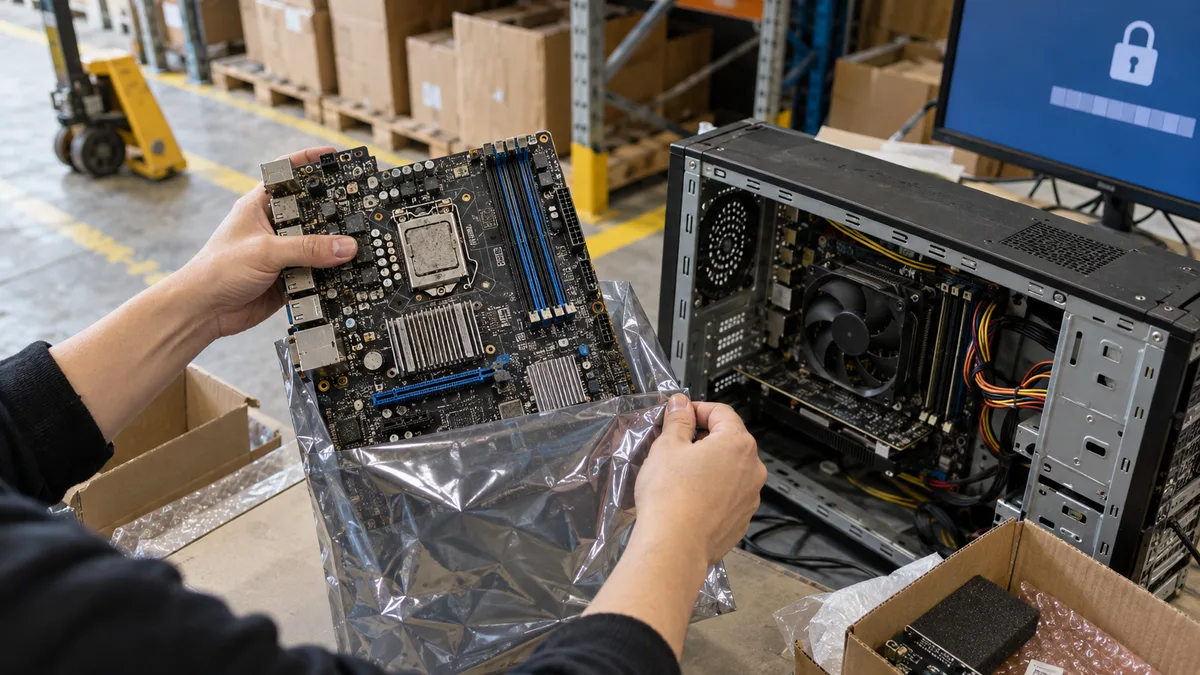
Faulty Motherboard: How to diagnose it

How to diagnose a faulty motherboard — beep codes, debug LEDs, swollen capacitors. And why a dead board doesn't mean lost data. From a Brno repair shop.

· 16 min read

Hardware

HDD bad sector repair: recover data or replace the drive?

HDD bad sector repair: what chkdsk can and cannot do, how to read SMART, when to stop stressing the disk and when to recover the data.

· 10 min read

Hardware

Laptop won't turn on? Step-by-step diagnosis

Laptop won't turn on? Usually it's trivial. Walk the diagnosis step by step — charger, RAM, drive, boot — straight from a repair shop, with real data from our fleet.

· 13 min read

AI

“Your grandson had an accident”? It might not be him calling

AI can clone your child's voice from a few seconds of video. How families spot the “relative in trouble” scam — and why one secret family password beats it.

· 12 min read

Security

Someone calls as your bank? Hang up and call back

A fake banker, a calm voice, a so-called safe account. How to spot a bank scam call (vishing, spoofing) and hang up before your savings are gone.

· 11 min read

Security

BitLocker: How Windows encrypts your disk silently

Windows 11 (24H2) and HP laptops encrypt your disk silently. From our workshop: what the recovery key looks like, how an update locks you out, and why no key = no data.

· 14 min read

Security

Do you still need an antivirus? Defender and staying safe

Do you still need antivirus in 2026? What the built-in Windows Defender does for free, the scandals behind paid antivirus, and how to stay safe without one.

· 11 min read

Windows

What Windows 11 collects and how to stop it

What Windows 11 collects, where it goes, and how to cut it down. Measured on a clean install and checked against Microsoft's own docs. Step-by-step.

· 21 min read

Windows

Windows 11: Turn off annoying features

A step-by-step guide: hide search on the taskbar, turn off widgets and ads in Start, switch on the light theme. With real screenshots.

· 5 min read

Security

Dangerous browser extensions: How to spot and delete

Malicious browser extensions steal passwords, track payments and inject ads. A practical guide to spotting them and what to do in Chrome, Firefox and Edge.

· 11 min read

AI

AI scams in 2026: how to spot them and what to do

Cloned voices, AI phishing, deepfake video. A practical guide to the new scams an ordinary user will run into in 2026. No panic — just concrete steps.

· 7 min read

Security

Best Antivirus 2026: Defender, ESET, Bitdefender — and When the Free One Is Enough

Windows Defender, ESET, or Bitdefender? What antivirus actually stops, when the free Defender is enough, and what to set up in a company before a more expensive license.

· 13 min read

Buying a PC

Laptop vs. desktop PC in 2026 — what's worth it

Laptop vs desktop PC for 2026: performance, repairs, noise, upgrades, price, lifespan, and when a custom build is worth it.

· 6 min read

Buying a PC

How to choose a laptop in 2026 — for work, gaming and study

A practical guide to choosing a laptop for a student, freelancer or gamer in 2026. How to pick the CPU, RAM and display, with concrete recommendations.

· 10 min read

Security

Hacked email or Facebook — a step-by-step recovery guide

Someone got into your email, Facebook or Instagram? A calm, ordered checklist: how to save the account, limit the damage, see what the attacker did, and clean the PC.

· 10 min read

Security

How to spot a phishing email — 7 signs of a scam

You can recognise a phishing email by 7 clear signs. We show real examples from practice and what to do if you've already taken the bait.

· 8 min read

Windows

Windows 10 is over — what to do after 14 October 2025

On 14 October 2025 Windows 10 support ended. What the real risk is, when to upgrade to Win 11, when ESU or a new PC makes sense. A practical guide.

· 8 min read

Security

Ransomware encrypted your files — what to do STEP BY STEP

A ransom note on the screen, files won't open. Don't panic. I'll show you exactly what to do, what not to do, and when it's time to call a professional.

· 7 min read

Guides

Reinstall, repair, or replace? A guide for an old computer

Stuck with a slow computer and unsure whether a reinstall can still save it or it's time to buy new? A practical, step-by-step way to decide.

· 6 min read

Wi-Fi & networks

Mesh Wi-Fi systems in 2026 — when they make sense

Dead zones at home? Here's when a mesh Wi-Fi system is worth it and how to choose between TP-Link Deco and Asus ZenWiFi.

· 6 min read

Wi-Fi & networks

Someone is using my Wi-Fi — how to spot it and kick them off

Internet feeling slow and you suspect someone's stealing your Wi-Fi? Here's a step-by-step on how to find out who's on your network and how to remove them.

· 7 min read

Wi-Fi & networks

Wi-Fi not working? 5 things to try before you call anyone

Wi-Fi dropping out or not working at all? Try our 5 proven tips that fix 80% of Wi-Fi problems at home and in the office. No technical knowledge needed.

· 6 min read

Wi-Fi & networks

WPA2 vs WPA3: how to set up Wi-Fi securely on your router

Find your router admin page, check Wi-Fi security and safely choose WPA3 or WPA2/WPA3 mixed mode without losing connected devices.

· 4 min read

Guides

Slow computer — what to check before you buy a new one

A practical walkthrough for a slow PC or laptop: disk, RAM, temperatures, startup, malware, Windows — and when an SSD upgrade is worth it.

· 7 min read

Security

The 3-2-1 backup rule — a simple rule against data loss

How to set up backups that survive a disk failure and ransomware: 3 copies, 2 media types, 1 copy off-site. Concrete setups for home and business.

· 6 min read

Didn’t help? Get in touch.

Over the phone or by email we can often point you the right way in five minutes.

Po–Pá 10:00–16:00 · 24/7 775 556 063

Call Contact