SPC Servis PC Brno

Computer, laptop and Windows repair

Computer repair and laptop service in Brno

For computer repair in Brno, we start with a straight diagnosis instead of guessing. You call, describe the fault, and we tell you the next step, the diagnostics price and a realistic turnaround. We usually handle common jobs within 24 hours. We work with every brand of desktop and laptop — Lenovo, HP, Dell, ASUS, Acer, MSI and others.

  • Workshop at Viniční 3587/216, 615 00 Brno-Židenice
  • On-site visit, pickup or hand-in at the workshop depending on the fault
  • Common jobs usually within 24 hours
  • Price in writing after diagnostics, repair only once you approve it
  • In IT since 2008 (ITHOPE s.r.o.)
  • 24/7 line 775 556 063 for urgent data recovery

Common situations

Computer won’t boot or keeps crashing

We check the power supply, drive, RAM, temperatures, motherboard and Windows. We don’t jump straight to a reinstall until we know where the problem actually is. Blue screens, random restarts, freezing — each one is a reason to run diagnostics.

The laptop is slow

An SSD, a clean Windows install, more RAM or a cooling clean-out usually does the job. We only recommend work that makes economic sense — on an eight-year-old machine with soldered memory the honest answer may well be a new one.

Blue screens, viruses, odd behaviour

We check both the hardware and the system, remove malware and set up protection so the problem doesn’t come back. Pop-up ads, unexpected restarts or a slow startup are a clear signal.

Laptop after a spill or a drop

Don’t switch it on; disconnect the battery if you can. The sooner it reaches us, the higher the chance of saving it. With liquid damage, speed of inspection is everything.

Printer, scanner or external drive not working

Drivers, the USB controller, Windows 11 compatibility — we sort out peripherals too, not just the computer itself.

What we actually do

Typical service jobs

  • fault diagnostics
  • cooling clean-out and repaste
  • SSD replacement
  • RAM replacement or upgrade
  • display replacement
  • keyboard replacement
  • battery replacement
  • Windows repair

Software and data

  • Windows 10/11 reinstall
  • driver installation
  • virus and malware removal
  • data backup before service
  • data transfer to a new machine
  • email setup
  • Office / LibreOffice installation

Brands and devices

  • Lenovo (ThinkPad, IdeaPad, Legion)
  • HP (EliteBook, ProBook, Pavilion)
  • Dell (Latitude, Inspiron, XPS)
  • ASUS (ZenBook, ROG, VivoBook)
  • Acer, MSI, Fujitsu, Toshiba
  • desktop PCs of all brands
  • gaming rigs
  • office PCs, mini PCs, all-in-ones
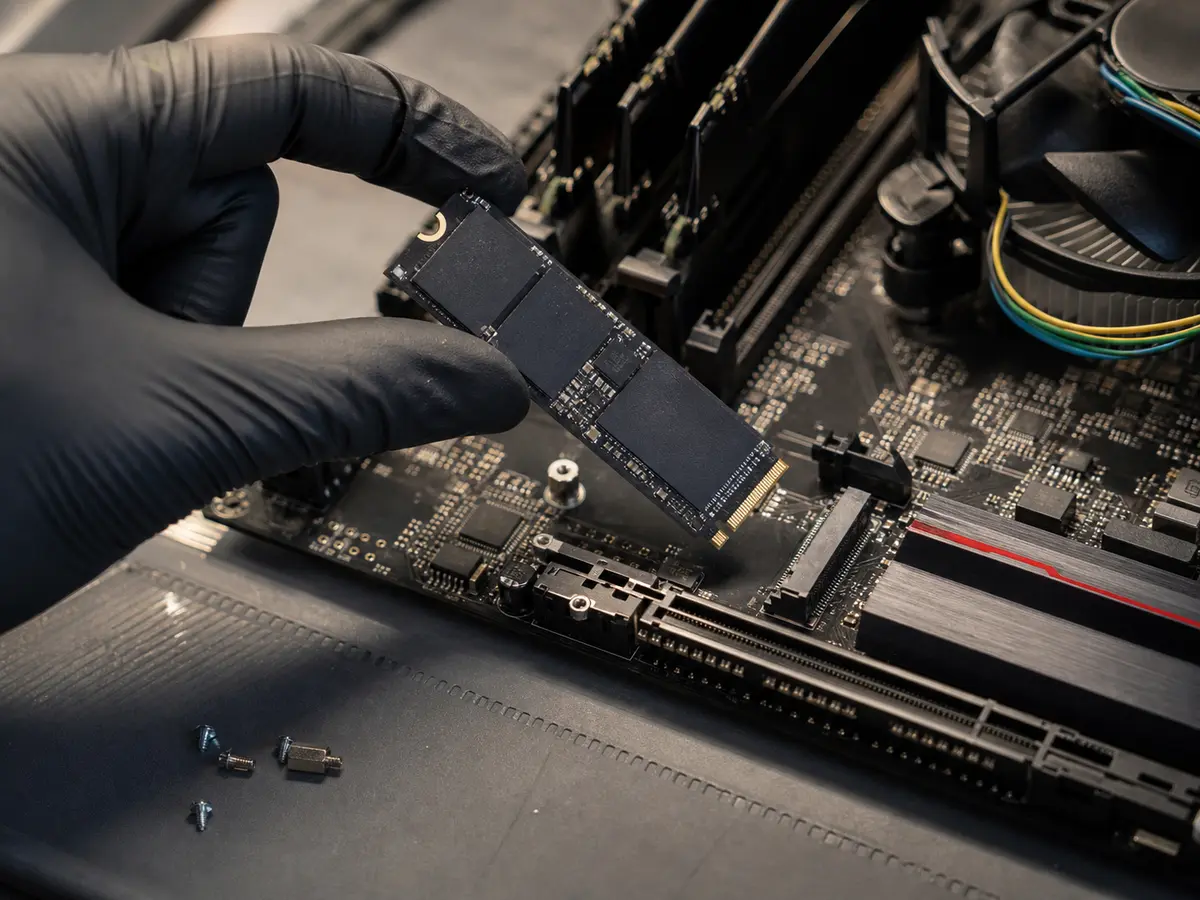
Technician holding an NVMe SSD over an open PC motherboard
SSD upgrades and component work — no blind, unnecessary reinstall.
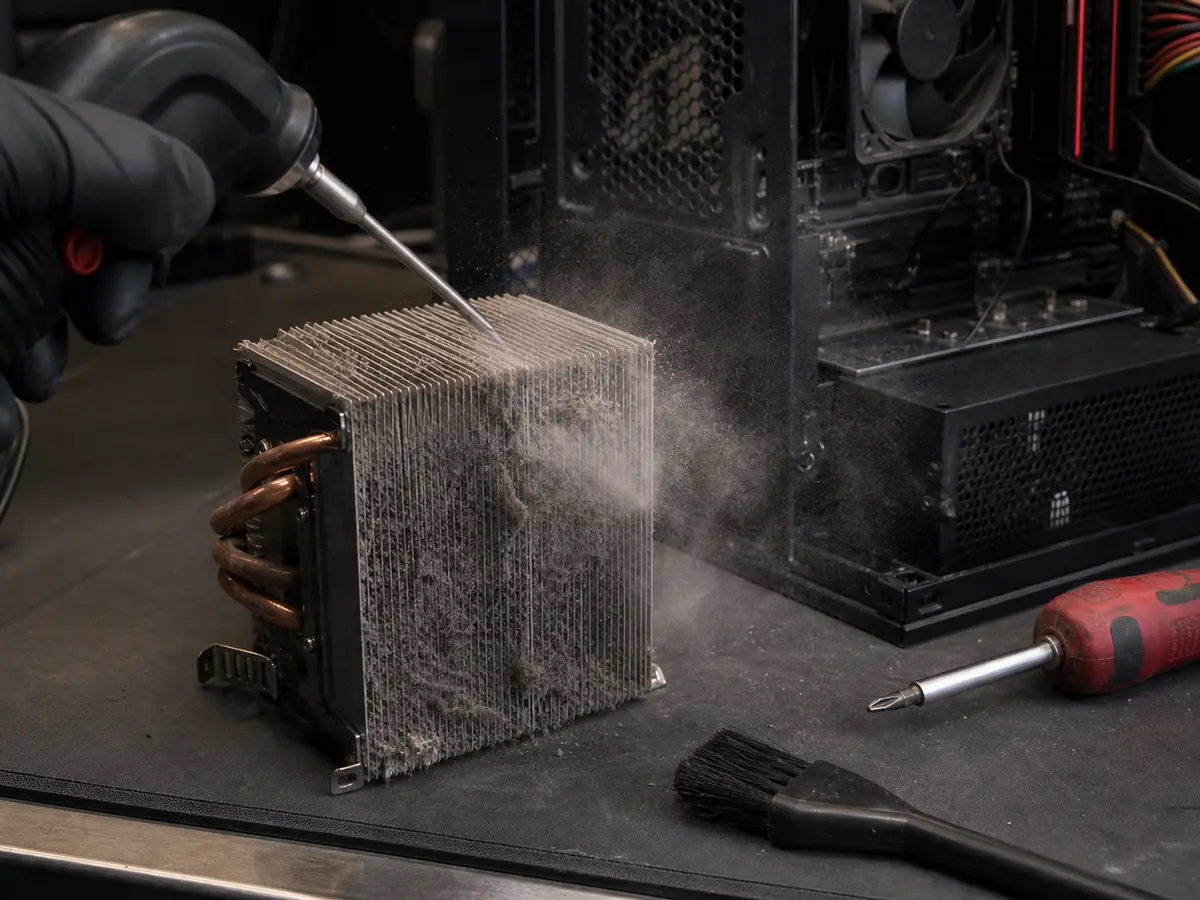
Cleaning dust from a desktop PC cooler with compressed air
Cooling cleaned, temperatures checked and a stability test after the repair.

Indicative prices

What it usually costs

Full price list →

Prices are indicative — we confirm the final price in writing after diagnostics and proceed with the repair only after your approval. Diagnostics is a paid item.

Task Price
PC or laptop diagnostics
Diagnostics is a paid item. If you go ahead with the repair, we credit it against the invoice.
from 588 CZK
Service work — per started half hour
The minimum charge is one started half hour.
598 CZK
On-site visit within Brno city
Outside Brno city, travel is charged by distance.
698 CZK
SSD replacement with Windows install
Price excludes the drive. Drive depends on model and capacity.
from 1,490 CZK
Full PC virus removal
Includes a check of startup, browsers and protection settings.
from 1,196 CZK
Laptop cooling clean-out + new paste
Price depends on the model — gaming laptops and ultrabooks can be more.
from 1,794 CZK
Out-of-hours surcharge
Mon–Fri 17:00–09:00 and weekends. Urgent data on the 24/7 line with no surcharge.
+50%

Why Servis PC Brno

Since 2008

The workshop is run by ITHOPE s.r.o., a Brno IT company based in Židenice. Thousands of devices have passed through it over the years.

A pragmatic approach

We don’t repair at any cost. When a repair doesn’t pay off, we say so and offer to move your data to a new machine.

You talk to the technician directly

No call centre between you and the person doing the repair. You call, describe the problem, and the technician tells you what to do about it.

A local workshop

Brno-střed, Židenice, Líšeň, Slatina, Královo Pole, Bystrc and the surrounding area up to about 30 km. For Kuřim, Modřice and Šlapanice, travel is charged by distance.

Original URLs preserved

Old links from servispc-brno.cz redirect to the new pages — the site’s history isn’t lost.

What is included

  • Fault diagnostics and a written quote
  • Standard manufacturer warranty on new parts
  • Post-repair stability test (load, temperatures)
  • A plain explanation of what was wrong and what to watch for
  • Tax receipt
  • Tips to stop the problem recurring

Warranty & claims

Claims are handled individually under Czech law. If the same fault returns within a short time, we look at it together and agree on the next steps. New parts carry the standard manufacturer warranty (typically 12–24 months, depending on the component).

Related services

Need a quick answer?

774 777 774

Po–Pá 10:00–16:00. Urgent data & ransomware: 775 556 063 24/7.

Who this service is for

Households, freelancers, students of BUT/Masaryk/Mendel University, small businesses. For mid-sized companies and servers, see Managed IT for businesses. For the full itemised price list, see the Czech pricing page.

Frequently asked questions

Is diagnostics free? +

No. Diagnostics of a PC, laptop or wifi is a paid item — from 588 CZK. The only free service is the first rough assessment for data recovery from an HDD (we tell you whether it’s worth continuing). If you go ahead with the repair after diagnostics, we credit the amount against the total invoice.

Do you also repair at the customer’s place? +

Yes, for suitable faults we make on-site visits across Brno (rate 698 CZK + travel outside Brno city). For hardware repairs (SSD replacement, cooling clean-out, motherboard repair) it’s often faster to bring the device to the workshop.

When will I know the price? +

For common jobs roughly over the phone; for trickier faults after diagnostics — always in writing. We only proceed with the repair once you approve it. No surprises on the bill.

How long does a repair take? +

Common service jobs (cleaning, SSD replacement, reinstall) are usually done by the next day. For a display or keyboard replacement it depends on part availability — roughly from 2 days. More complex repairs (a motherboard, for example) we handle individually after diagnostics — the turnaround depends on the extent of the damage and part availability.

Do you handle Mac / MacBook? +

Hardware repairs yes (battery, display and keyboard replacement, cleaning after a spill). We leave macOS software problems to authorised Apple service — we don’t have the same depth there as we do with Windows.

What if I decline the repair after diagnostics? +

You only pay for the diagnostics (from 588 CZK). We return the device in the state it arrived in, or offer to recover your data onto a new machine.

Can you come today? +

For urgent cases (a business, lost data, a critical machine) we try to come as soon as possible. Call 774 777 774. For the 24/7 data line, call 775 556 063.

How do you handle warranty claims? +

Claims are handled individually under the law. If the same fault returns within a short time, we look at it together. New parts carry the standard manufacturer warranty (12–24 months depending on the component).

Call Contact