SPC Servis PC Brno

The laptop will not turn on, will not charge or overheats

Laptop repair and diagnostics in Brno

Our laptop workshop in Brno is at Viniční 3587/216 in Brno-Židenice, open Mon–Fri 10:00–16:00, phone 774 777 774. You bring the laptop in, diagnostics usually takes 30 to 90 minutes, and then you get the price together with a date in writing — we order a part or start repairing only once you have approved it. We work with the common brands: Lenovo, HP, Dell, ASUS, Acer, MSI, Fujitsu and older machines too.

Viniční 3587/216, 615 00 Brno-Židenice, Czech Republic Mon–Fri 10:00–16:00 Send a request

  • Workshop at Viniční 3587/216, Brno-Židenice
  • Mon–Fri 10:00–16:00, phone 774 777 774
  • Diagnostics usually 30–90 minutes
  • Price and date in writing, repair only with your approval
  • Lenovo, HP, Dell, ASUS, Acer, MSI and others
  • Do not switch on a laptop after a liquid spill

What we repair

The laptop will not turn on

Nothing happens when you press the power button, or a LED lights up and the display stays black. It is usually the charger, the battery, the memory, the drive or the power section of the motherboard. We test the power without the battery, check the memory and the drive, and tell you which part is faulty.

It will not charge or the battery does not last

The laptop says plugged in and not charging, or it only lasts a few minutes. Typically a worn-out battery, a faulty charger or a loose power socket. We measure the charger, read the battery health and tell you what is worth replacing.

It overheats and the fan roars

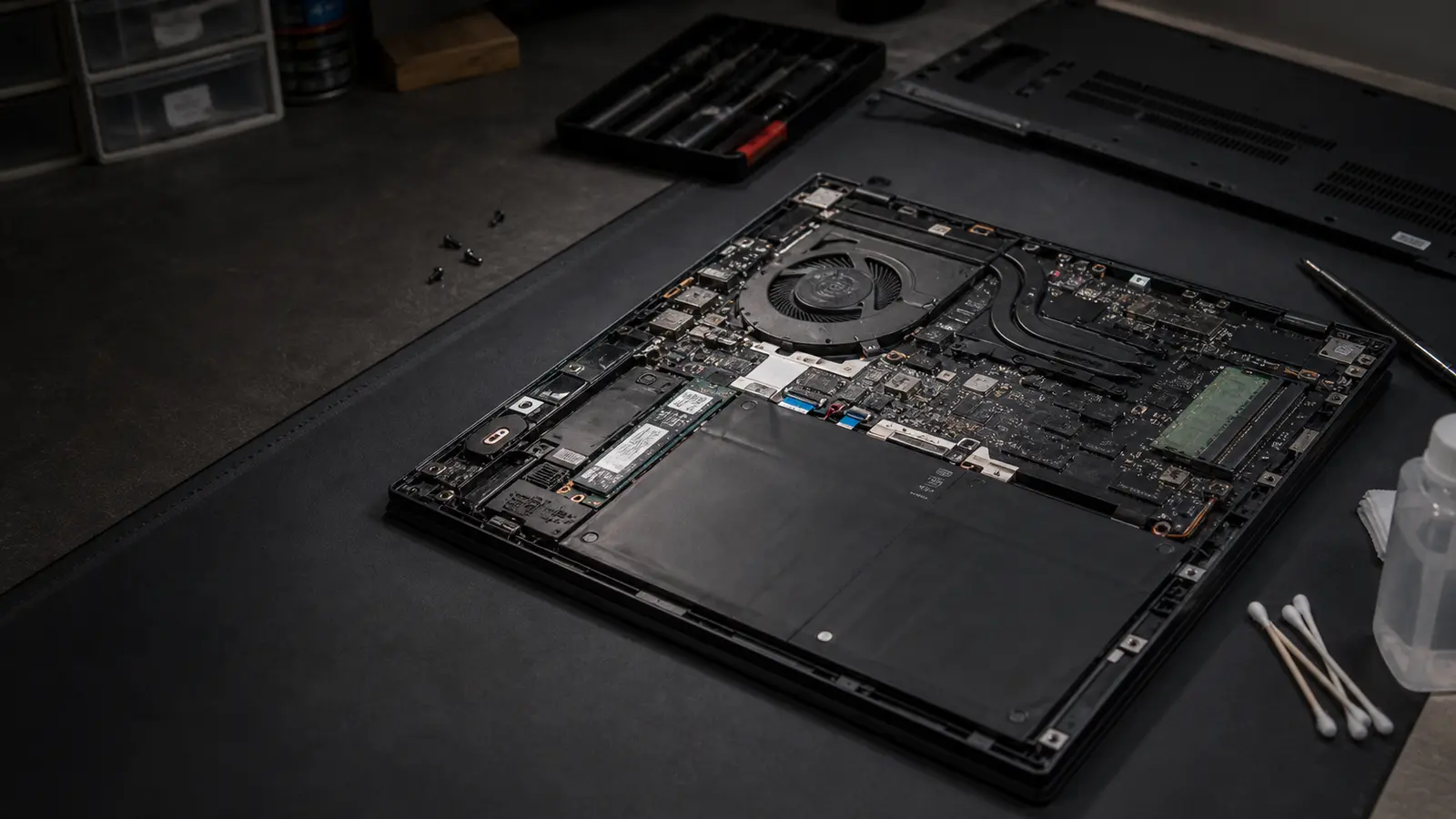
The underside is hot, the fan runs flat out and under load the laptop slows down or shuts off. The cause is a clogged heatsink and dried-out thermal paste. We take the laptop apart, clean it, renew the paste and check the temperatures under load.

The laptop is slow

Startup takes minutes and everything lags. On laptops with an old spinning hard drive, moving to an SSD makes the biggest difference; adding memory and a clean system install help as well. We will advise what can still be improved on your particular model.

Blue screens and restarts

The system drops to a blue screen, freezes or restarts on its own. We check the memory, the drive health (SMART), temperatures, drivers and the system logs — the cause is often something other than the obvious bet.

A cracked or flickering display

Cracks, coloured stripes, half a picture or flickering. We establish whether the panel, the cable or the graphics section is at fault, and find the exact display type and its availability. You get the price of the labour and of the part in writing before it is ordered.

A liquid spill

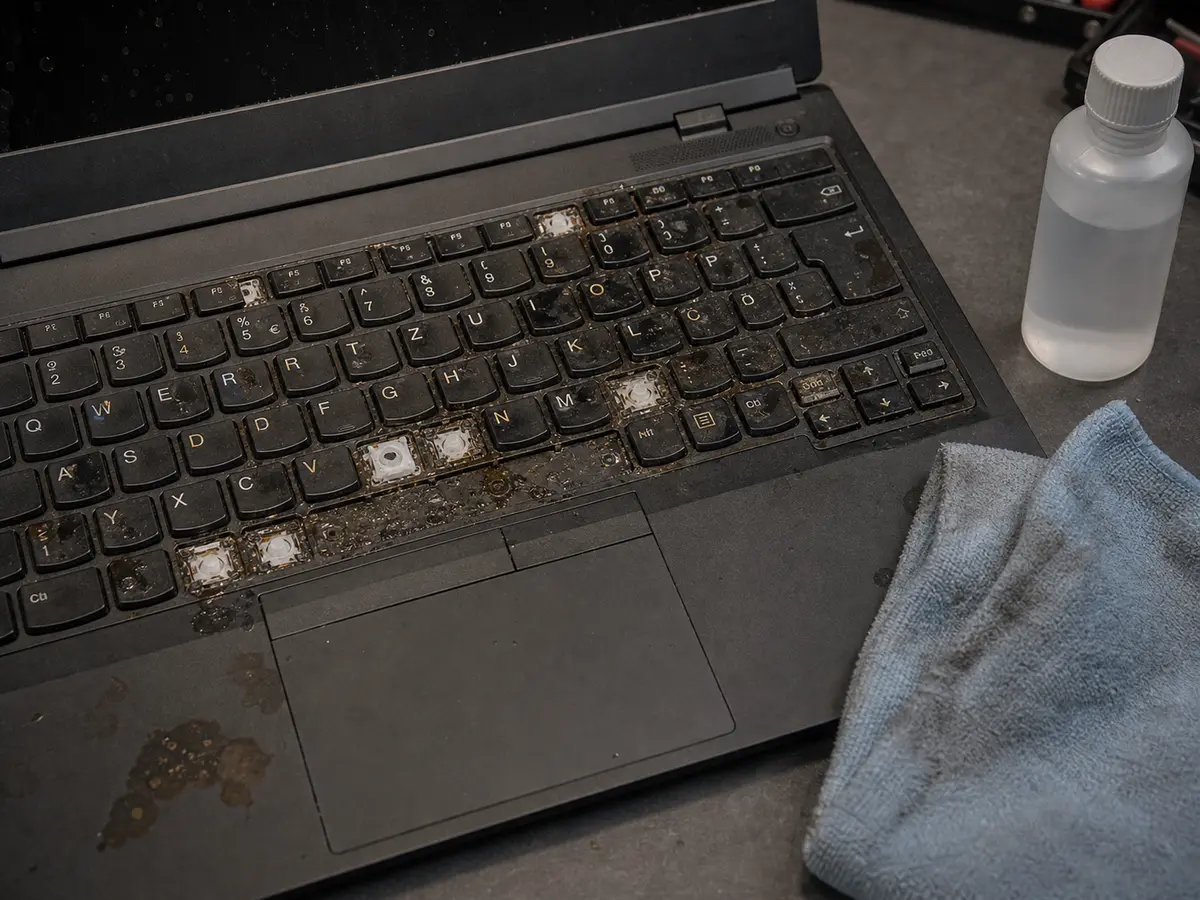
Coffee, water or lemonade in the keyboard. Switch the laptop off at once, unplug the charger and do not switch it on again; do not dry it with a hairdryer or on a radiator. The sooner it gets taken apart and cleaned, the better the chance that the keyboard and the board stay alive.

A broken socket, keyboard or hinges

The charger will not hold in the socket, some keys do not type, the lid has come loose or the frame is cracking. We check whether cleaning and tightening is enough or a part has to be replaced, and what is available for your model at all.
What we actually do

Hardware

  • cooling clean-out and new thermal paste
  • SSD replacement (SATA, M.2, NVMe)
  • RAM replacement or upgrade
  • display replacement
  • keyboard replacement
  • battery replacement
  • power connector replacement
  • hinge repair or replacement
  • touchpad replacement

System and data

  • Windows 10/11 repair
  • clean install with your data moved across
  • virus and malware removal
  • data backup before service
  • data transfer to a new laptop
  • driver and Office installation
  • BIOS update
  • email and printer setup

After a spill or a drop

  • disassembly, cleaning and drying
  • motherboard and power section check
  • assessment and, if needed, board replacement
  • drive removal and data backup
  • keyboard and top cover replacement
  • cracked frame and hinge repair
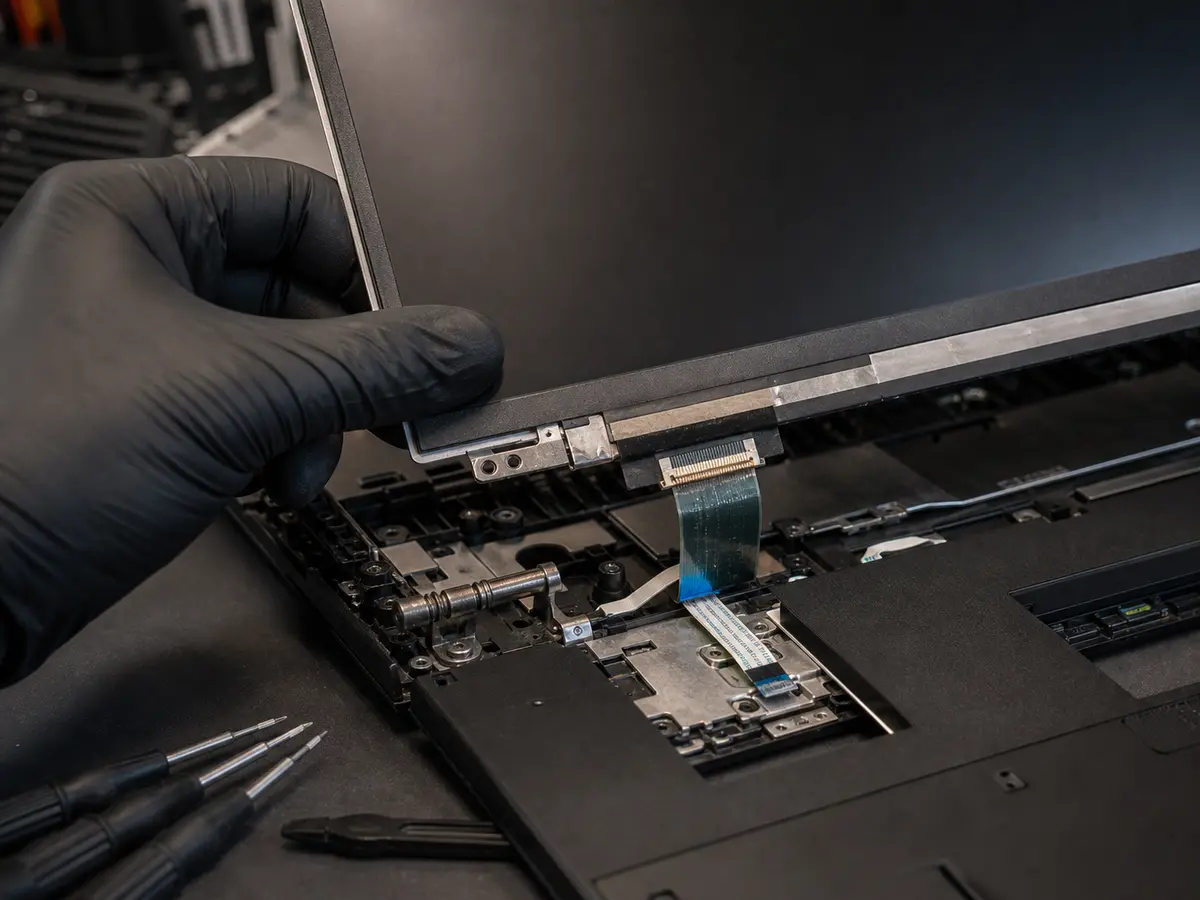
Close-up of a laptop screen replacement with the flat-cable connector visible
Screen, keyboard, battery and other parts replaced depending on the model.
Laptop after a coffee spill ready for cleaning in the workshop
After a spill, what matters is a fast power-off, teardown and board cleaning.

Indicative prices

What it costs

Full price list →

Prices include VAT and follow the price list on this site. The minimum charge is one started half hour; outside business hours (17:00–9:00 and weekends) there is a 50% surcharge. The price of a part depends on the model, so we tell you that after diagnostics — always in writing and before it is ordered.

Task Price
Service work — per started half hour
A rate of 1 200 Kč per hour; every started half hour is charged.
600 Kč / 30 min
Diagnostics without repair
You pay it if you decide after diagnostics not to go ahead. If the repair is carried out, diagnostics is settled as part of the job.
600 Kč
Laptop cleaning and new thermal paste
Depends on the construction of the model — thin and gaming laptops take longer to open up.
from 1 800 Kč
SSD, RAM or other component replacement
Labour by time, the component separately. We tell you in advance whether the upgrade is worth it.
from 600 Kč + parts
SSD upgrade with system install and data
Drive swap, Windows install, drivers and transfer of everyday data.
from 3 000 Kč + SSD
Windows reinstall — basic
Clean install, drivers, updates and basic setup. Licence and data backup separately.
from 1 500 Kč
Windows reinstall with data backup
Install, basic programs and restoration of everyday user data according to volume.
from 2 400 Kč
Full data backup up to 50 GB
Typically one hour of work. Over 50 GB by volume, medium and the risk of failure.
from 1 200 Kč
Display, keyboard, battery or connector replacement
Labour is charged per half hour and the price of the part differs by model. You get the quote in writing before the part is ordered.
quoted after diagnostics
A laptop after a liquid spill
The extent of the damage only shows once the machine is apart and cleaned. The outcome cannot be guaranteed in advance.
quoted after diagnostics
Call-out within Brno city
Travel of the technician. Work on site is charged separately by time. Outside Brno city 700 Kč and then by distance.
700 Kč

Why Servis PC Brno

A workshop in Židenice

Viniční 3587/216, Brno-Židenice, Mon–Fri 10:00–16:00. Close to the centre, with a public transport stop within reach. The workshop is run by ITHOPE s.r.o., in IT since 2008.

The price and the date up front

We do not order a part and do not start a repair until you have the price and the date in writing and confirm them. Without your approval, nothing beyond diagnostics is charged.

Data comes first

With drive faults we do not attempt repairs in a running system. We take the drive out, make a copy and only then diagnose, so that no files can be lost.

We will also tell you when it is not worth it

When a part costs more than a used laptop, or the liquid damage is extensive, we say so straight away and offer to move your data to another machine.

Careful disassembly

We work on an anti-static mat and follow the construction of each model — clips, hidden screws and flat cables are the most common place where a laptop gets damaged at home.

What is included

  • Fault diagnostics and a written quote
  • Standard manufacturer warranty on new parts
  • ESD-safe handling during disassembly
  • Testing after the repair (charging, temperatures under load, keyboard, display)
  • An explanation of what was wrong
  • Tax receipt and advice on prevention

Warranty & claims

Claims are handled individually under Czech law. If the same fault returns within a short time, we look at it together and agree on the next steps. New parts carry the standard manufacturer warranty (typically 12–24 months, depending on the component).

Related services

Need a quick answer?

774 777 774

Mon–Fri 10:00–16:00. Urgent data & ransomware: 775 556 063 24/7.

Who this service is for

Households, freelancers, students (see Student laptop service) and small businesses in Brno and the surrounding area. Windows laptops are covered by this page; MacBook, iPad and iPhone have their own scope on the Apple repair Brno page — we are not an authorised Apple service centre.

Frequently asked questions

How long does a laptop repair take? +

Diagnostics is usually a matter of 30 to 90 minutes. The repair time then depends on the fault and on the availability of the part — with a display, keyboard or battery you wait until the part arrives. You get the specific date in writing together with the price; we do not promise one in advance so that we do not have to cancel it.

Is it worth repairing a six-year-old laptop? +

It depends on the fault. Swapping the drive for an SSD, adding memory, cleaning the cooling or a new battery usually pays off on a six-year-old machine. Replacing a motherboard or a display often costs about as much as a comparable used laptop — in that case we say so and offer to move your data to another machine.

Do you repair a laptop after a liquid spill? +

We will try, but the outcome cannot be guaranteed in advance. What matters is what was spilled, where it ran and how long it stayed there. Switch the laptop off at once, unplug the charger and do not switch it on again. Once it is apart and cleaned, we will tell you what is damaged and what is worth replacing.

Can I wait while you repair it? +

For some faults yes — diagnostics itself usually takes 30 to 90 minutes. Please call 774 777 774 in advance so that we know to keep time for you. A part replacement can only be finished once the part has arrived, so that is not something to wait for.

Will you keep my data? +

A hardware repair does not touch your data. A drive replacement or a system install does work with it, so we agree on a backup beforehand — a full data backup up to 50 GB is from 1 200 Kč. If the laptop does not boot, we take the drive out and rescue the data separately. We access your files only as far as the repair and the test require.

What warranty do I get on the repair? +

Claims are handled individually under the law. If the same fault returns within a short time, we look at it again and agree on the next steps. New parts carry the standard manufacturer warranty depending on the component.

Do you service MacBooks? +

Out-of-warranty hardware for MacBook, iPad and iPhone has its own page, Apple repair Brno — battery, charging, cooling, keyboards, displays and an assessment after a liquid spill. We are not an authorised Apple service centre. We do not do data recovery from phones.

Do you come to my home? +

With a laptop, handing it in at the workshop is usually faster, because the repair is done on the service bench anyway. If you cannot come, a call-out within Brno city is 700 Kč, outside Brno city 700 Kč and then by distance; work on site is charged separately by time.

Did not find your answer? Call us

Viniční 3587/216, Brno-Židenice · Mon–Fri 10:00–16:00

774 777 774

Urgent data & ransomware: 775 556 063 24/7.

Call Request