The laptop runs loud even in a browser
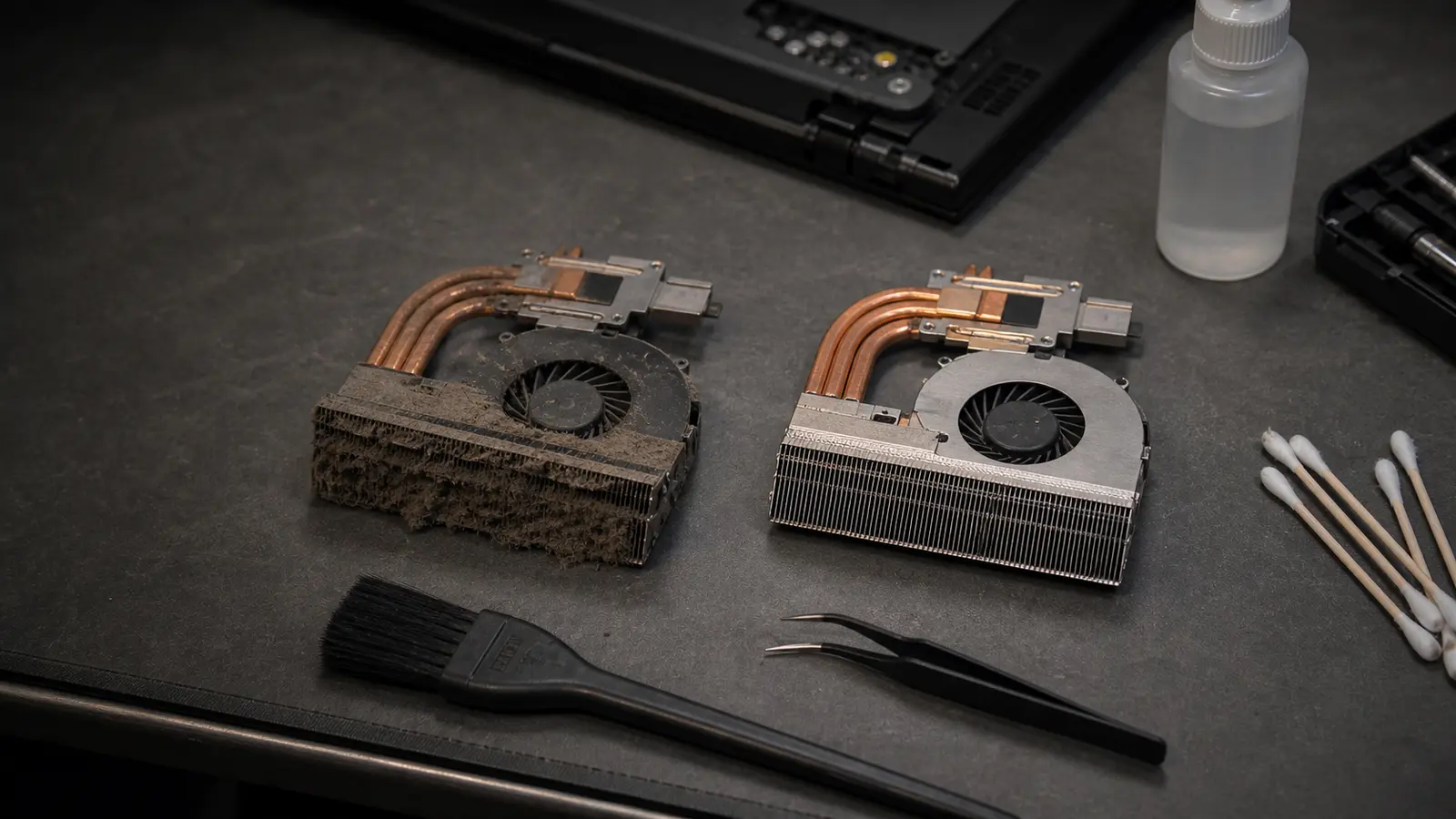
The fan is trying to cool a clogged heatsink. Over time this wears the fan bearing and other components. After cleaning, the noise level is usually noticeably lower.
Overheating, a noisy fan, shutdowns under load
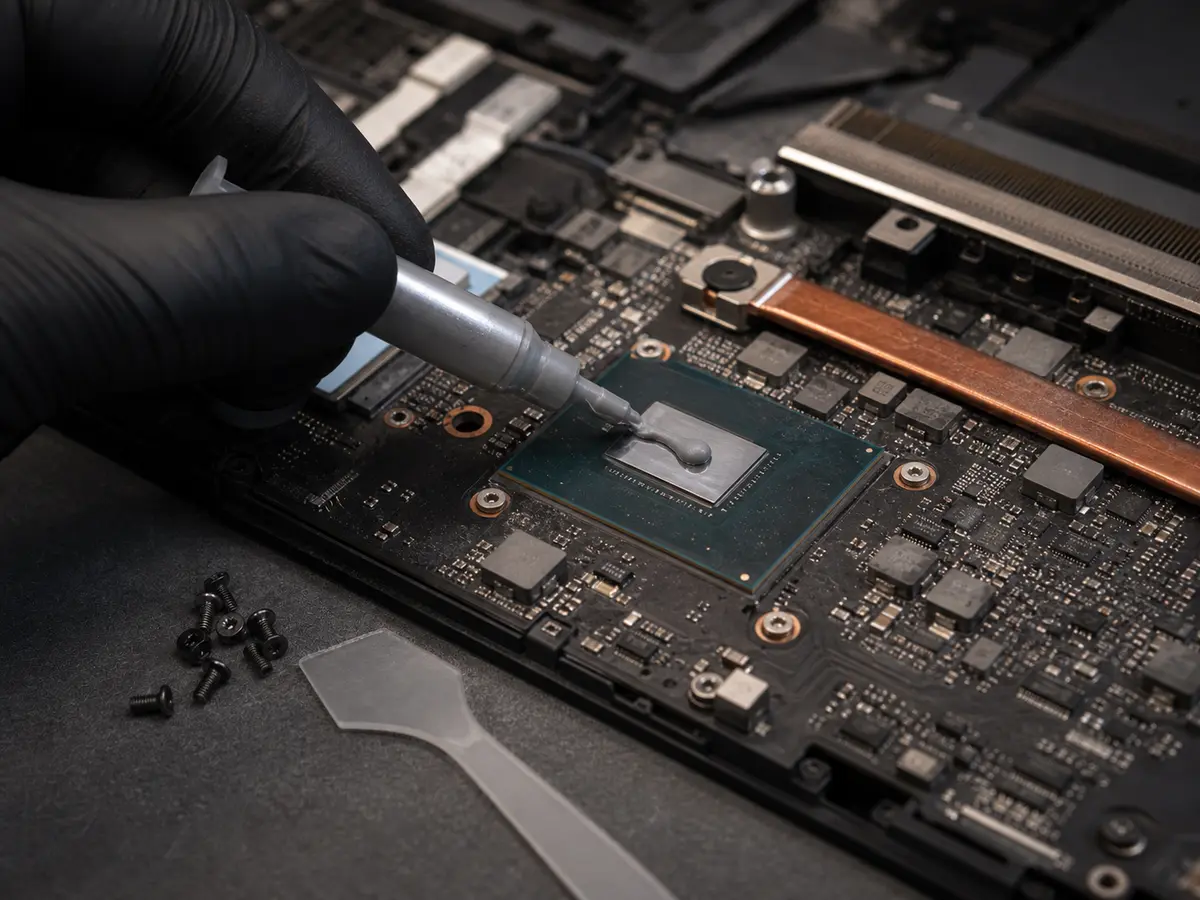
Dust in the cooling raises temperatures, slows performance and shortens a laptop’s life. A proper clean isn’t just a blow from the outside — it means taking the laptop apart, removing all the dust, fresh paste (Arctic MX-4 or Thermal Grizzly), replacing thermal pads and running a stress test. After two years of use almost every laptop has a heatsink clogged enough that the CPU climbs above 90 °C — then Windows throttles performance and the laptop visibly slows down.
Viniční 3587/216, 615 00 Brno-Židenice, Czech Republic Mon–Fri 10:00–16:00 Send a request
The fan is trying to cool a clogged heatsink. Over time this wears the fan bearing and other components. After cleaning, the noise level is usually noticeably lower.
A classic sign of high CPU/GPU temperatures — crossing the 100 °C limit triggers an emergency shutdown. After cleaning we verify stability under load (Prime95, FurMark).
Heat isn’t being carried away properly. A repaste often brings the laptop back to normal temperatures (35–45 °C idle, 65–80 °C under load).
Thermal throttling — the processor lowers its frequency to stay within the temperature limit. Under load it then runs at 1.5 GHz instead of 3.5 GHz. Cleaning restores the original performance.
Recommended frequency: once a year for gaming laptops, once every two years for office machines. After 3+ years without a clean, a problem is practically certain.
Indicative prices
Prices are indicative — we confirm the final price in writing after diagnostics and proceed with the repair only after your approval. Diagnostics is a paid item.
| Task | Price |
|---|---|
| Laptop cleaning + new paste Office laptop, easy disassembly. | from 1,794 CZK |
| Cleaning + paste + pads (gaming) Gaming laptop or workstation, demanding disassembly. | from 2,400 CZK |
| Cleaning + fan replacement Price excludes the fan — that’s 500–1,500 CZK depending on the model. | from 2,200 CZK |
| Temperature diagnostics (standalone) | 600 CZK |
| Service work — per started half hour | 600 CZK |
On a work laptop, cleaning often pays off before the fan or the graphics give out.
Claims are handled individually under Czech law. If the same fault returns within a short time, we look at it together and agree on the next steps. New parts carry the standard manufacturer warranty (typically 12–24 months, depending on the component).
Who this service is for
Laptop owners already dealing with overheating, noise or a visible slowdown under load. We also recommend it preventively (once a year for gaming laptops, once every two years for office ones). For desktop PCs, see PC repair.
It runs loud even during ordinary work, it’s hot to the touch (the keyboard or the underside), it slows down under load or shuts off. We confirm it exactly by measuring temperatures — if the CPU goes over 90 °C under ordinary load, it’s time for a clean.
Sometimes it helps briefly, but with a clogged heatsink the dust stays inside and blowing only shifts it around. A proper clean requires disassembly — that’s the difference between “it’ll run for a moment” and “it’ll run for a year”.
Our advice: once a year for gaming laptops (higher load means more dust), once every two years for office ones. If you have pets at home or live in a dustier environment, feel free to do it more often.
Yes. If the fan has a worn bearing (noise even after cleaning), we recommend replacing it. The fan costs 500–1,500 CZK depending on the model, plus labour.
Arctic MX-4 as standard (premium non-silicone, pocket pack). For gaming laptops and workstations we also offer Thermal Grizzly Kryonaut. Paste from a Chinese marketplace? No.
If the noise doesn’t go away after cleaning the heatsink and changing the paste, it’s usually a worn fan bearing. The other possibility is an extremely high load (malware, badly configured fan profiles). We’ll sort out both.
Viniční 3587/216, Brno-Židenice · Mon–Fri 10:00–16:00
774 777 774Urgent data & ransomware: 775 556 063 24/7.