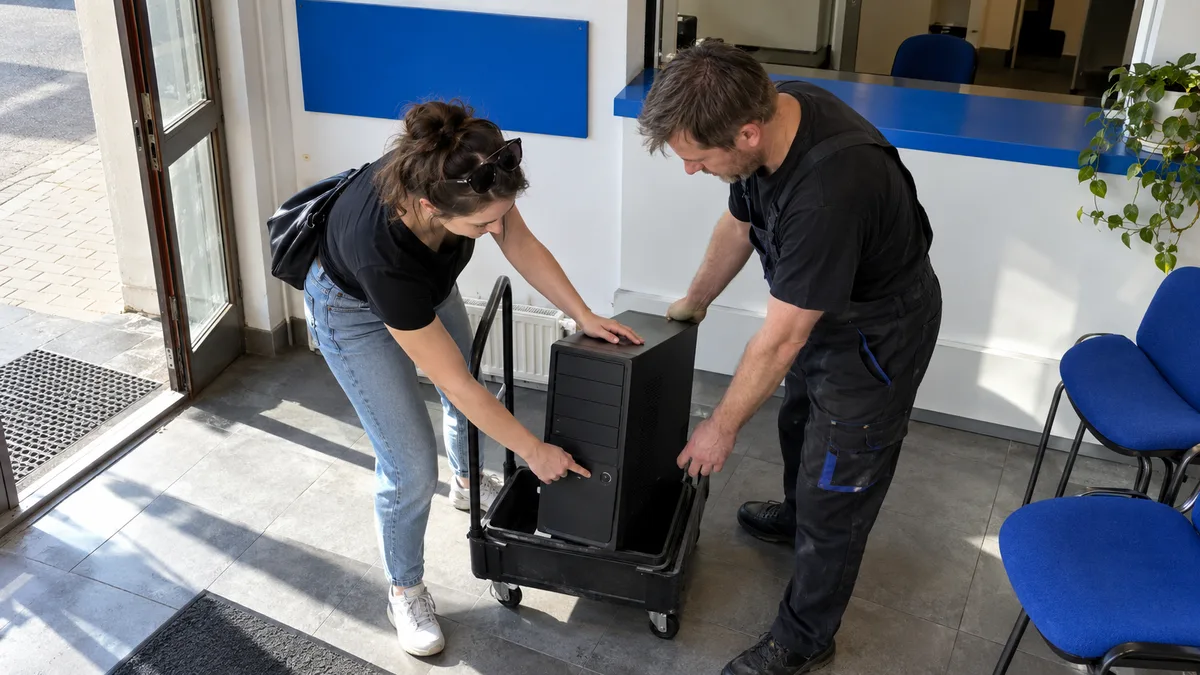
The short answer: For a standard desktop computer repair, you usually only need to bring the computer case and an accurate description of the fault. The repair shop generally does not need the monitor, keyboard, or standard cables. The exception is a problem linked to a particular monitor, cable, or peripheral. For a mini PC, also bring its power adapter. The price is determined by the diagnostics, labour, and required parts, not merely by the initial symptom.
What to bring to the repair shop
The computer case contains the power supply, motherboard, processor, memory, graphics card, and storage—the components checked during the diagnosis of a typical hardware fault. There is therefore no need to transport your entire workstation automatically.
| Item | Usually required? | When it is needed |
|---|---|---|
| Computer case | Yes | For virtually every desktop PC repair |
| Power cable | No | If it is damaged, unusual, or the fault only occurs when using it |
| Monitor | No | If the display only cuts out on a particular monitor |
| HDMI or DisplayPort cable | No | If this cable is associated with flickering, signal loss, or a “No signal” message |
| Keyboard and mouse | No | If a particular peripheral, receiver, or USB port is faulty |
| Mini PC power adapter | Yes | Adapters differ in connector type, voltage, and power output |
| Windows access | Depending on the fault | To check the system, drivers, or a problem that occurs after login |
| BitLocker recovery key | Keep it available | It may be required after changes to the firmware, TPM, or motherboard |
A dedicated adapter is important for computers such as the Lenovo ThinkCentre Tiny, Dell OptiPlex Micro, HP EliteDesk Mini, and some Intel NUC models. Without the original or a correctly matched adapter, it is impossible to determine reliably whether the fault lies in the computer or its power supply.
An all-in-one computer must be handed over as a complete unit. Its display, motherboard, and power components are all part of the same device.
How to describe the fault
Saying “the computer does not work” does not tell the technician which situation to reproduce. A short description of the specific behaviour is more useful:
- Does nothing happen when you press the power button, or do the fans start spinning?
- Does the computer remain on without displaying an image, or does it switch off immediately?
- Does it beep? Note the sequence of long and short beeps.
- Is the CPU, DRAM, VGA, or BOOT indicator illuminated on the motherboard?
- Does the fault occur when the computer is cold, after it warms up, while Windows is starting, or only under load?
- Did it begin after replacing the RAM, graphics card, or SSD, updating the BIOS, a power outage, or moving the computer?
- Does it occur every time the computer starts or only occasionally?
On ASUS motherboards, Q-LED indicators may show the current startup stage; some MSI motherboards use similar EZ Debug LEDs. It is helpful to photograph any illuminated indicator. However, the light alone does not confirm that a particular component is faulty. It primarily identifies the part of the initialisation process at which startup stopped.
A short video can capture the sequence of indicators, a sound from the power supply, or the moment the computer cuts out. For intermittent faults, this is often more accurate than describing the event from memory.
If the computer does not respond at all, first read Desktop computer will not turn on: power supply, motherboard, or power button?.
What the individual symptoms may mean
The same symptom can have several different causes. A “No signal” message, for example, does not automatically mean the graphics card is faulty. The monitor may be connected to the wrong output, the memory may fail to initialise, or the computer may not complete POST at all.
| Symptom | What is checked during diagnostics |
|---|---|
| Nothing happens after pressing the power button | Cable, power supply switch, case power button, power supply, motherboard power, and a possible short circuit |
| Fans run, but there is no image | Monitor and cable, selected output, RAM, graphics card, POST, and diagnostic indicators |
| Computer beeps | The motherboard’s specific code, RAM installation, graphics card, and processor |
| Computer restarts or switches off | Temperatures, power supply under load, RAM, drivers, and system logs |
| Computer is noisy or overheats | Dust, fans, heatsink, fan-speed control, and thermal contact |
| Computer freezes and the drive disappears | Data and power connections, SATA or NVMe drive condition, controller, and file system |
For a detailed procedure for a computer that runs without displaying an image, see The computer is running, but the monitor says No signal.
In a standard ATX system, the power supply, RAM module, or graphics card can often be compared with a known working component. However, branded computers in SFF, Mini, or Tiny formats may use proprietary power connectors, cooling systems, and motherboard dimensions. A standard ATX component may therefore be incompatible even if its rated performance appears sufficient.
How desktop PC diagnostics work
First, the technician records the configuration, supplied accessories, reported symptoms, and any requirement to preserve the data. They also need to know whether the aim is to repair the hardware while keeping the existing system or whether the Windows installation may be modified.
The next step is a safe attempt to reproduce the fault:
- On a PC that does not start, the power supply and POST sequence are checked.
- The technician then isolates the effects of the memory, graphics card, storage, and connected devices.
- For instability, temperatures, system logs, and behaviour under an appropriate load are monitored.
- Where possible, the suspected component is tested by measurement or replaced temporarily with a known working part.
- Only after the fault has been confirmed does it make sense to recommend or order a replacement part.
MemTest86 can be used to test memory, while utilities such as smartctl or CrystalDiskInfo can read SMART data and HWiNFO can monitor temperatures. However, no single program can replace an assessment of the complete system. A power supply, for example, may work without a load and fail only when power consumption increases.
A drive that clicks, disconnects, or contains the only copy of important data requires a different approach. Long tests and repeated startup attempts should not be run automatically in such cases. Further stress may reduce the chances of recovering the data.
If you do not want to identify the fault yourself, our PC repair service in Brno will take in the computer, perform diagnostics, and recommend the next steps before beginning any paid repair.
How the repair price is calculated
The price consists of labour, required parts, and any related work, such as installing drivers or restoring the operating system. The symptom alone does not determine the price. The same “No signal” message may be resolved by replacing a cable, correctly installing the RAM, or replacing the graphics card.
Items listed in the price list (prices include VAT):
- service work costs 600 Kč for each commenced half-hour (a rate of 1,200 Kč per hour),
- diagnostics costs 600 Kč if the repair is not carried out; if the repair proceeds, the diagnostic fee is handled as part of the service order,
- replacing an SSD, RAM, or another component starts at approximately 600 Kč for labour, with parts charged separately.
The exact price depends on the computer’s design, the scope of diagnostics, part availability, and any related work. Before paid repairs begin or a component is ordered, the customer should know the proposed course of action and the estimated price.
For a business computer, it is also necessary to consider dependencies not reflected in the price of the part: a local database, accounting software, a hardware-bound licence, a specialist expansion card, or equipment connected through an older interface. Replacing the computer may appear inexpensive but prove uneconomical if transferring these elements requires substantial additional work.
When to repair and when to replace the computer
For an older system, it is not enough to compare the price of the faulty component with the cost of a new computer. Since standard support for Windows 10 ended on 14 October 2025, it is also advisable to verify whether the computer can run a supported operating system, particularly whether its processor, TPM 2.0, and Secure Boot are compatible with Windows 11.
The decision rests on four questions:
- Has the fault been reliably confirmed?
- Is the replacement part available and genuinely compatible?
- Will the computer remain safe to use with the required software after the repair?
- Can the data, licences, and connected devices be transferred to another computer?
A standard ATX system generally provides more repair and upgrade options than a branded Dell OptiPlex Micro, HP EliteDesk Mini, or Lenovo ThinkCentre Tiny. However, the exact model, case design, processor socket, memory generation, and power connectors must always be checked.
An honest diagnosis may also result in a recommendation not to repair the computer.
Data, passwords, and business accounts
If the computer still works and the drive shows no signs of failure, back up all accessible data before handing it over. Do not provide unnecessary access to your email, online banking, datová schránka, or business service administration.
By agreement, a temporary local account can be created for testing in Windows. The password for your regular account is not required if the repair concerns a purely hardware-related fault occurring before the operating system starts.
Keep your BitLocker recovery key securely available. A firmware update, a change to the TPM settings, or a motherboard replacement may cause Windows to request it at the next startup. Do not send the key through an ordinary unsecured message or attach it to the computer case without prior agreement.
If the drive makes mechanical noises, disappears from the system, or contains the only copy of important data, do not switch the computer on again. The priority is no longer a standard repair but limiting further read and write attempts. Related considerations are summarised in Will I lose my data when my computer is repaired?. Data recovery from a faulty drive is performed by the ITHOPE data recovery laboratory.
How to tell whether the repair is complete
It is not enough for the computer to switch on once. The final test must correspond to the original symptoms:
- a startup repair is verified through repeated cold and warm starts,
- shutdowns under load are checked using a comparable workload while monitoring temperatures,
- display problems are tested using the relevant output and resolution,
- a drive replacement includes checking system startup, drivers, and the agreed data,
- an intermittent fault must be tested under the conditions in which it previously occurred.
When collecting the computer, it should be clear what cause was found, what was replaced or adjusted, how the result was verified, and whether any known limitation remains.
Rather not deal with it yourself?
Book a diagnosis in Brno — you get the price up front and we start only once you agree.
Where to find us
We are a PC and laptop repair shop in Brno-Židenice: diagnostics and repairs of computers and laptops, data recovery from drives, and out-of-warranty Apple repairs (iPhone 12 and newer, MacBook, iPad).
Viniční 3587/216, 615 00 Brno-Židenice, Czech Republic Mon–Fri 10:00–16:00
Call +420 774 777 774 Computer repair and laptop service in Brno
We put the repair price in writing after diagnostics and carry on only once you agree.