The short answer: If your Lenovo won’t turn on, disconnect every attached device and try a known-good power adapter. Then use the Emergency-reset hole, but only if the manual for your model shows one. The Novo button on an IdeaPad opens the startup menu; it does not perform an electrical reset. Record any repeating orange-and-white blinking pattern and look it up in the manual for your exact model.
First, find out what the laptop is actually doing
After pressing the power button, watch three things: the charging indicator, the indicator in the power button or ThinkPad logo, and the fan. A completely dead laptop requires a different approach from one that lights up and runs but displays no image.
Note the full model name, including its generation, such as ThinkPad T14 Gen 5, T480, or IdeaPad Slim 5 14. Alternatively, use the Machine Type Model (MTM) from the label on the bottom. Procedures, indicators, and reset holes may differ even between generations of the same series.
| What the laptop does | What it probably means |
|---|---|
| Nothing lights up and the fan does not move | Power adapter, cable, power connector, battery, or motherboard power circuitry |
| An indicator pulses slowly | The laptop may simply be asleep |
| The indicators light up and the fan runs, but there is no image | Power is working; the display, RAM, firmware, and motherboard need to be checked |
| Orange and white LEDs flash in a repeating sequence | On newer ThinkPads, this is a diagnostic code |
| The screen remained black after a BIOS update | A standard reset is not enough; follow the procedure in Black screen after a BIOS update |
What to disconnect before the first attempt
Disconnect the docking station, monitor, USB devices, memory card, network cable, and external drive. A faulty peripheral or dock can distort the diagnosis. Test the laptop with only its power adapter connected.
Check the wall socket and the adapter’s entire cable. Older ThinkPads charge through the rectangular slim-tip connector, while newer models use USB-C. With USB-C, having a connector that fits is not enough. The charger must support USB Power Delivery, provide the wattage required by the laptop, and use a suitable cable. A phone charger is therefore not a valid test.
If the laptop has a removable battery, remove it, hold the power button for at least ten seconds, connect only the adapter, and try turning it on. Be careful with the T440 through T480 series and related models. They have a removable rear battery as well as a built-in battery that remains connected. Removing the rear battery therefore does not disconnect power completely, so an emergency reset is the next step.
Emergency reset on a ThinkPad
Most newer ThinkPads and some other Lenovo laptops have a small opening on the bottom cover identified in the manual as the Emergency-reset hole. It is documented, for example, in the manuals for the T14 Gen 4 and Gen 5, T16 Gen 2 and Gen 3, and P14s Gen 4 and Gen 5.
The reset briefly disconnects power from the built-in battery. It does not restore Windows to its factory state and normally does not erase files stored on the SSD. However, it is a hard power interruption, so you will lose unsaved work held in memory and data being written at that moment could potentially be corrupted.
Procedure:
- Disconnect the power adapter and every attached device.
- Check the bottom-view diagram in the manual to confirm that the opening really is the Emergency-reset hole. Do not probe a random microphone or speaker opening.
- Insert a straightened paper clip and gently press the switch inside.
- Remove the paper clip, connect the adapter, and turn on the laptop.
If the diagram for your model does not show this hole, do not search beneath the rubber feet or open the laptop to find it. Opening the case can easily damage the clips or a ribbon cable. The article Before opening your laptop at home explains what else can catch you out.
Disabling the battery in BIOS only helps if the laptop can start
The Disable Built-in Battery option cannot revive a completely dead computer because you must first be able to enter UEFI. It is useful when the power supply is unstable or before opening the case.
On many ThinkPads, the procedure is as follows:
- Restart the laptop and press F1 repeatedly when the Lenovo logo appears.
- Open Config → Power.
- Select Disable Built-in Battery and press Enter.
- Confirm by selecting Yes.
The laptop will turn itself off and will start again only after the power adapter is connected. This option is available, for example, on the T14 Gen 5, T16 Gen 3, and P14s Gen 5. It may be absent from IdeaPads and some ThinkPad generations, so always check the manual for your model.
The Novo button on an IdeaPad is not an emergency reset
Novo is a small recessed button or opening on the side of the laptop or near the power button. It is found, for example, on some versions of the IdeaPad 3 15 and IdeaPad Slim 5 14/16. Pressing it while the laptop is off opens a menu with the following options:
- enter UEFI/BIOS,
- select the device used to boot the system,
- access advanced Windows startup options,
- on some older models, recover the system.
By contrast, the Emergency-reset hole physically disconnects power from the battery. These are two different functions.
If the Novo menu appears, the laptop is not electrically dead. If you want to preserve the current system and data, do not select System Recovery, Reset this PC, or a similar option. For testing purposes, it is enough to confirm that the menu opens. You can also enter BIOS and leave without saving any changes.
What a blinking LED means
The colour alone tells you nothing. On one model, blinking may indicate a low battery; on another, sleep mode; and on a newer ThinkPad, a specific error code.
Many IdeaPads use an orange indicator while charging and a white one when the battery is nearly full. Older ThinkPads indicate sleep mode by slowly blinking the dot above the “i” in the logo or the light in the power button.
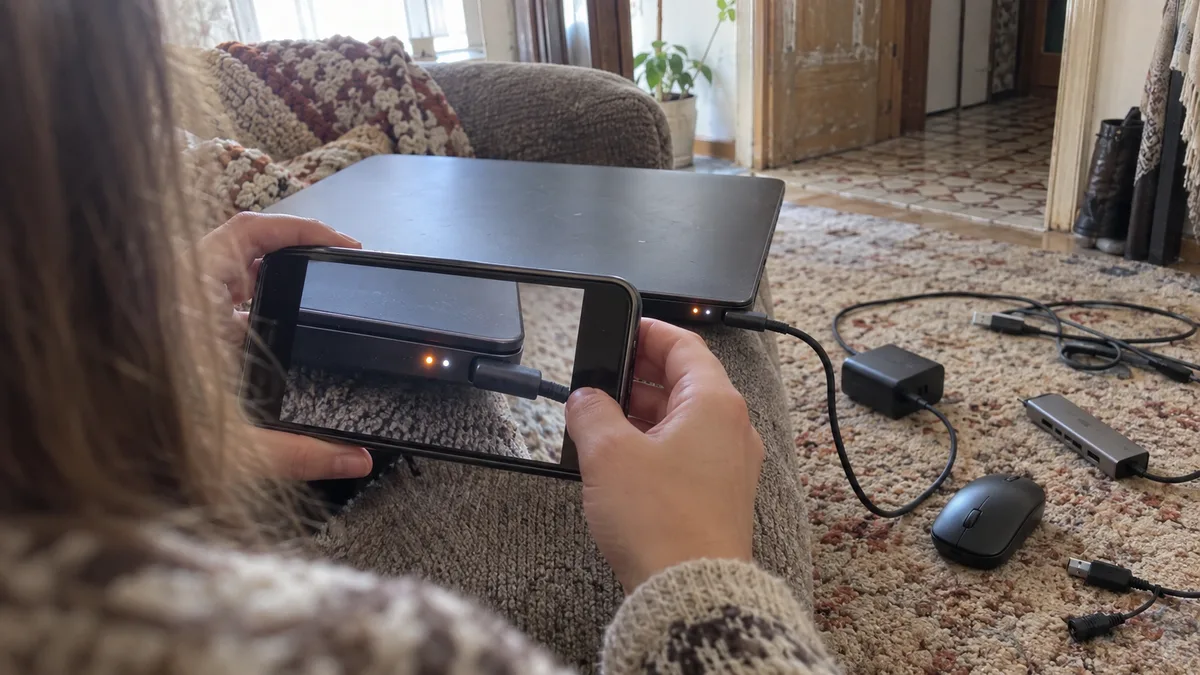
Newer ThinkPads, such as the T14 Gen 5, T16 Gen 3, and P14s Gen 5, can repeat groups of orange and white flashes after an unsuccessful startup. The number of flashes allows the manual to identify the likely fault area, such as the memory, display, or motherboard. The code table applies only to specific models, so do not use it for a different model. Record the entire repeating sequence on your phone and count the orange and white flashes separately.
How to distinguish a dead adapter from a motherboard fault
The most reliable test you can perform at home is to try another known-good adapter with the correct connector, voltage, and wattage. With USB-C, Power Delivery communication must also work; the five volts supplied by an ordinary charger are not enough.
If the laptop wakes up with another adapter, the original power supply or its cable is suspect. If it charges only when the connector is held in a certain position, the problem is usually in the cable or a loose power port. The article Laptop power connector repair explains how such a port is repaired.
A USB-C port can fail for reasons other than mechanical damage. In 2019, Lenovo released a Thunderbolt controller firmware update for ThinkPads from 2018 and 2019, including the T480, T480s, T580, X280, and sixth-generation X1 Carbon. A fault in the older firmware could disable the USB-C and Thunderbolt ports, including charging. If you have one of these models and the update was never installed, tell the repair technician.
If neither the correct adapter nor an emergency reset helps, that does not automatically mean the motherboard is faulty. A damaged power port, battery, input fuse, or charging controller can produce the same symptoms. The motherboard can only be declared faulty after its power rails and current draw have been measured.
If the adapter has its own indicator and it goes out when connected to the laptop, there may be a short circuit at the input. Do not repeatedly reconnect the adapter.
If the fault remains after these checks or the laptop is physically damaged, take it to our laptop repair service in Brno.
When to stop trying
Disconnect the laptop immediately if the battery is swollen, the case or touchpad is lifting, you smell burning, an area heats up rapidly, or the laptop was previously exposed to liquid. An emergency reset will not fix corrosion or a short circuit. If the battery is swollen, follow the advice in Swollen laptop battery.
A laptop also belongs in a repair shop if it only flashes briefly after every reset, repeatedly trips the adapter, or displays a diagnostic sequence indicating a motherboard, graphics, or display fault. If you do not want to perform electrical measurements yourself, we can test the power circuitry and try to identify the cause. Approximate prices are available in the Servis PC Brno price list.
What a proper diagnosis should include
The repair technician should first record the exact model and then test the adapter under load, the power port, the battery’s response, and the motherboard’s current draw. With USB-C, they should also check which power profile the laptop negotiates with the adapter. Declaring that the motherboard needs replacement without performing these checks is premature.
The cost of diagnosis and repair depends on the model, the design of its power circuitry, and the extent of the fault. Before the repair begins, you should receive a written description of the fault, a proposed solution, and a price for approval.
A Windows password is usually not required to diagnose a power fault. If your data is more important than restoring the laptop to working order, state explicitly that you do not consent to reinstalling the system, initialising the drive, or performing a system recovery through Novo. For an encrypted business laptop, check in advance where the BitLocker key is stored. The article You couldn’t find your BitLocker key may help. However, do not send the key to the repair shop by email in advance.
Repair or replace the Lenovo?
Standard editions of Windows 10 reached the end of regular support in October 2025. With an older ThinkPad or IdeaPad, you should therefore check the exact processor, TPM 2.0 availability, and Windows 11 support as well as the repair price. Do not decide based only on the series name, as the same family was sold with different processors.
Replacing an adapter or power connector costs very differently from replacing the entire motherboard. For a business laptop, also consider the value of the data, the time needed to configure applications, and the work involved in preparing a replacement machine.
What to bring to the repair shop
Bring both the laptop and its power adapter. Prepare the exact model designation or MTM, a video of the blinking indicators, and a description of what happened before the fault appeared, such as a completely depleted battery, a fall, liquid exposure, a new dock, or a BIOS update.
Book online: Laptop repair — tell us the model and what is happening, and we will contact you with the next steps.
Rather not deal with it yourself?
Book a diagnosis in Brno — you get the price up front and we start only once you agree.
Where to find us
We are a PC and laptop repair shop in Brno-Židenice: diagnostics and repairs of computers and laptops, data recovery from drives, and out-of-warranty Apple repairs (iPhone 12 and newer, MacBook, iPad).
Viniční 3587/216, 615 00 Brno-Židenice, Czech Republic Mon–Fri 10:00–16:00
Call +420 774 777 774 Computer repair and laptop service in Brno
We put the repair price in writing after diagnostics and carry on only once you agree.