A touchpad that clicked normally for years suddenly feels stiff or sits proud of the surrounding plastic. The lid won’t close, the laptop rocks on the desk. Plenty of people treat this as a cosmetic issue for a few weeks — prop up the corner, plug in a mouse and carry on. But underneath the palm rest, a damaged lithium cell is almost certainly expanding. And it will use the time you give it to destroy the touchpad, the keyboard and eventually the chassis too.
If you’re reading this because your laptop is behaving exactly like that: shut it down, unplug the charger and stop charging it. We’ll handle the battery replacement and the safe, environmentally sound disposal of the old one — book online or just call 774 777 774.
The short answer: A swollen battery is a damaged lithium cell in which the electrolyte breaks down through ageing and heat, and the resulting gas stretches the soft pouch. You’ll recognise it by a raised or dead touchpad, a lid that won’t close, gaps opening between casing parts, and rocking on a flat desk. Shut the laptop down, don’t charge it, don’t press on the casing. Don’t puncture the battery, don’t try to flatten it and don’t bin it — it belongs in a take-back scheme. The pressure builds steadily, which is why the replacement can’t wait: today you’re replacing the battery, in a month it’s the touchpad and the casing as well.
How to spot the swelling
In most of today’s laptops the battery lies flat under the touchpad and palm rest. When the cells start to expand, they have nowhere to go inside the tight chassis — so they push up against the touchpad and keyboard and down against the bottom cover. That’s why the first symptoms don’t look like a “battery problem” at all, but like a mechanical fault:
- the touchpad sits proud of the surrounding plastic, is stiff to press, or has stopped clicking altogether,
- the lid won’t close fully, the closed laptop feels “springy”,
- a gap has appeared between the bottom cover and the body that wasn’t there before,
- the keyboard sags in the middle or a bulge is taking shape underneath it,
- the laptop rocks on a flat desk because the bottom cover has warped.
Not every wobble is a disaster — sometimes it’s just a lost rubber foot or a loose screw after previous servicing. What matters is the combination: a deformation that keeps growing, plus a change in how the touchpad or lid behaves. If you’re not sure, line the closed laptop up against the straight edge of a table — the warp is obvious at a glance.
And conversely: if nothing is lifting but the laptop won’t hold a charge, shuts down as soon as you unplug it or reports “Plugged in, not charging”, that’s a different category of fault. We cover that in laptop won’t charge or won’t hold a battery.
Why the battery swelled
A lithium-polymer cell isn’t a can, it’s a flat foil pouch. Inside, chemistry runs its course with a finite lifespan — and when the electrolyte starts breaking down through age or overheating, gas is produced. The foil stretches, the cell thickens and starts pressing on everything around it.
What speeds the degradation up:
- Age and cycle count. After three to five years of ordinary use, side reactions inside the cell are a normal phenomenon. Whether it swells then comes down to the design and to luck.
- Heat. A laptop with clogged cooling warms the battery through every working day. If the machine is also roaring and shutting down under load, read why a laptop overheats and shuts itself down as well.
- Permanently charged to 100 %. A laptop that hasn’t had the cable out of the socket for years keeps the cells at full voltage — and a fully charged lithium cell ages fastest. The classic candidate is the “desktop” laptop in an office.
- Deep discharge. A machine left flat in a drawer for six months, the battery below minimum voltage — that triggers irreversible reactions too.
- A poor-quality replacement part or mechanical damage. A cheap battery with no traceable manufacturer and a laptop dropped on its corner are two different beginnings to the same ending.
Why it can’t be put off
Swelling isn’t a stable state. Gas keeps building, pressure rises and the damage accumulates in an unpleasant order: first the touchpad stops clicking, then the keyboard sags, and finally the pressure stresses the motherboard and the connectors on it. A battery replacement can easily turn, within a few weeks, into a battery, touchpad and top cover replacement — on some models the top cover comes as a single unit with the keyboard and the repair price jumps by thousands.
And then there’s the second dimension. A swollen cell is mechanically vulnerable: squeezing it, puncturing it or charging it further can heat it into what’s known as thermal runaway — the cell ignites and burns fiercely, generating its own oxygen. It’s hard to extinguish, and in a backpack, on a sofa or in a car it’s a scenario you don’t want to test. A switched-off, uncharged laptop placed on a hard, non-flammable surface is a small risk; a laptop that keeps charging and heating up with a swollen battery inside raises that risk needlessly with every passing day.
If the fault survives these checks, or the damage is mechanical, laptop repair in Brno takes over.
What to do right now
- Shut the laptop down completely. Not sleep, not just close the lid — shut down. A sleeping machine wakes up in a bag and heats up.
- Unplug the charger and stop charging. Not even “one last time to back things up”. A repair shop can retrieve your data from the drive without turning the laptop on.
- Don’t press on the casing and don’t try to force the lid shut. The deformation is a symptom of pressure inside, not badly seated plastic.
- Put it on a hard, non-flammable surface. A worktop, floor tiles. Not a shelf full of paper, not a bed, not a sofa.
- Don’t leave it in the heat. A car in the sun heats the interior to temperatures that accelerate the swelling, even outside the peak of summer.
- Arrange the replacement. The sooner the cell is out of the laptop, the less damage to the rest of the machine.
What definitely not to do
- Don’t puncture it and don’t “flatten it out”. A punctured lithium cell reacts with fire practically instantly. Flattening is just a slower version of the same thing.
- Don’t pry the battery out at home with a flat screwdriver. In plenty of laptops it’s glued in, and prying punctures the foil more easily than you’d expect. If you have no experience with that particular design, leave it to a repair shop.
- Don’t charge it. Charging a damaged cell is the most common route from “a bulge” to a fire.
- Don’t throw it in the bin — any bin. General waste, plastics, or the red box for small batteries at the supermarket are no place for a damaged lithium cell. Compacted lithium batteries are exactly what sets refuse trucks and sorting lines on fire.
- Don’t post it. Damaged lithium batteries must not be shipped as ordinary parcels.
Can you keep using the laptop?
Not with a swollen battery inside — not even on the charger. Running it heats the cell, most laptops top it up while doing so, and the pressure works away at the touchpad in the meantime.
If you’re tempted by the stopgap of “I’ll take the battery out and run off the socket”: on older models with a removable battery this usually works, just bear in mind that a power cut means an instant shutdown. But be careful: a swollen cell often jams in its bay and must not be prised out. If the battery doesn’t come out easily and without resistance, leave it alone — a ruptured lithium cell pouch means a fire, not just a ruined battery. On today’s slim machines, though, the battery is inside, often glued, and disconnecting it means taking the laptop apart — and handling a damaged cell, which belongs in the hands of someone who knows where you may pry and where you may not. If you don’t fancy it, that’s the right instinct: book a replacement and leave the teardown to us.
How the replacement works and what it costs
At Servis PC Brno, labour for a battery replacement starts at roughly CZK 600. The battery is charged separately depending on the specific model — on one machine we reach it a few minutes after removing the bottom cover, on another it’s glued under the board and the job takes longer. Diagnostics when no repair follows costs roughly CZK 600; you’ll find the full rates in our price list. You get the price of both the part and the labour up front, and we only proceed once you approve it.
For a quick quote, send us the brand and the full model designation from the label on the bottom, ideally along with the designation of the original battery. “Lenovo IdeaPad” isn’t enough — a single line often has several batteries with different capacities and connectors.
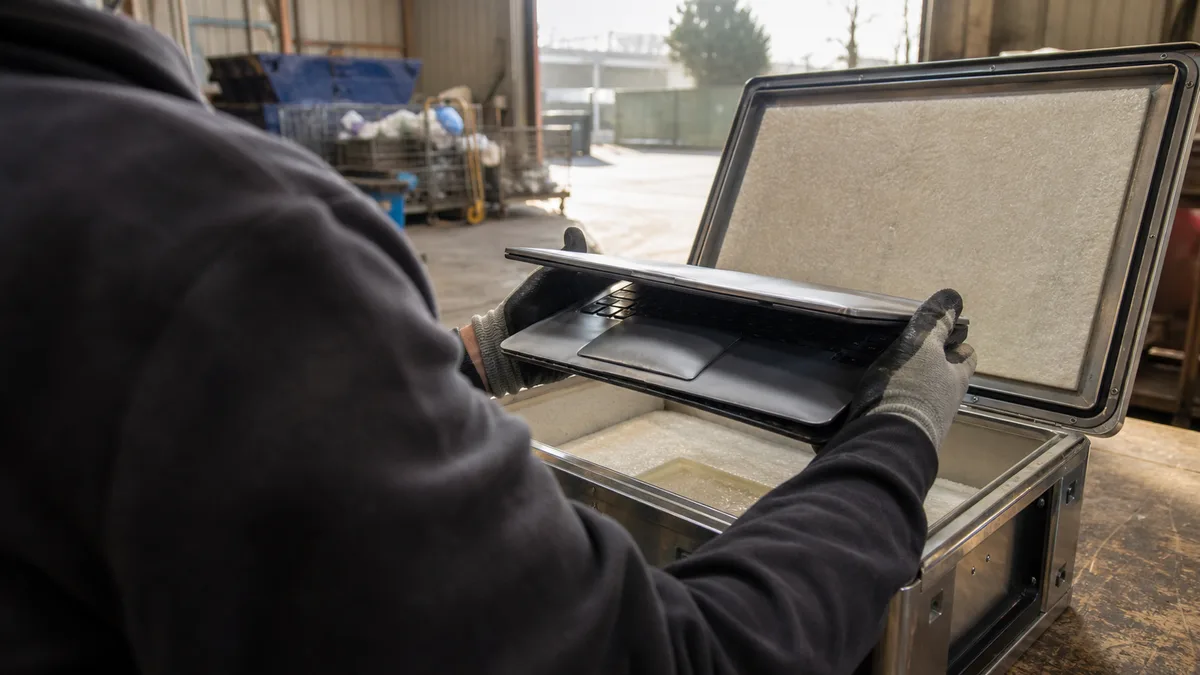
The job also includes the part you’d struggle with most at home: we take the old swollen battery off your hands and pass it on for environmentally sound disposal via a take-back scheme. After the replacement we test the laptop while charging, on battery and under load, and check whether the pressure has already damaged the touchpad or keyboard.
What to do with the old battery if you’re replacing it yourself
Got a removable battery and the new one already bought? Then there’s only one correct route for the old one: a take-back scheme — a household waste collection yard, or an electronics shop that accepts batteries. A swollen cell isn’t an ordinary AA battery, though — when you hand it over, warn the staff that it’s damaged so it doesn’t end up in a box with all the others. Until then, store it on a non-flammable surface out of reach of children, with the contacts taped over, and don’t put anything on top of it.
How to stop it happening again
A new battery gets the same conditions as the old one — and the same conditions lead to the same ending. What to change:
- Turn on the charge limit if the laptop mainly lives plugged in. Lenovo Vantage, MyASUS and Dell Power Manager can cap it at 60–80 %; on HP the feature is usually in the BIOS. Cells kept below full voltage age markedly more slowly.
- Keep the machine cool. Clogged cooling heats the whole chassis, battery included. If the fan is roaring and the base is hot, it’s time for laptop dust cleaning and fresh thermal paste.
- Don’t work on a duvet or a sofa. A blocked air intake pushes temperatures up by tens of degrees.
- Charge with the original or a proven adapter. Suspiciously cheap substitutes save money on exactly the protective electronics you need.
- Don’t store a laptop long-term either flat or fully charged. Before a longer break, charge it to roughly half and top it up every few months.
On a very old machine it’s worth a sober calculation before the replacement: a battery, with a few hundred crowns of labour plus the part, makes sense while the rest of the laptop is still serving you. When a broken hinge, weak performance and a dying drive come with it, read when it’s worth saving a computer and when to replace it first.
The answer in a nutshell
A raised touchpad and a lid that won’t close very likely mean a swollen battery — a damaged lithium cell that expands and, over time, destroys the parts around it. Shut the laptop down, don’t charge it, don’t press on anything, and don’t puncture the battery or throw it in the bin; it belongs in a take-back scheme. The replacement is a routine job: labour from roughly CZK 600 plus the battery depending on the model, with the price agreed up front and environmentally sound disposal of the old battery. The sooner you replace it, the cheaper the repair — book online or call 774 777 774.
Order online: Laptop repair — tell us the model and what happens, and we will come back with the next step.
Rather not deal with it yourself?
Book a diagnosis in Brno — you get the price up front and we start only once you agree.
Where to find us
We are a PC and laptop repair shop in Brno-Židenice: diagnostics and repairs of computers and laptops, data recovery from drives, and out-of-warranty Apple repairs (iPhone 12 and newer, MacBook, iPad).
Viniční 3587/216, 615 00 Brno-Židenice, Czech Republic Mon–Fri 10:00–16:00
Call +420 774 777 774 Computer repair and laptop service in Brno
We put the repair price in writing after diagnostics and carry on only once you agree.