The short answer: Shutting down with 20–40% displayed is not a battery gauge error but a loss of the battery’s peak performance capability—and that is different from the Maximum Capacity percentage shown by iOS. Open Settings → Battery and check both: the capacity percentage and the message under Peak Performance Capability. If it says “Your battery’s health is significantly degraded,” Apple itself recommends battery replacement. If the phone shuts down mainly in freezing weather and at a low charge level, that is textbook behavior for a chemically aged battery, not a faulty logic board. One comparison is decisive: iPhone 14 and earlier models are designed for 500 cycles before reaching 80 percent capacity, while iPhone 15 and later models are designed for 1,000.
First, two figures that are often confused
Apple describes two independent battery properties on the iPhone, but most people look at only one of them.
Maximum Capacity indicates the battery’s capacity compared with when it was new. As the battery chemically ages, its capacity decreases and the phone runs for fewer hours on one charge. This is the percentage everyone watches.
Peak performance capability is the battery’s ability to deliver current immediately. This property is affected by battery impedance, and Apple makes two important points about it: “A battery with a high impedance may be unable to provide sufficient power to the system” and “A battery’s impedance will temporarily increase at a low state of charge and in a cold temperature environment.” If the power management system cannot supply enough energy for continuous operation, the iPhone shuts down—according to Apple, “to protect the electronic components.”
A shutdown is therefore an intentional protective measure, not a system crash. Because it depends on immediate power delivery rather than the amount of stored energy, it can occur even when the phone displays 30 or 40 percent.
Where to find it in iOS and what the option is called on your model
The path always starts with Settings → Battery, but the next step varies by iPhone generation and iOS version—and this is where most people get stuck:
| Generation | What to tap under Settings → Battery | What you will see |
|---|---|---|
| iPhone 12, 13, 14 | Battery Health & Charging | Maximum Capacity, peak performance message, replacement recommendation |
| iPhone 15 and later (iOS 17.4+) | Battery Health | also the cycle count, manufacture date, and battery first-use date |
In its general battery guide, Apple describes the path as Settings → Battery → Battery Health. Its information for iPhone 11 and later calls the option Battery Health & Charging on models 11 through 14, while its charging guide also uses Battery Health & Charging. This is not an error: the option’s name has changed between iOS versions. Look for a line containing the word battery, and do not let instructions for another generation confuse you.
In practice, this has one important consequence. The cycle count can only be viewed in Settings on iPhone 15 and later, starting with iOS 17.4. On an iPhone 12, 13, or 14, you must make your decision based on Maximum Capacity, the peak performance message, and actual battery life—the phone will not show you its cycle count.
The four battery messages used by iOS
One of four messages appears under Peak Performance Capability. It is worth knowing their exact wording because each means something different:
| What iOS displays | What it means | What to do |
|---|---|---|
| “Your battery is currently supporting normal peak performance.” | The battery can handle peak demand without performance management intervening. | If the phone still shuts down, the battery may not be the cause. |
| “This iPhone has experienced an unexpected shutdown because the battery was unable to deliver the necessary peak power. Performance management has been applied to help prevent this from happening again.” | At least one shutdown has already occurred, so the system is now limiting performance. | This is documented evidence of an ageing battery, not just an impression. |
| “Your battery’s health is significantly degraded. An Apple Authorized Service Provider can replace the battery to restore full performance and capacity.” | Apple itself recommends replacement. It adds: “This message does not indicate a safety issue. Your battery can still be used.” | The decision is yours—the phone is not dangerous, just underperforming. |
| “Unable to verify this iPhone has a genuine Apple battery. Health information not available for this battery.” (iPhone XS, XR, and later) | Apple states that the battery health information on this screen may not be accurate. | Treat the displayed figures with caution and decide based on how the phone behaves. |
Apple does not specify on this page exactly what triggers the message, so neither do we.
There is one more thing people search for but cannot find: Apple documents the performance management switch (“Disable…”) for iPhone 6 through XR. On iPhone 11 and later, Apple says the system that reduces the effects of battery ageing is “automatic, always-on.” There is therefore no switch to look for on an iPhone 12—it is not there.
Why cold weather makes it worse—and why that is not a fault
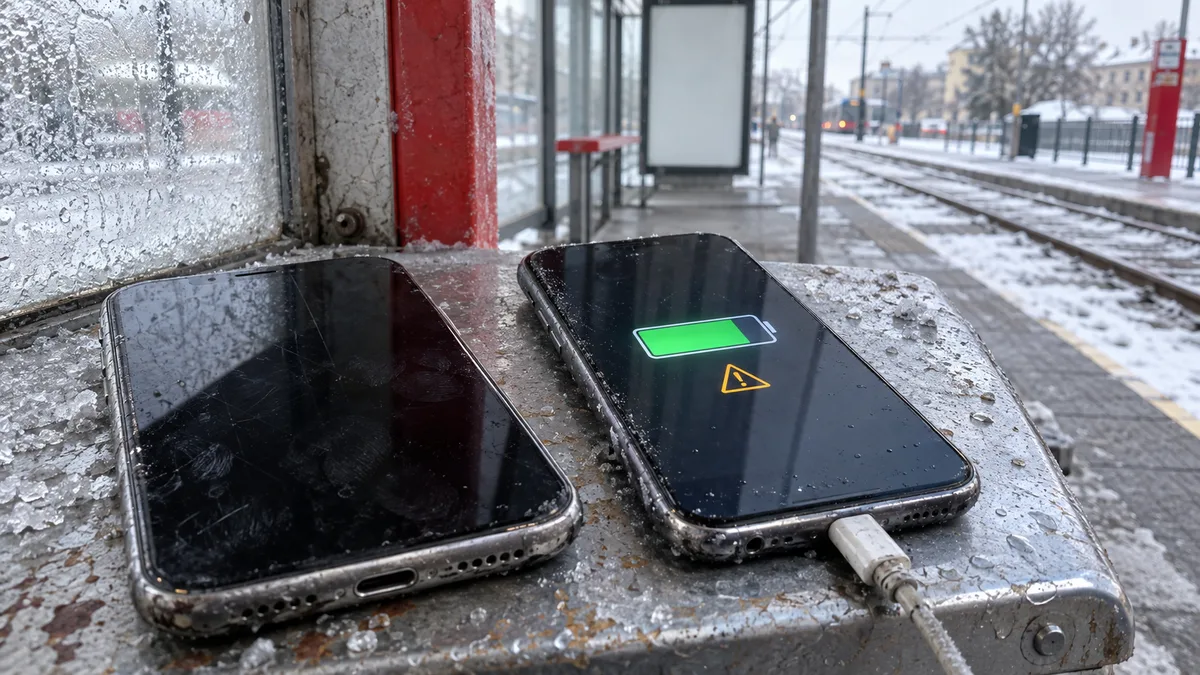
Apple sums it up in one sentence: “Unexpected shutdowns are more likely to occur when the battery is low on charge, is chemically aged, or when you are in colder temperatures.” When all three conditions come together—January, 25 percent remaining, and a three-year-old cell—the shutdown is predictable.
Figures that can guide your decision:
- The iPhone works best in ambient temperatures from 0 to 35°C, with an ideal range of 16 to 22°C.
- The effects of cold are reversible: “When using your device in a very cold environment, you may notice a decrease in battery life, but this condition is temporary.” Once the battery returns to its normal temperature range, its performance recovers.
- Heat damage is not reversible. According to Apple, temperatures above 35°C can permanently reduce battery capacity, and charging at high temperatures can cause further damage. Remove a thick case during charging if the phone becomes hot.
- Charging may be temporarily paused at extreme temperatures. On iOS 16 and later, a notification appears on the Lock Screen and the status is also visible under Settings → Battery.
A simple test at home is to keep the phone warm for two or three days and prevent its charge from dropping below one-third. If the shutdowns stop, you have confirmed chemical ageing. If the phone still shuts down while warm and at a high charge level, the cause lies elsewhere.
How many cycles your iPhone generation should last
This is the most important difference between generations, and no one at the store is likely to mention it. First, a definition, because it is commonly misunderstood: you complete one charge cycle after using an amount equal to 100 percent of the battery’s capacity—not necessarily in a single session, but potentially in smaller portions over several days.
| Series | Year | Model number for the Czech Republic (other countries and regions) | Design life to 80% capacity |
|---|---|---|---|
| iPhone 12 mini / 12 / 12 Pro / 12 Pro Max | 2020 | A2399 / A2403 / A2407 / A2411 | 500 cycles |
| iPhone 13 mini / 13 / 13 Pro / 13 Pro Max | 2021 | A2628 / A2633 / A2638 / A2643 | 500 cycles |
| iPhone 14 / 14 Plus / 14 Pro / 14 Pro Max | 2022 | A2882 / A2886 / A2890 / A2894 | 500 cycles |
| iPhone 15 / 15 Plus / 15 Pro / 15 Pro Max | 2023 | A3090 / A3094 / A3102 / A3106 | 1,000 cycles |
| iPhone 16 / 16 Plus / 16 Pro / 16 Pro Max | 2024 | A3287 / A3290 / A3293 / A3296 | 1,000 cycles |
The model numbers shown are the variants for other countries and regions, including phones sold in the Czech Republic; US, Japanese, and Chinese versions have different numbers. You can find yours under Settings → General → About in the Model Number field. On the iPhone 12 series, the IMEI is also engraved on the SIM tray.
What this means in practice: an iPhone 12 bought in 2020 is six years old and, if charged daily, has long since passed 500 cycles, so a capacity of around 80 percent is an expected condition, not a defect. An iPhone 15 has twice the design-cycle allowance, so a similar symptom after two years is more likely to have a cause other than normal wear. According to Apple, the 1,000-cycle rating applies to iPhone 15 and later. For models not listed in the table, verify the figure for your specific generation—we do not estimate it.
What software can still do—and what it cannot
Here is another useful comparison, because newer features do not come to older phones:
| Feature | Where it is available | What it actually does |
|---|---|---|
| Adaptive Power (iOS 26 and later) | iPhone 17 models, iPhone Air, iPhone 16 models, iPhone 15 Pro, and 15 Pro Max | anticipates a demanding day, adjusts performance, and can enable Low Power Mode at 20 percent |
| Charge Limit from 80 to 100% in 5% increments | iPhone 15 and later, under Settings → Battery → Charging | reduces the time the battery spends fully charged |
| Optimized Battery Charging | all iPhones running iOS 13 or later; for iPhone 14 and later, Apple gives the path Settings → Battery → Battery Health & Charging | delays charging past 80 percent based on your habits |
| Low Power Mode | all models; in iOS 26 under Settings → Battery → Power Mode | reduces power consumption and switches itself off after charging past 80 percent |
Owners of iPhone 12 through 14 therefore do not get Adaptive Power or the optional Charge Limit, while the standard iPhone 15 and 15 Plus also lack Adaptive Power. That leaves Optimized Battery Charging, available since iOS 13 on all models. Apple recommends keeping it enabled because turning it off “can increase wear on your battery and reduce its lifespan.” None of these features, however, can restore lost capacity. They only slow further degradation.
What to try at home before buying anything
- Update iOS. Apple recommends this as the first step for any battery-life problem, and some battery features are unavailable on older versions.
- Check both values using the table above and take a photo of the screen. Without a photo, it is impossible to discuss the battery’s condition before and after a repair objectively.
- Check whether shutdowns correlate with cold temperatures and a low charge level. Shutting down below one-third in freezing weather is a different finding from shutting down at 70 percent in a warm room.
- Try another cable and adapter that you know work correctly. For fast charging, iPhone 12 and later require an adapter rated at 20 W or more. Apple states that iPhone 8 and later can charge to as much as 50 percent in about 30 minutes this way. If it takes substantially longer with a known-good adapter, the charging path may be at fault rather than the cell itself. Apple also notes that fast charging may not work in excessively cold or hot conditions.
- Remove a thick case if the phone becomes hot while charging.
- Review app usage under Settings → Battery. Sometimes the problem is not the battery but a single app running in the background.
- Storing a spare phone? Apple recommends switching it off, charging it to approximately 50 percent, and storing it somewhere below 32°C.
None of this will make the battery young again. The point is to distinguish chemical ageing from a charging or power-consumption problem, so you only pay to replace what is actually defective.
We handle batteries, connectors, and displays through our iPhone repair service in Brno. A related option is our iPad repair service in Brno.
When replacement makes sense—and what it will not fix
Apple puts it plainly: “If you are affected by these changes and would like to improve the performance of your device, replacing your device battery can help.”
Replacement makes sense when two conditions coincide and you want to keep the phone: a degraded-battery or previous-shutdown message and battery life that no longer meets your needs. Capacity substantially below 80 percent is another reasonable indicator on a generation that has already passed 500 cycles.
Replacement will not, however, fix a phone that shuts down while warm and fully charged, goes dark immediately after displaying the logo, charges only when the connector is held in one position, or has been exposed to liquid. The battery is not a diagnosis; it is one component. With an iPhone, it is worth identifying the cause before buying a new cell. The same decision-making logic applies to an iPad with both display and battery problems and to a MacBook, where battery health is accompanied by the cycle count and an adhesive-mounted cell.
One exception cannot wait: if the display is lifting away from the frame or the rear glass is bulging, stop charging and using the phone. A swollen cell is not something to measure; it must be handed over safely.
What Apple says—and where we stand
On its battery service page, Apple states that products with built-in lithium-ion polymer batteries should have their batteries serviced by Apple or an authorized service provider. Regarding warranty coverage, it adds that the one-year warranty includes service coverage for a defective battery in addition to rights provided under local consumer laws. Apple also offers out-of-warranty battery service, while noting that “prices and terms may vary.”
We say this plainly: Servis PC Brno is not an Apple Authorized Service Provider, and we do not claim otherwise. If your phone is under warranty, subject to a warranty claim, or covered by a manufacturer programme, contact the retailer, Apple Support, or an authorized service provider first—you have rights there that you cannot exercise through us.
We accept out-of-warranty iPhone 12 and later models for diagnostics on a pilot basis as regular hardware work. We do not publish fixed prices for Apple repairs because the price depends on the model, fault, and part option. General labour rates are available in our price list, and you will receive the specific price and part option in writing after diagnostics. We do not promise repairs while you wait, nor do we promise a completion date before confirming part availability.
Before bringing in your iPhone
- Create and verify a backup. A hardware repair is not a promise that your data will be preserved or recovered. You can transfer photos from your phone to a computer without using the cloud; if that does not work, our article about a phone that will not connect to a PC explains the most common causes.
- We do not offer mobile phone data recovery. If the data is your main concern, tell us immediately and we can save you an unnecessary journey.
- We accept devices without login credentials. Do not give us your unlock code or Apple Account password; we will perform any tests requiring the phone to be unlocked together with you.
- Bring the model number and a description of the symptoms: when the phone shuts down, the displayed percentage, the temperature, and the adapter used. A complete checklist is available in our guide on how to prepare a MacBook, iPad, or iPhone for servicing.
The rest is straightforward: either diagnostics confirm that the cell has reached the end of its useful life and replacement restores a full day of use, or they show that the battery was not at fault and replacing it would have wasted your money.
Book online: Fault diagnostics — tell us the model and what is happening, and we will contact you with the next steps.
Sources
- Apple: iPhone Battery and Performance
- Apple: About the battery and performance of iPhone 11 and later
- Apple: Charge Limit and Optimized Battery Charging on iPhone
- Apple: If your iPhone or iPad battery drains too quickly
- Apple: Fast charge your iPhone
- Apple: Identify your iPhone model
- Apple: Batteries—Service and Recycling
- Apple: Batteries—Maximizing Performance
Rather not deal with it yourself?
Book a diagnosis in Brno — you get the price up front and we start only once you agree.
Where to find us
We are a PC and laptop repair shop in Brno-Židenice: diagnostics and repairs of computers and laptops, data recovery from drives, and out-of-warranty Apple repairs (iPhone 12 and newer, MacBook, iPad).
Viniční 3587/216, 615 00 Brno-Židenice, Czech Republic Mon–Fri 10:00–16:00
Call +420 774 777 774 Computer repair and laptop service in Brno
We put the repair price in writing after diagnostics and carry on only once you agree.