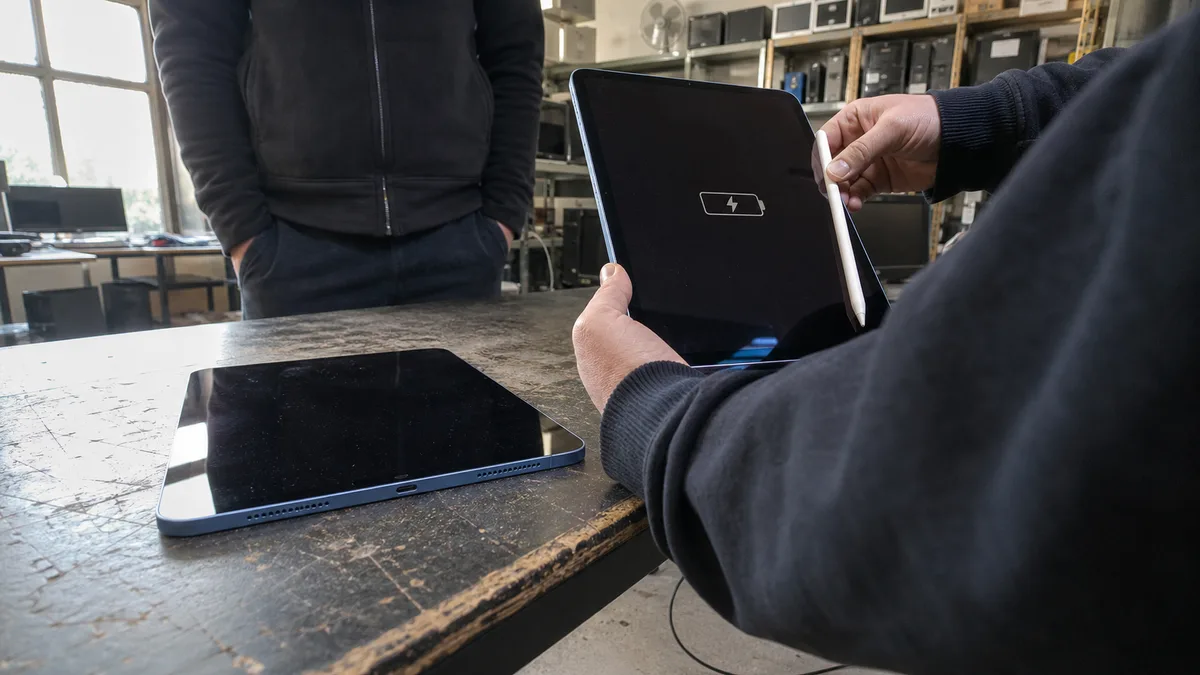
An iPad lands corner-first on a tiled floor. Cracks spread across the glass like a spider’s web, but the image is still visible and touch works everywhere. Or consider another scenario: the glass is intact, but a tablet that used to last all day now runs flat in two hours and shuts down at forty percent when you take a photo.
Both situations look like straightforward jobs — replace the display, replace the battery. With an iPad, neither is that simple. The exact generation, the way the display is bonded, the condition of the aluminium frame, and any additional problems that have developed since the original fault all matter.
The short answer: Never buy a part based on the product name — “iPad Air” or “iPad Pro” tells you very little because each name covers several generations with different internal designs. You need the model number beginning with the letter A (Settings → General → About → Model Number; tap it to switch from the sales part number to the A-number; the same number is engraved on the back). This identifies whether only the touchscreen glass can be replaced or whether the entire laminated display assembly must be changed. A display lifting around the edges means a swollen battery may be present: turn the iPad off, do not charge it, do not secure it with tape or clamps, and do not place it under pressure. Rapid battery drain alone does not prove that the battery is faulty — a clogged connector, damaged cable, or underpowered adapter can cause the same symptom. On models with Touch ID or Face ID, those components are paired with the specific logic board; careless opening can disable them permanently.
Why “we’ll replace only the glass” does not apply to every iPad
Until 2014, iPads were relatively repair-friendly in this respect. The cover glass and touch layer, known as the digitiser, formed a separate component bonded around the edges, while the display panel sat beneath it with an air gap. If the glass cracked, only the glass had to be replaced.
Then came full lamination. In a laminated display, the glass, touch layer, and panel are bonded into a single sandwich without an air gap. This brings the image optically closer to your finger and reduces reflections, but a standard repair requires the entire module to be replaced. If the glass cracks, even a perfectly functional panel underneath is removed with it. Specialist refurbishment can separate the cracked glass and relaminate the panel — this is where the refurbished assemblies discussed below come from — but it is a separate workshop process rather than a routine replacement, and it is not suitable for every damaged panel. The panel is also the expensive part of an iPad display.
| Family | Display construction | What a cracked glass repair involves |
|---|---|---|
| 5th–9th-generation iPad (standard range, 2017–2021) | separate touchscreen glass and display panel | Best-case scenario: the digitiser is replaced and the panel remains |
| iPad mini 1–3, first-generation iPad Air | separate touchscreen glass | Only the glass and touch layer are replaced |
| 10th-generation iPad and subsequent base models (USB‑C) | non-laminated, separate touchscreen glass | The panel can remain; always verify the exact version using the model number |
| iPad Air 2 and later (Air 3, 4, 5, M-series) | fully laminated | The entire display assembly, including a functional panel, is normally replaced |
| iPad mini 4 and later | fully laminated | The same applies — replacing only the glass requires specialist refurbishment of the assembly |
| iPad Pro (all generations) | fully laminated | The most expensive option; the display is the costliest repair component on 12.9” mini‑LED models and newer OLED models |
The table is a guide, not a rule that applies to every device — the model number and revision determine the correct procedure for a particular iPad. That is why the A-number must be checked before ordering a part.
Even when “only the glass” is being replaced, this is not like attaching glass to a phone. The digitiser is held by adhesive around its perimeter, which must be heated and released gradually. Several short flex cables run through a narrow space beneath the upper edge — for the touchscreen, display panel, and, on models with a Home button, Touch ID. Opening the display even a few centimetres farther than the cable allows can tear the flex. Broken glass creates another problem: shards stick to the warmed adhesive and plastic tools, and any fragment pushed inside can scratch the polarising layer of a panel that was previously undamaged.
Touch ID is an especially unpleasant trap. The fingerprint sensor is paired with the Secure Enclave on that particular logic board. If its flex cable is torn while opening the device, no replacement part can restore fingerprint recognition. A new button may still work physically as a button, but it will no longer read fingerprints. The same applies to models with Touch ID in the top button, including the iPad Air 4 and later, iPad mini 6, and 10th-generation iPad. On iPad Pro models with Face ID, the TrueDepth module along the upper edge of the display is paired in the same way.
Cracked display: what each symptom really means
- Cracked glass, clear image, and touch working across the entire surface. This is the best-case scenario. Before arranging a repair, however, check whether only an attached tempered-glass screen protector is broken. Its cracks can look exactly the same, and you can identify it with a fingernail at the edge.
- The iPad operates by itself and “ghost touches” open apps. Disconnect the charger first and use the device on battery for a while. A low-quality or faulty power supply can introduce interference into the touch layer and look exactly like a defective digitiser. If the problem continues on battery power, the touch layer or its flex cable is damaged.
- Lines, coloured patches, black areas, flickering, or a bright pressure “pool.” The display panel itself is damaged. New glass will not help, even on models where the glass can be replaced separately.
- The display is lifting around the edges. A fall may not be responsible. In most cases, a swollen battery is pushing it out from inside — read on, because this is the one situation where you should not wait.
- The frame is dented or bent at a corner. A new display will not sit evenly, and the stress may crack it again, often within a few weeks. The 2018 iPad Pro demonstrated that frame flatness is not merely theoretical: Apple confirmed at the time that some devices left the factory with a slight bend in their aluminium body and considered it within tolerance. It is not within tolerance for a repair — a new screen must be bonded to whatever lies beneath it.
Do not assess deformation by placing the iPad on a table and checking whether it rocks. The camera bump tilts it on its own, and a protective case makes the test completely meaningless. Look along the longer edge against the light and check whether the gap between the glass and frame is equally wide along its entire length.
Before taking it to a repair shop: cover cracked glass with clear adhesive tape to stop shards breaking away or cutting your fingers. Do not pour glue into the cracks, try to press the glass back into place, or attempt to “reinforce” it by strapping it down. If the display is lifting, do not tape it down tightly — a swollen cell underneath may not withstand the pressure.
Weak battery, or simply poor charging?
The feeling that “it no longer lasts” is useless for diagnosis because several different faults behave in exactly the same way. Before anyone orders a battery, the following must be ruled out:
- Underpowered adapter. An iPad battery is several times larger than a phone battery. A five-watt charger from an old iPhone charges it extremely slowly, and with a bright display, video recording, or navigation running, the battery can continue draining even while plugged into the mains. It looks like a dead battery, but the real problem is insufficient power.
- A computer’s USB port. When an iPad reports “Not Charging,” it is often connected to a port that simply cannot supply enough current. Try a wall socket and adapter.
- Clogged connector. Over the years, fabric lint carried in pockets can become compacted inside a Lightning or USB‑C port, preventing the cable from reaching the contacts. Turn the iPad off and carefully remove the debris with a wooden toothpick or plastic pick — never use metal, as a needle can tear a contact out of the connector.
- Cable. Lightning cables often break internally near the strain relief while looking untouched from the outside. Always test with both a different cable and a different adapter, not just one of them.
- Optimised charging and heat. iPadOS may deliberately keep the charge at 80%, either to optimise charging around your habits or because the device is too hot. This is not a fault.
- Background apps and weak signal. On cellular models, poor reception can produce immediately noticeable battery drain.
The meaningful figures — charge cycle count and full capacity compared with design capacity — are read over USB from the controller inside the battery itself, not from the screen. Only these figures provide a sound basis for deciding whether the cell is worn or the problem lies elsewhere. The same logic applies to laptops, as explained in why a laptop will not charge or hold its battery.
Swollen battery: the one situation where you should not wait
A lithium-polymer cell swells because gases are released as the electrolyte breaks down, whether through ageing, overheating, or mechanical damage. The process cannot be reversed, and no amount of “discharging and recharging” will fix it. In an iPad, the cell is attached to the aluminium body with strong adhesive and pushes in the only direction where the material can give way: towards the display.
The practical consequences are:
- Turn the iPad off and do not charge it. Further cycles only produce more gas.
- Do not press, strap, or clamp it. A compressed swollen cell may rupture, and a ruptured lithium cell can catch fire.
- Do not leave it in a car, on a windowsill, or near a heater. Heat accelerates the process.
- Do not try to pry it out yourself. Removing a swollen battery from beneath a bonded display without puncturing it requires isopropyl alcohol, plastic tools, and patience — not a knife.
- Do not leave it “until later.” As the display rises, it gradually tears the adhesive, allows dust into the device, and may eventually damage a panel that could otherwise have been saved.
The basic procedure is the same as for a swollen laptop battery, except that an iPad’s battery cannot be accessed without going through the display. If you are not comfortable doing this — and nobody without the right tools should attempt to handle a swollen cell — contact us through the Apple repair page and we will replace it for you in Brno. We will explain the price and the risks of opening the device in advance.
When repair makes sense and when replacement is cheaper
Age alone is not decisive. What matters is the combination of faults, the condition of the frame, and what you actually use the iPad for.
| Device condition | Reasons to repair | Reasons to replace |
|---|---|---|
| Cracked glass, straight frame, no other faults | The damage is isolated and the iPad can still run all the apps you need | The part is laminated and the price of the assembly approaches the price of a comparable used device |
| Weak battery, undamaged display | Performance, storage, and system support are still sufficient | Even with a good battery, the device no longer has enough performance or capacity |
| Frame bent after a fall | Straightening can be assessed and the frame may remain safe to use | A new display would be installed under stress and crack again |
| Display lifted by the battery | Prompt repair prevents damage to the panel and frame | The battery has already deformed the frame or torn the panel |
| Standard model with 32 GB | — | Storage will run out before your patience does; even the system may be impossible to update |
| Model without software support | — | Banking and business apps require a newer iPadOS; the iPad Air 2, for example, stopped at iPadOS 15 |
| Device under corporate management (MDM) | You retain its settings, profiles, and familiar environment | The model no longer supports the required management features or security updates |
You must also account for everything used with the iPad. The first-generation Apple Pencil, second-generation Pencil, and USB‑C version are not interchangeable, and each iPad range supports a different one — the 10th-generation iPad, for example, cannot charge the second-generation Pencil. Keyboard cases and docks likewise fit only specific dimensions and connectors. If the iPad serves as a point-of-sale terminal, warehouse panel, or signature device, add the cost of configuring MDM, banking apps, and multifactor authentication on the replacement. Replacing a tablet involves more than buying a tablet.
Conversely, a repair stops making sense when it would solve only one fault out of four. A cracked display, worn battery, loose connector, and full 32 GB of storage together are very different from a single crack in one corner. The reasoning is the same as when diagnosing a damaged laptop — the repair cost should be compared with the device’s actual remaining utility, not its original purchase price.
What the repair shop must establish before quoting a price
The first step is to identify the model. The product name is not enough: “iPad Air” covers five generations with different internal designs. The A-number from the back or from Settings is required.
The diagnosis should then answer the following questions:
- is only the cover glass and touch layer damaged, or is the display panel damaged too,
- is the frame straight enough for the new display to sit without stress,
- is the battery pressing against the screen from inside,
- is charging being limited by the cable, connector, or charging electronics,
- what are the battery’s actual readings from its controller,
- does touch work over the entire surface, including the edges, and do the buttons, cameras, and speakers work,
- which part will be used and what will be tested after the repair.
There is one more point that any reputable repair shop should explain in advance: some iPad components are paired to the logic board by software. Touch ID and Face ID components must be transferred from the original device, and damaging them means losing the function. On models with True Tone, the calibration profile is linked to the specific display, so automatic colour adjustment may behave differently after the panel is replaced. The exact consequences for your device can be determined once the model has been identified — promising that “everything will remain unchanged” without this information is dishonest.
Be careful about what is sold as a “new display.” Most assemblies available for laminated iPads are refurbished: an original panel with newly laminated glass. This is not inherently a problem, but quality varies between refurbishers and is most noticeable in Apple Pencil behaviour near the edges and in the uniformity of the backlight. That is why these features must be tested after the repair, not taken for granted.
Questions that reveal a well-planned repair
A quote should address the cause, not only the visible symptom. A new display bonded into a bent frame will crack again. A new battery will not help if the iPad cannot charge because its connector is clogged.
- Will only the touchscreen glass be replaced, or the complete laminated assembly — and why?
- Is the frame straight enough for the display to be installed safely?
- Which part will be used, and how will its quality be verified?
- Who bears the risk of damaging a functional display when opening the device to replace the battery? This is the most important question of all with an iPad, and it should be answered before the job begins, not afterwards.
- What happens if the diagnosis reveals another fault — does the work continue, or will it be discussed first?
It is not enough for the iPad merely to turn on after the repair. It should be tested with both white and black backgrounds for dead pixels, pressure marks, and uneven backlighting; touch should be checked across the entire surface, including the edges; and the Apple Pencil, if used, Touch ID or Face ID, charging, buttons, cameras, and sound should all be tested. Finally, the gap around the perimeter should be inspected against the light. An iPad has no official IP rating, so water resistance is not assessed in the same way as on a phone. This makes it even more important for the display to sit evenly and for the adhesive to have enough time to cure before the device returns to use.
Data, passcodes, and warranty
Make a backup before handing over the device, not only after discussing the repair with the shop. Use either iCloud or a local backup: Finder on a Mac or the Apple Devices app on Windows. Select the option to encrypt the local backup — only an encrypted backup includes Keychain passwords and health data; otherwise, you will have to enter them again after restoring the device.
Why this matters even more with an iPad than with a computer: the contents of an iPad are encrypted using keys stored in the logic board’s Secure Enclave. The memory chips therefore cannot simply be read elsewhere. Recovery may be impossible unless the original encryption components on the board remain functional. Some logic board faults can be repaired, allowing the owner to regain access to the data, but this is specialist microsoldering work with an uncertain outcome — and to be completely clear: we do not offer data recovery from mobile devices, including iPads, even as an additional part of a repair. A routine hardware repair is not and cannot be a promise of data recovery. With a damaged laptop drive, it may be possible to work from a sector-by-sector copy; that is not an option here. Your most reliable protection is therefore a current backup — and if you use the iPad for work, another copy should be stored somewhere outside iCloud in accordance with the 3‑2‑1 backup rule.
We accept devices without access to their data. Do not send your passcode anywhere or write it on the packaging or in an email. Any tests requiring the device to be unlocked can be performed together with you when you hand it over or collect it. We will never ask for your Apple ID password.
As for warranty coverage, there are two separate issues, and it is worth keeping them distinct. You exercise your statutory rights arising from defective performance with the seller, who cannot reject them merely because an independent repair shop has worked on the device. The claim is affected only to the extent that an unqualified intervention caused or contributed to the defect. Separately, Apple offers a voluntary warranty and operates a network of Apple Authorised Service Providers (AASP). This warranty is provided by the manufacturer beyond its statutory obligations, and Apple sets its own terms, so work performed outside the AASP network may complicate or terminate coverage. Dropping an iPad on a tiled floor is not a product defect, so neither form of coverage applies to the resulting cracked display. Servis PC Brno performs out-of-warranty repairs — if you are unsure about the device’s warranty status, check it before authorising anyone to open it.
What to prepare if you want an assessment in Brno
Four things are enough for an initial assessment:
- The model number beginning with the letter A — from the back of the device or Settings → General → About.
- Photographs: the entire display while it is on, a close-up of the damaged corner, and the edges viewed against the light along the longer side.
- A description of what happened — whether the device was dropped, compressed in a backpack, or gradually worsened on its own, and whether the image, touch, and charging still work.
- The accessories and systems you use with it — Apple Pencil, keyboard case, or corporate device management. These determine what must be tested after the repair.
We will first establish the extent of the fault, the condition of the frame, and whether the battery is responsible. Only then will you receive a price and an explanation of which functions will remain available on your model. If the diagnosis shows that the repair is not worthwhile, we will tell you — that is a better outcome than bonding a new display into a crooked frame. Contact us through the Apple repair page, and bring the iPad switched off and without its case.
Sources
- Apple: Identify your iPad model
- Apple: If your iPad won’t turn on or is frozen
- Apple: If your iPad won’t charge
- Apple: Parts support for iPad
- Apple: Important safety information for iPad
- Apple: One-year limited warranty for the Czech Republic
- iFixit: iPad repair guides by model
Rather not deal with it yourself?
Book a diagnosis in Brno — you get the price up front and we start only once you agree.
Where to find us
We are a PC and laptop repair shop in Brno-Židenice: diagnostics and repairs of computers and laptops, data recovery from drives, and out-of-warranty Apple repairs (iPhone 12 and newer, MacBook, iPad).
Viniční 3587/216, 615 00 Brno-Židenice, Czech Republic Mon–Fri 10:00–16:00
Call +420 774 777 774 Computer repair and laptop service in Brno
We put the repair price in writing after diagnostics and carry on only once you agree.