September is approaching, bringing the annual question: which laptop should you buy for a child starting secondary school or university—one that will last without wrecking the family budget? At this price point, shops will offer you a new entry-level laptop made of plastic, with a slow processor and soldered memory. Yet the same money can buy a three-year-old business machine from a classified site or refurbished computer retailer that originally cost three times as much.
The short answer: A refurbished business laptop—such as a Lenovo ThinkPad T, HP EliteBook 800 or Dell Latitude 5000 or 7000—is almost always worthwhile for school, office work and working from home. For the price of a new entry-level machine, you get a tougher build, a better keyboard and replaceable RAM and SSD. Before buying, however, check three things: the battery using the
powercfg /batteryreportcommand, the hinges and display, and whether the machine has at least an 8th-generation Intel or Ryzen 2000 processor for Windows 11—although in 2026 you should really be aiming for a 2021 model. Buy from a retailer that provides a warranty and receipt, not from an anonymous classified ad.
Where refurbished laptops come from
“Refurbished” does not mean “repaired after a failure.” The vast majority are business laptops whose leases have ended. Large companies replace their equipment after three to five years regardless of its condition. The depreciation period has simply ended, and the IT department has ordered a new batch.
A specialist company buys the retired machines, tests and cleans them, erases the corporate data, installs a clean copy of Windows and grades them by cosmetic condition—usually as grades A, B and C. The grade describes appearance, such as scratches on the lid or shiny keys, not functionality. A grade B machine must pass the same tests as a grade A one.
A practical grading tip: grade B usually offers students the best value for money. A few scratches on the lid do no harm, and technically it is just as thoroughly tested as a grade A machine. The price difference could pay for a larger SSD or a new battery. Choose grade A when appearance matters, such as for meetings with clients.
This is the crucial difference between a refurbished laptop from a retailer and one from a second-hand shop or classified ad. With a refurbished machine, you know who is responsible for it and receive a receipt and warranty. With a classified ad, you are buying a pig in a poke from someone you may never see again.
Why a three-year-old ThinkPad beats a cheap new laptop
Business ranges are designed for a different purpose than consumer electronics: five years of daily use, thousands of lid openings, being carried in a bag and on-site servicing. This gives them several practical advantages that remain even after three years:
- Build and hinges. A magnesium or metal chassis and tested hinges can withstand treatment that would have destroyed cheap plastic long ago.
- Keyboard. Typing on a ThinkPad or EliteBook is a class above anything new at the same price. For a student who will write dozens of papers on it, that is no small detail.
- Repairability. The RAM and SSD are replaceable, service manuals are publicly available, and spare parts such as keyboards, batteries and hinges remain in production for years. If something breaks, the machine can be repaired instead of written off.
- Features missing from budget laptops. A TPM chip for Windows 11, better IPS displays, a backlit keyboard and a docking connector.
A new laptop at the same price typically has 8 GB of soldered RAM, a slow processor and a chassis that already creaks in the shop. We examine the specifications in more detail in our article on how to choose a laptop in 2026. Here, we will focus on the points specific to refurbished machines.
How the refurbished market has changed
The market has moved forward by an entire generation. Business laptops purchased during the 2020–2021 wave are now reaching the end of their leases and arriving at refurbishers in large numbers. These include the ThinkPad T14 Gen 2, EliteBook 840 G8, Latitude 5420 and related models with 11th-generation Intel or Ryzen 5000 processors.
Compared with what was until recently the most common refurbished model—the 2018 ThinkPad T480—there are two tangible differences: Wi-Fi 6 instead of Wi-Fi 5, which is most noticeable in a crowded dormitory or open-plan office where an older wireless card must compete with dozens of devices, and, above all, three more years of remaining service life. The T480 is now eight years old. It still qualifies as the minimum for Windows 11, but it should no longer be your target purchase.
The practical conclusion for 2026 is that you should view the 2018 generation as a budget fallback, not the standard choice. If the price difference compared with a 2021 model is small, you are buying years of additional use—not merely better specifications on paper.
When a refurbished laptop does not make sense
To avoid singing their praises unreservedly, there are situations in which a refurbished laptop is the wrong choice.
Gaming and video editing. A three-year-old mobile graphics card is not enough for today’s games, and refurbished gaming laptops have often had a hard life, with their previous owners running them at full load for years. A new machine—or a desktop computer—makes more sense here.
Minimum weight and maximum battery life. The latest processors are noticeably more efficient. Anyone who lives on aeroplanes and needs ten hours away from a power socket should buy new.
Machines that are too old. This is the biggest trap in today’s market. Refurbished laptops with 6th- and 7th-generation Intel processors are attractively cheap, but they do not officially support Windows 11—and Windows 10 support has already ended, as we explain in Windows 10 is ending—what next?. On 25 June 2026, Microsoft extended Extended Security Updates for consumers by one year, so they now run until 12 October 2027. In the EEA, you can receive them free of charge by signing in with a Microsoft account; otherwise, updates are disabled after 60 days. Alternatively, you can pay a one-off fee of USD 30 while using a local account. The terms are set out on Microsoft’s ESU page. This is only a one-year reprieve, however, not a path to a supported system. Buying a machine in 2026 with no route to a supported operating system means buying a problem. As a simple rule, the minimum is an 8th-generation Intel or AMD Ryzen 2000 processor and TPM 2.0. The ThinkPad T480 and newer, EliteBook 840 G5 and newer, and Latitude 5400 and newer are suitable.
Second-hand consumer ranges. A three-year-old cheap laptop is still a cheap laptop—only now it is worn out as well. The appeal of refurbished machines lies in business-class models. Second-hand consumer IdeaPads and Aspires are almost never worthwhile.
One more point: if you are replacing an old, slow machine, first check whether you really need a new one. Sometimes an SSD and more memory are enough. Our decision guide explains whether to reinstall, repair or throw it away.
What to inspect before buying
This is the heart of the article. A refurbished laptop is not a gamble when you know what to check.
| What to check | How to check it | Red flag |
|---|---|---|
| Battery | Run powercfg /batteryreport and compare Design Capacity with Full Charge Capacity | Capacity below 70%, hundreds of cycles or a retailer unwilling to provide the report |
| Hinges | Slowly open the lid with one hand through its full range | Creaking, clicking or cracked plastic around the hinges |
| Display | Show a full-screen white image and then a black one | Dead pixels, bright patches or severe backlight bleed |
| Keyboard and touchpad | Type a few sentences and test every key | Keys polished completely smooth or dead areas on the touchpad |
| Ports | Test USB, charging and HDMI | A loose charging connector |
| Underside of the chassis | Inspect the condition of the screws | Stripped screw heads indicate unqualified work inside |
| BIOS | Check the settings before buying | An administrator password left by the former company or active remote-management provisioning |
| Windows 11 | Check the CPU generation and TPM 2.0 | A processor older than 8th-generation Intel or Ryzen 2000 |
| Licence and paperwork | Ask for proof of purchase and an activated Windows licence | “I don’t have a receipt; it was a company laptop” |
Two of these points deserve a closer look.
The battery is the most expensive consumable component. A powercfg /batteryreport report takes a minute to generate and tells you how much of the battery’s original capacity remains. Below 70%, include a replacement in your budget. Labour at a repair shop starts at approximately CZK 600, plus the cost of the battery. We explain how battery wear manifests itself and when replacement is necessary in our article on what to do when a laptop will not charge or hold a charge. Reputable refurbished computer retailers disclose battery condition or replace the battery once it falls below their threshold. Ask before you buy.
A locked BIOS is a deal-breaker. Business laptops often have an administrator password set and may also have active remote-management provisioning. A reputable refurbisher removes both. If you find a listing for a machine whose “BIOS cannot be opened, but everything else works,” walk away. Such a laptop cannot be fully managed and may even have a questionable origin.
Do you find it tedious to check all this for every listing? You are not alone. With refurbished laptops, inspecting the specific unit is what makes the difference. Book an appointment and we will review the options together. We can inspect the machine you have chosen before you spend any money on it.
Warranty and paperwork: where to buy safely
When buying from a refurbished computer retailer, whether online or in a physical shop, you have the same consumer rights as with new goods, with one difference: for used goods, the retailer may shorten the period for reporting defects to as little as 12 months. This must be stated explicitly, and many retailers retain the full 24 months as a competitive advantage. When buying online, you also have 14 days to return the product without giving a reason. This is invaluable with a refurbished machine because you can test it thoroughly at home without the time pressure of a shop visit.
Self-employed people and companies will appreciate another benefit: a refurbished computer retailer provides a proper tax document, allowing the purchase to be treated as a business expense.
Buying from a private seller through a classified ad, by contrast, means no warranty, no returns and no certainty about the machine’s origin. It may be cheaper—but only until the first fault appears.
What to do immediately after buying
We recommend three steps to everyone:
- Record the initial condition. Generate a battery report and save it. If you need to make a warranty claim, it provides evidence of the battery’s condition when the laptop arrived.
- Update the BIOS and drivers. Refurbished machines often arrive with firmware that is two years out of date. Updates fix security vulnerabilities as well as minor problems.
- Consider servicing older machines. A three- to five-year-old laptop is likely to have dust in its cooling system and dried-out thermal paste from its first tour of duty. A complete internal cleaning and thermal paste replacement starts at approximately CZK 1,800 and will help the machine run cooler and more quietly for years to come.
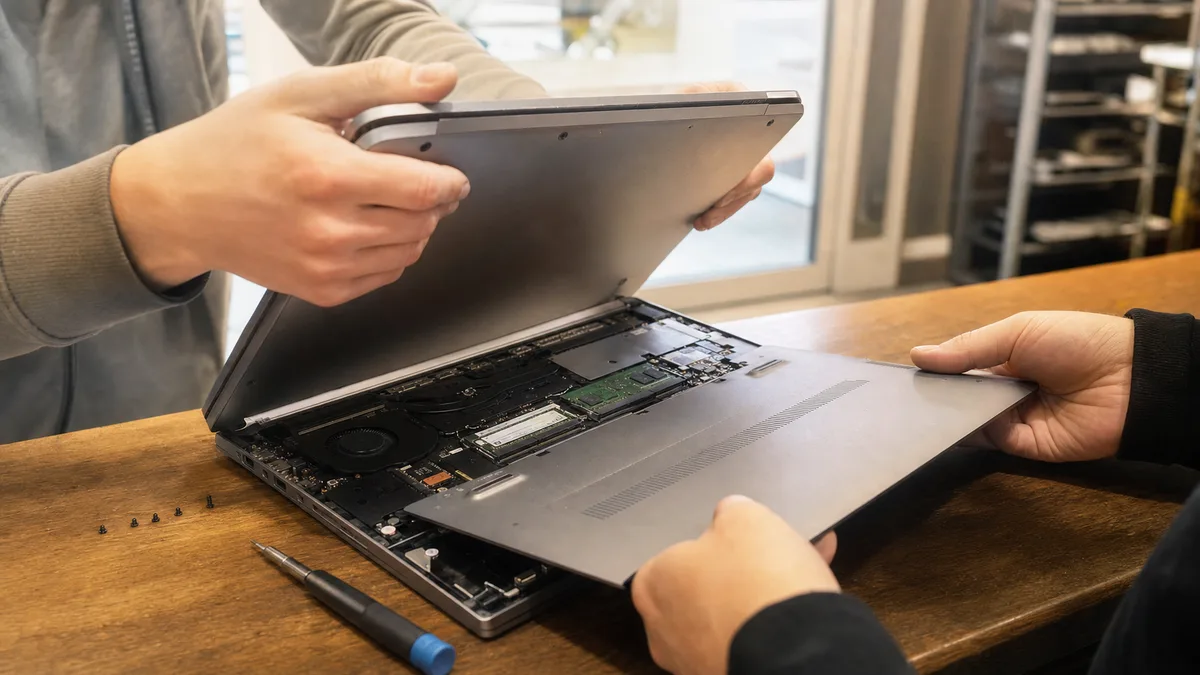
While you have the screwdriver out, check the memory too. Easy expansion is one of the main reasons to buy a refurbished business laptop. If the machine arrived with 8 GB of RAM in one slot, adding a second module is the cheapest upgrade with the greatest impact. The same applies to replacing a smaller SSD with a larger one. On ThinkPads and Latitudes, it only takes a few screws—there is no need to pry apart a glued chassis as with thin consumer models.
We can help you choose and inspect one
In our view, a refurbished laptop is the most sensible purchase for students, households and self-employed people—but only if you buy the right model in good condition. That is exactly where we can help. We will recommend a specific range based on what you plan to do with the machine, inspect one you have selected before you buy it, or source a tested refurbished laptop for you, including transferring data from your old computer. Assisted purchasing starts at approximately CZK 1,200. You can find details on our PC and laptop purchasing service in Brno page and complete rates in our price list.
Call us on +420 774 777 774 or book an appointment online. We would rather spend twenty minutes reviewing listings with you now than deal with a laptop a month later that should never have been bought.
Rather not deal with it yourself?
Book a diagnosis in Brno — you get the price up front and we start only once you agree.
Where to find us
We are a PC and laptop repair shop in Brno-Židenice: diagnostics and repairs of computers and laptops, data recovery from drives, and out-of-warranty Apple repairs (iPhone 12 and newer, MacBook, iPad).
Viniční 3587/216, 615 00 Brno-Židenice, Czech Republic Mon–Fri 10:00–16:00
Call +420 774 777 774 Computer repair and laptop service in Brno
We put the repair price in writing after diagnostics and carry on only once you agree.