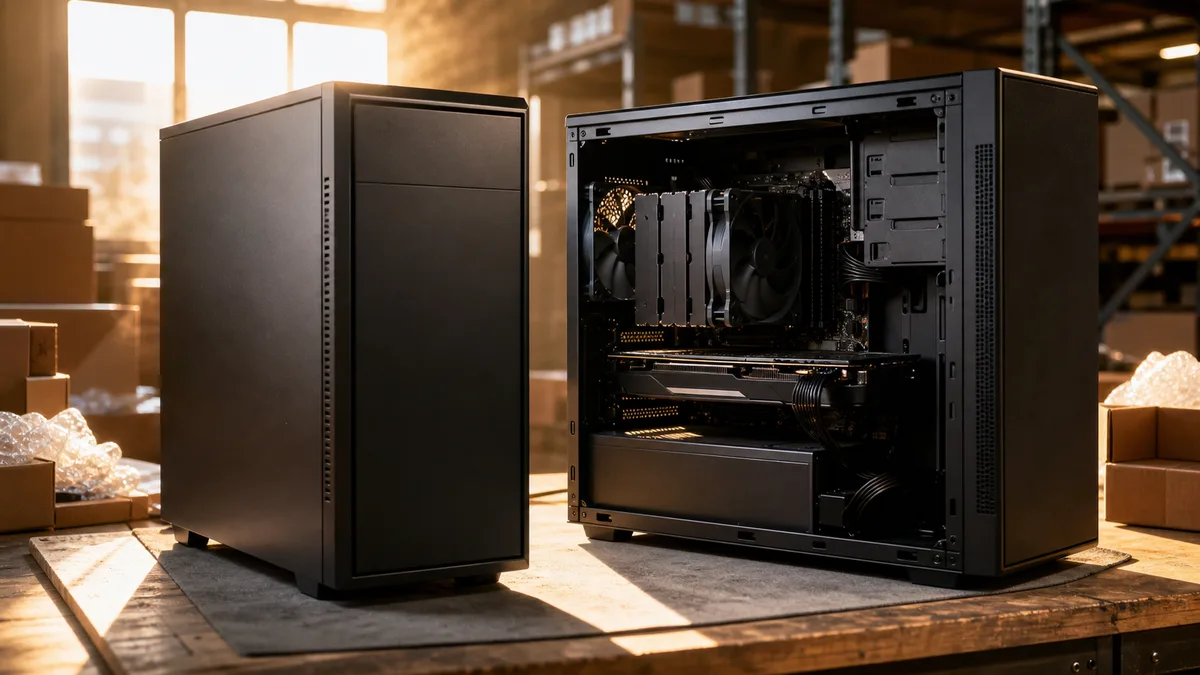
Two desktop PCs sit side by side in an online store. From the outside, a similar black case; inside, a processor from the same generation and the same drive capacity — yet one costs almost twice as much as the other. The pricier one has the word “gaming” in its name and glows in the photo. The question your whole budget rests on: are you paying for performance you will use, or for a label?
The short answer: Three items separate a gaming PC from an office one: a dedicated graphics card, a stronger power supply and beefier cooling. For the office, school, e-mail, Office and video calls you need none of them — the integrated graphics in today’s processors handle all that with room to spare. Buy a dedicated card only once you know exactly what will run on it: named games, video editing or local AI tools. Otherwise you are paying thousands extra for hardware that will sit idle — plus higher electricity use and more noise.
This article is about desktop PCs. If you are still torn between a desktop and a laptop, start with our comparison of laptop vs. desktop PC and come back here.
Where the money sits in a gaming PC
Break the price of a gaming build down into line items and you will find that the processor, memory and drive make up a smaller share of the bill than you would expect. Three things create the gap against an office machine.
Graphics card
A dedicated graphics card is by far the most expensive part of a gaming PC — it routinely swallows the largest slice of the budget, and in higher-end builds more than everything else put together. It is also the one component that office work makes no use of whatsoever: Word, a browser, accounting software and video calls do not need it.
On top of that, with graphics you are paying for two numbers you cannot read off the name: the compute power of the chip and the amount of video memory. It is the memory (VRAM) that decides whether the card will still handle modern games at higher detail three years from now — models with little memory look tempting on paper and age the fastest in practice. That is a classic place where “gaming” builds from a flyer cut corners.
Power supply
An office PC gets by with a small, efficient power supply, because the whole machine only draws tens of watts while you work. A gaming graphics card under load asks for hundreds of watts at its peaks — and the power supply has to deliver them steadily, for thousands of hours, summer included.
A quality brand-name power supply with an efficiency certification and some headroom is therefore the second most important item in a gaming build. It is also the component most often skimped on when “great value” builds are put together, because customers do not look for it in the specs. An undersized or ageing power supply then shows up as crashes and reboots at exactly the moment things get demanding — we covered this in detail in our article on why a PC shuts down while gaming and FPS drops.
Cooling and case
The hundreds of watts a gaming PC consumes turn into heat — and that heat has to go somewhere. A gaming build therefore needs a larger case with sensible airflow, a tower CPU cooler instead of the little box in the accessories, and more fans. Good cooling is not cosmetics: an overheating processor and graphics card throttle themselves, so a poorly cooled “high-performance” build actually delivers less than a well-cooled mid-range one.
An office machine has none of these concerns. It can happily live in a small case under the monitor, with a single slow fan you never notice.
Who is fine with integrated graphics
Integrated graphics — the graphics core built straight into the processor — have taken an enormous leap over the past few years. In 2026, you can comfortably do without a dedicated card for:
- office work, e-mail and a browser with dozens of tabs,
- studying, writing and video calls,
- watching films and series, 4K included,
- editing holiday photos and simple home video editing,
- light and multiplayer games (Minecraft, CS2, Fortnite, League of Legends) at lower detail — especially with newer AMD processors and their stronger graphics core.
You do need a dedicated card for the big releases of recent years at decent quality, serious video editing, 3D work and local AI. So the dividing line is not “I game / I don’t game”, but which specific titles and programs are involved. That makes the best pre-purchase question: list exactly what will run on this computer.
Choose by scenario, not by label
School and office
A newer mid-range processor with integrated graphics, 16 GB of memory, a fast SSD. Quiet, efficient, small. Nothing from the gaming kit is missing here, because there would be nothing to use it for. For a student who needs to carry the machine around, a laptop often makes more sense — we covered how to pick one in our guide to choosing a laptop.
Gaming
Here the order of priorities flips: first the graphics card, chosen for the games you actually play, then a power supply with headroom and proper cooling, and only then the processor. A balanced mid-range build with a quality power supply beats a machine that looks stronger on paper but saved on video memory and cooling.
The monitor you will be playing on belongs in the calculation too. Graphics are sized for the screen’s resolution and refresh rate: a Full HD monitor needs a far cheaper card than 1440p or 4K. Pairing a top-tier card with an old Full HD screen is wasted performance — and conversely, a big fast monitor with a cheap card means stuttering. Pick them together.
Video editing, photos, CAD
Editing software today can put a graphics card to full use, so a dedicated card noticeably speeds up both previews and exports. Add more memory (32 GB) and a second fast drive for projects. On paper the build looks much like a gaming one — except that instead of glowing fans, the money goes into memory and drives.
Local AI
A new category of recent years: running language models and generating images on your own machine. Here what matters most is the amount of video memory on the graphics card — the larger the model you want to run, the more VRAM you need, with compute power only the second criterion. If you are considering local AI, say so up front; the build is then put together differently from a purely gaming one.
Power draw and noise: the bill you pay every day
This is the part people forget most often when buying. During ordinary work an office PC draws only tens of watts from the socket. A gaming build under full load can easily draw several hundred — and if all you do on that powerful machine is write e-mails, you are paying for the higher idle draw for nothing.
Noise goes hand in hand with heat. A modern gaming PC can be almost inaudible during desktop work, because the fans spin slowly. While gaming, though, the heat has to go out, and you hear it. If the computer will sit in a bedroom or a quiet workplace, say so in advance — it can be solved through the choice of case, cooler and fan curves, but it has to be planned from the start. The reverse is true as well: when an older gaming machine starts roaring more than it used to, the usual cause is clogged cooling rather than age itself — cleaning the dust out of a build costs roughly from CZK 1,200.
Upgrades: an office base today, a gaming PC in two years
The great advantage of a desktop is that it can grow with you — but only if you plan for it when buying. If you need a work machine today and suspect gaming will join in a year or two (once the kids grow up a bit, say), it makes sense to buy an office build with some headroom:
- a case that a large graphics card physically fits into,
- a power supply with performance headroom and connectors for powering graphics,
- a motherboard with a full-size graphics slot and free memory slots.
A machine like that costs only a little more today than the cheapest office box, but in two years you simply drop a graphics card into it. A small mini PC or a slim case, on the other hand, will never become a gaming machine — there, changing needs mean buying a whole new computer.
The traps behind the “gaming” label
The word “gaming” on the box guarantees nothing. What to scrutinise in an offer:
- RGB instead of performance. Glowing fans and a glass side panel cost a few hundred crowns, yet in the price they create the impression of a powerful machine. A gaming PC is made by its graphics card, not its lighting.
- Strong processor, weak graphics. A favourite trick: the description leads with a powerful processor the customer recognises, paired with the cheapest dedicated graphics card so the build may legally be called gaming. In games the machine then delivers a fraction of the expected performance.
- A no-name power supply. When the power supply has no brand and no certification, that is a warning. That is exactly where the hidden saving sits — the one that surfaces a year later.
- Too little video memory. A card with the “right” name in a cut-down version with little VRAM ages the fastest. Look at the full model designation, memory included.
- Old warehouse stock. A build with components two generations behind at the price of new ones — you spot it by the specific models, not by the marketing name.
Second-hand “gaming” PCs are a chapter of their own. There are excellent finds among them, but you are buying a machine whose graphics card and power supply have thousands of hours under load behind them — and the power supply in particular is the component that ages worst and can take the rest of the build with it when it goes. So with a used machine, always insist on knowing its age, its history and exactly what has been replaced.
If you are unsure about a specific offer, send us the link before you buy — assessing the specs is quick work and it will save you an expensive mistake.
A build for the purpose, not for the flyer
The whole thing fits into one sentence: first the list of what will run on the computer, only then the specs. The office and school get by without a dedicated graphics card, and the thousands saved are better spent on a quality SSD, memory and a monitor. A gamer invests in graphics, power supply and cooling. A video editor in memory and drives, local AI in video memory.
Not keen on wading through specs and comparing power supplies with graphics cards? Send us an order describing what you want to do with the computer and what your budget is. We will design a custom build around the purpose and part availability — the proposal costs roughly from CZK 1,200, and we will quote the assembly, installation and handover in advance according to our price list. You get the computer connected, updated and with your data transferred, not a box full of cables.
Rather not deal with it yourself?
Book a diagnosis in Brno — you get the price up front and we start only once you agree.
Where to find us
We are a PC and laptop repair shop in Brno-Židenice: diagnostics and repairs of computers and laptops, data recovery from drives, and out-of-warranty Apple repairs (iPhone 12 and newer, MacBook, iPad).
Viniční 3587/216, 615 00 Brno-Židenice, Czech Republic Mon–Fri 10:00–16:00
Call +420 774 777 774 Computer repair and laptop service in Brno
We put the repair price in writing after diagnostics and carry on only once you agree.