The new Cybersecurity Act raises a lot of questions for business owners. And also anxiety. We see it daily in the workshop – entrepreneurs don’t know whether the law applies to them at all, and if it does, what exactly they have to do. Let’s clear it up. No legalese, no scare tactics, straight talk.
Quick verdict
- Does not apply to every small business — it depends on whether you provide a regulated service and your size.
- If you fall under the law, antivirus is not enough — you must address backups, access controls, documentation, suppliers, and incident response.
- Incidents must be reported quickly — initially within 24 h, with a follow-up within 72 h for significant impact, and a final report typically within 30 days of the notification.
- First step: don’t guess — verify your service and tier in the NÚKIB calculator, then address specific measures.
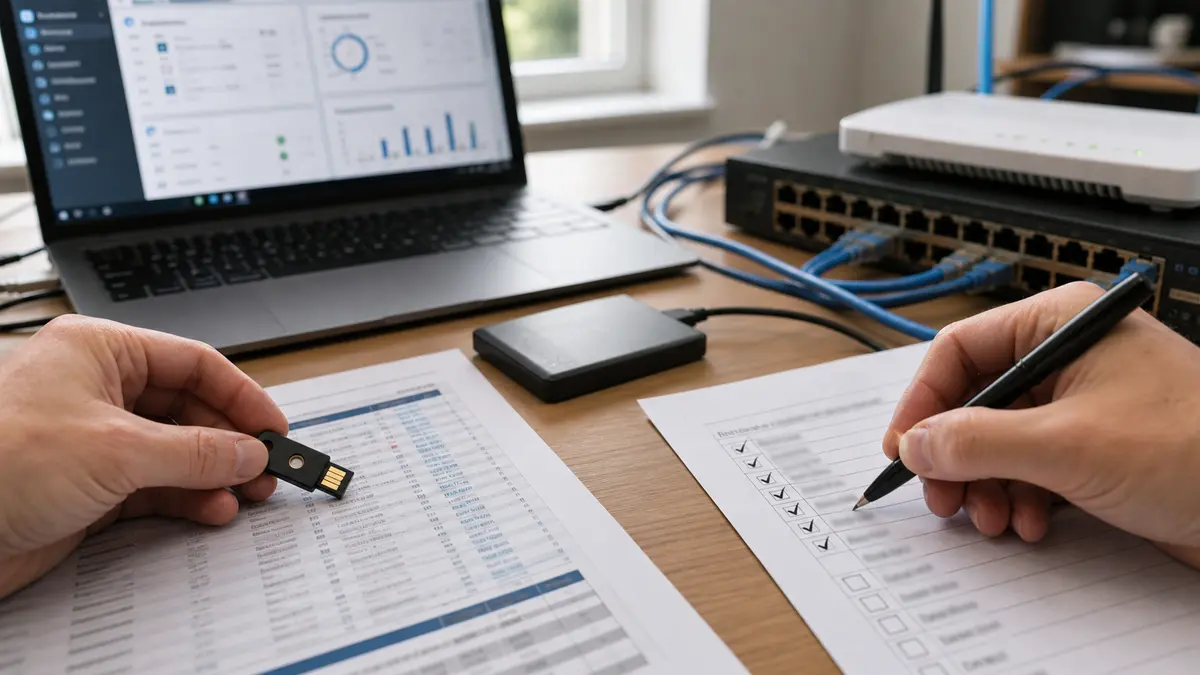
Practical preparation for your business: device overview, backups, MFA, and a simple incident plan. It’s not about a flashy presentation, but about functional order.
NIS2 in a nutshell: what a company should do right now
If you’re looking for a quick answer, start here: don’t treat the new Cybersecurity Act as a folder-filler, but as a check to see if your company can even restore operations after an attack or outage. For a typical company in Brno, this usually means going through your NIS2 scope, checking backups, enabling MFA, documenting responsibilities, and knowing when to call NÚKIB.
The quickest practical path:
- Verify whether you provide a regulated service and which tier you fall under.
- Create an inventory of the devices, accounts, suppliers, and systems your operations depend on.
- Check your data backup and genuinely test a recovery at least once.
- Enable MFA on email, cloud, VPN, accounting, and administrator accounts.
- Prepare a short incident procedure: who decides, who handles the technical side, who communicates.
What changed from 1 November 2025
From 1 November 2025, the new Cybersecurity Act No. 264/2025 Coll. is in effect. It transposes the European NIS2 directive into Czech law. The goal is simple: to increase the resilience of companies and organisations that are important for the functioning of the state and the economy.
What is different from the old law? Mainly, the scope of obligated entities has expanded. Whereas previously the Cybersecurity Act applied to just a few hundred entities, NÚKIB now expected around 6,000 organisations. By 8 February 2026, 4,825 had registered. That’s still significantly more than before – and, most importantly, it means the law now also affects mid-sized companies that previously treated cybersecurity as more of a side issue.
For us in the workshop, this means one thing: we’re suddenly dealing with clients who previously fell outside any regulation and now must meet specific obligations. And they often don’t even know it.
Does it apply to your company?
This is the most important question. The law doesn’t automatically apply to every company. It depends on a combination of three things:
- Do you provide a regulated service? The list is in Decree No. 408/2025 Coll. It typically includes IT services, energy, transport, healthcare, water management, digital infrastructure, and others.
- Are you a medium or large enterprise? According to Commission Recommendation 2003/361/EC, it is assessed by the number of employees and financial indicators. As a rough guide: if you are approaching the threshold of 50 employees or EUR 10 million turnover/balance sheet total, verify carefully.
- Are you otherwise important for the state? Even a smaller company can fall under the law if it is critical for the functioning of the state or society.
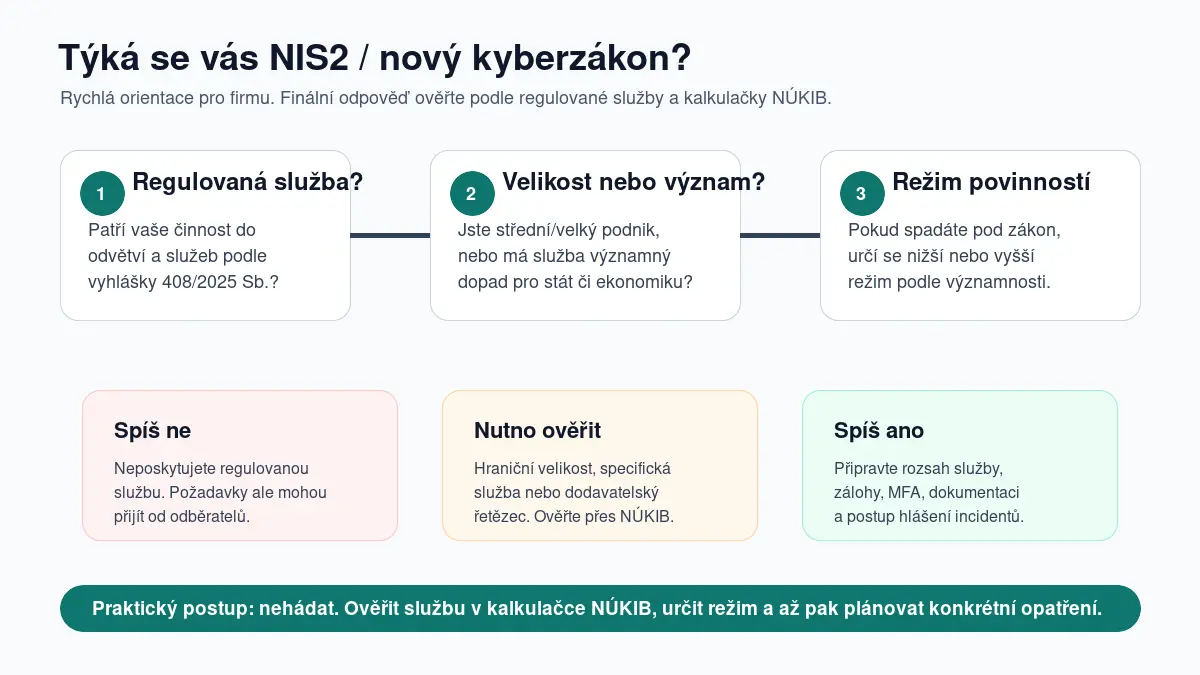
Does the law apply to your company? It depends on the regulated service, size, and significance – verify in the NÚKIB calculator.
| Situation | More likely yes | More likely no | Must verify |
|---|---|---|---|
| IT company with 60 employees managing systems for hospitals | ✓ | ||
| Small accounting firm with 5 people | ✓ | ||
| Manufacturing company with 200 employees – supplier to the energy sector | ✓ | ||
| E-shop with 30 employees and a turnover of CZK 300 million | ✓ |
First step: don’t guess. Use the NÚKIB calculator and go through the Guide to the new Cybersecurity Act. The calculator will guide you on whether you likely fall under the law and which tier.
And watch out – even if you are not directly subject to the law, it often catches up with you through the supply chain. A large customer who falls under the law will want you to prove that your security is in order. So even companies outside direct regulation end up addressing similar measures.
Higher vs. lower tier
The law divides obligated entities into two groups:
- Lower tier – smaller providers of regulated services, less strict requirements
- Higher tier – more significant providers, stricter requirements
In practice, this means that if you fall into the higher tier, you have more obligations. This typically concerns larger companies or organisations whose outage would have serious consequences. The NÚKIB calculator will tell you which tier you belong to.
For us in the workshop, the key difference is mainly in backup requirements. In the lower tier, you manage regular backups for service recovery. In the higher tier, the law explicitly adds regular testing of the integrity, availability, and recoverability of backups and documenting the results. We’ll get to that.
What you need to address in practice
Most of the obligations are not sci-fi requirements. They are things any well-functioning company should have anyway. The law just makes them mandatory and auditable.
Backups and recovery testing
This is the foundation. Decree 410/2025 Coll. for the lower tier states: you must establish recovery procedures and create regular backups of the information, data, configurations, and settings necessary for service recovery. For the higher tier (Decree 409/2025 Coll.), this is supplemented by regular testing of the integrity, availability, and recoverability of backups – and documenting the results. Recovery testing is no longer “best practice” but an obligation.
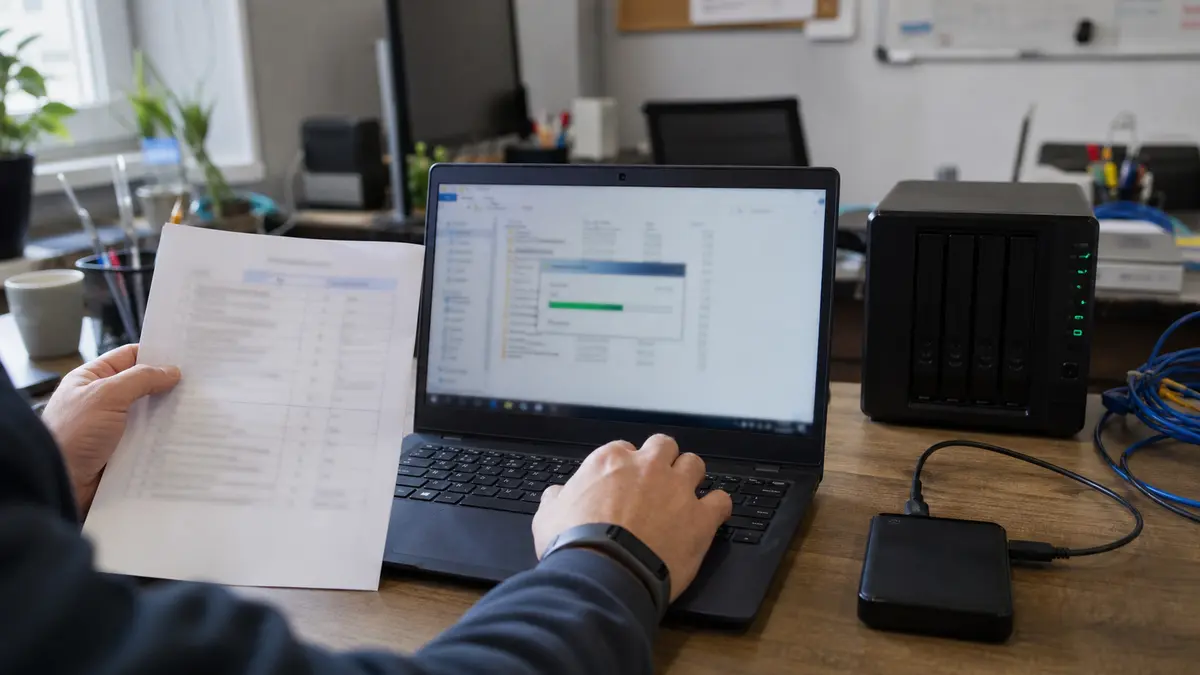
A recovery test is practical proof that backups are not just configured, but actually usable during an outage or ransomware attack.
Multi-factor authentication (MFA)
You must have MFA on critical accounts and remote access. No excuses that “the password is strong enough.” It’s not.
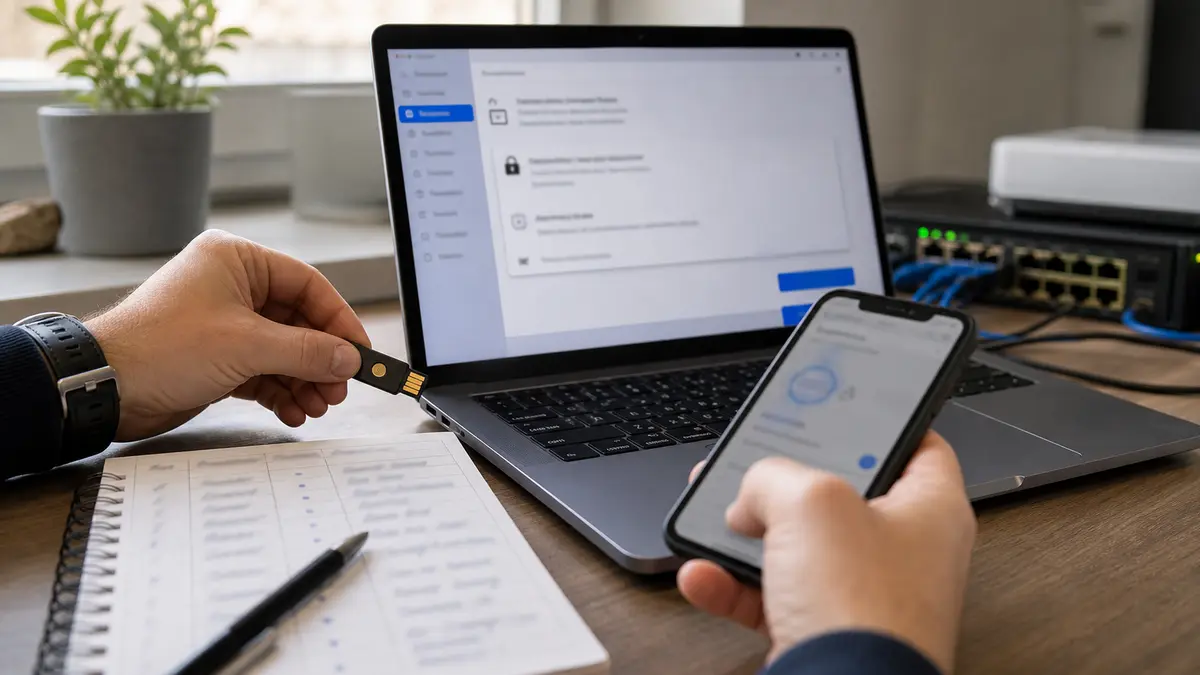
MFA should primarily be on email, cloud, VPN, accounting, and administrator accounts. An attacker often doesn’t get through the firewall, but through a stolen password.
In practice, we start with the accounts whose compromise has the biggest impact: business owner, accountant, Microsoft 365/Google Workspace admins, VPN, remote desktop, banking and accounting systems. For administrator accounts, it’s also good to have a backup access method for emergencies, but it must be stored securely and must not be used routinely.
Updates and vulnerability management
You must have an overview of what systems you use and keep them regularly updated. No Windows XP hiding in a corner.
Asset inventory
You must know what you have. Servers, computers, network devices, software, cloud services. Without visibility, you can’t manage risks.

An asset inventory doesn’t have to start with an expensive tool. The first version can be a spreadsheet: device, owner, purpose, location, update status, and who has access.
Typically, the first inventory uncovers something the company has been “sort of using” for years, but nobody is actually responsible for: an old NAS, a forgotten router, a shared account, a former employee in the cloud, an old VPN, or software that no longer receives updates. These are precisely the things that cause problems during an incident.
Supplier management
You must know who supplies what to you and have arrangements in place for how your suppliers handle security. Typically through contracts or security questionnaires.

External IT, cloud, accounting system, camera system, or web hosting: the supplier is often a direct path to your data.
With suppliers, we don’t just ask “who manages this for us”, but mainly “what do they have access to, how quickly do they respond, how do they secure their accounts, can they prove backups, and who decides during an incident”. For small businesses, the weak point is often simple: one external administrator has access everywhere, but the contract doesn’t state what they should do during an outage or attack.
Incident procedure
You must have a plan: who does what when something happens. And, most importantly, who decides that an incident is reported to NÚKIB.
NIS2 checklist for the first 30 days
The biggest progress happens when you turn obligations into concrete tasks. This is a simple framework we use during the first technical walkthrough for companies: identify scope, close the biggest risks, test recovery, and prepare an incident response.
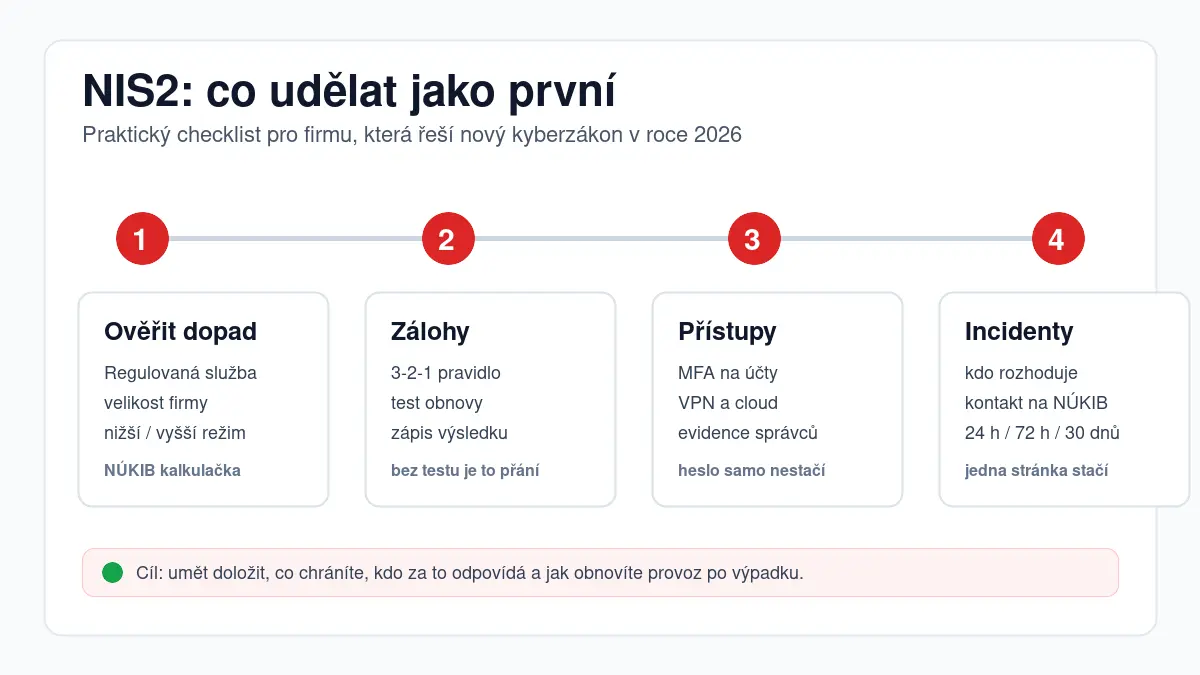
The checklist is not a legal analysis. It’s a technical start: what to go through so the company isn’t without visibility, without backups, and without a decision-making procedure.
Within 7 days: verify your status in the NÚKIB calculator, appoint a responsible person, list critical systems and accounts.
Within 30 days: enable MFA, check backups, perform a recovery test, draft an incident playbook, and review key suppliers.
Within 90 days: complete documentation, set up regular checks, process risks, and align internal procedures with contracts and suppliers.
Reporting an incident to NÚKIB step by step
This is the thing that scares business owners the most. Yet the process is logical. Section 16 of the Act sets three deadlines:
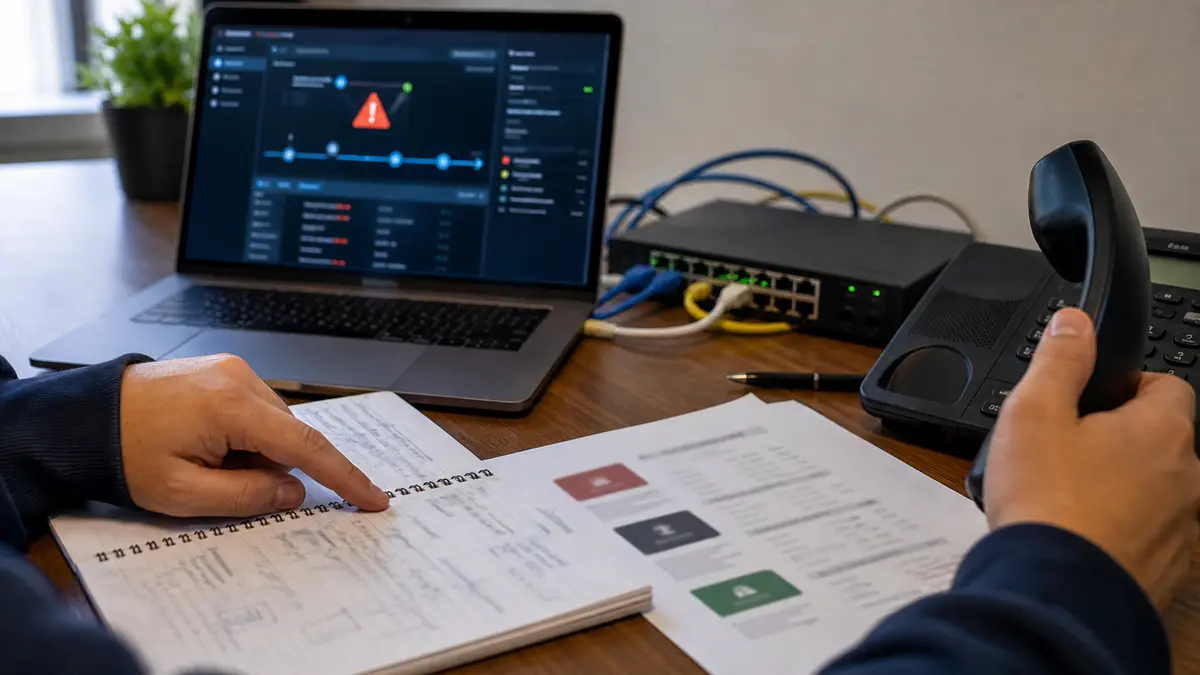
During an incident, speed and roles matter: the technician fixes, the responsible person decides, the company knows when and what to report.
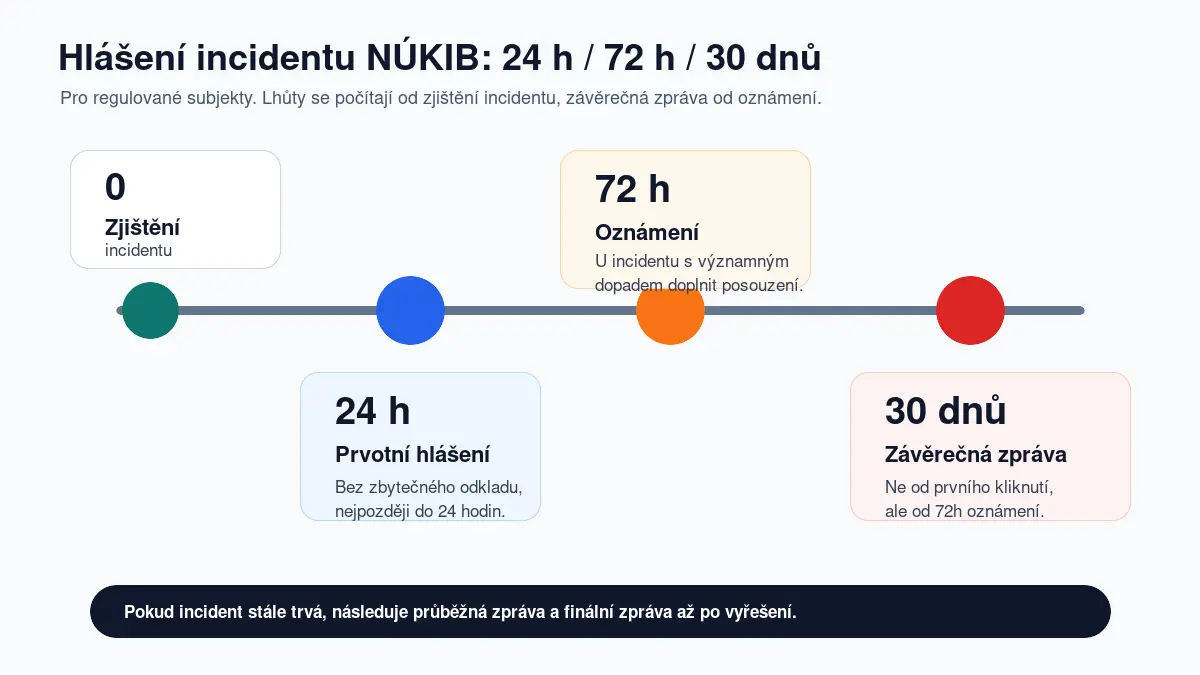
Incident reporting deadlines: initial within 24 h, notification within 72 h, final report within 30 days of the notification.
Within 24 hours of detecting the incident – initial report. Brief, not a novel. It’s enough to say: something happened, we are handling it, here is the contact.
Within 72 hours – incident notification, if it has a significant impact. Here you must describe what happened, what the impact is, and what you are doing about it.
Within 30 days of the notification – final report. What exactly happened, why, how you resolved it, what you will do to prevent it from happening again. If the incident is still ongoing, it’s not “done in 30 days” – you submit an interim report and the final report only after resolution.
Key question: who in the company decides that an incident is reported? It must be clearly defined. Typically, it’s the managing director, director, or security manager. Not the IT technician who is currently fixing something. They must escalate it.
And watch out – for trust services (e.g., certification authorities), a special 24-hour deadline applies even for that 72-hour notification.
How to start without a big budget
The biggest mistake is thinking “we don’t have the money for this, so we won’t address it.” The law doesn’t immediately demand expensive enterprise tools. It demands reasonable measures appropriate to your size, service, and risk.
Here is a practical plan to start:
- Audit of the current state – sit down with someone who knows their way around this and go through what you have and what you’re missing. It takes a few hours.
- MFA on critical accounts – Microsoft 365, Google Workspace, VPN, banking. Enabling MFA takes minutes and often costs nothing.
- 3-2-1 backups + recovery test – three copies of data, on two different types of media, one off-site. And once in a while, actually try to restore the data. Without a test, a backup is just a wish.
- System list – an Excel spreadsheet is enough. Write down what you have, who manages it, how old it is.
- Short incident playbook – a one-page document: who does what when something happens. Who decides about reporting. Who to call.
Most of these steps don’t cost a fortune. They cost time and discipline.
How much work is it really?
For a smaller company, the first technical walkthrough can be done reasonably: go through services, accounts, computers, the network, backups, suppliers, and operational recovery. It’s not about buying the most expensive security tool. It’s about getting the fundamentals under control – things that are defensible and, most importantly, work in a crisis.
The highest priority is usually given to:
- email and cloud accounts without MFA,
- untested backups,
- old servers and routers without updates,
- remote access without clear rules,
- an external IT administrator without documented responsibilities,
- a missing contact and procedure for an incident.
If you are already managing PC and business IT support, a large part of the preparation can be combined with routine maintenance: inventory, updates, backups, account reviews, and regular recovery tests.
What a technical audit looks like in practice
The first audit doesn’t have to be a complex, months-long project. For a smaller company, it makes sense to start with a technical walkthrough that shows where the biggest risks are and what can be fixed quickly. Only after that does it make sense to address broader documentation and processes.
A typical walkthrough looks like this:
| Area | What we check | Why it matters |
|---|---|---|
| Accounts and access | MFA, admins, former employees, shared accounts | The most common entry into a company is a compromised account |
| Backups | what is backed up, where, how often, when recovery was last tested | Without recovery, a backup is not proof, just hope |
| Network | router, firewall, wifi, VPN, remote desktop | Old network devices are often not updated by anyone |
| Endpoints | Windows updates, encryption, antivirus, local admin rights | One laptop can open the door to the entire company |
| Suppliers | contracts, access rights, responsibilities, response times | The company is also responsible for risks through suppliers |
| Incidents | contacts, decision-making, recording, deadlines | In a crisis, there is no time to figure out who should do what |
The output should be actionable: a risk list by priority, clear tasks, a responsible person, and a deadline. Not a document that no one opens.
The most common mistakes we see in companies
NIS2 often just names things that were already problems even without the law. In practice, these mistakes repeat the most:
- backups are running, but no one has ever tried a recovery,
- MFA is enabled somewhere, but the cloud admin doesn’t have it,
- everyone uses one shared account for the NAS or accounting,
- the router or firewall has years-old firmware,
- external IT has access everywhere, but it’s not clear how quickly they must respond,
- a simple list of devices and services is missing,
- an incident isn’t addressed until email, accounting, and the shared drive have already gone down.
Good news: most of these things can be significantly improved without purchasing an expensive platform. It just takes starting with order in accounts, backups, updates, and responsibilities.
Fines and risks of non-compliance
Yes, the fines are high. Section 59 of the Act sets:
- Higher tier: up to CZK 250 million or 2% of global annual turnover (whichever is higher)
- Lower tier: up to CZK 175 million or 1.4% of global annual turnover
But don’t panic. These amounts are maximum ceilings for selected serious infringements. A specific penalty depends on the type of infringement, which tier you’re in, and what the consequences were. The purpose of this article is therefore not to scare with fines, but to emphasize that a company must have functional security and operational recovery.
More important than the fine amount is the real risk: if you don’t have backups and a ransomware attack hits, the damage will likely be much higher than any fine. And then we’re talking about the existence of the company, not a paper penalty.
Frequent questions
Does the law apply to a company with fewer than 50 employees? Generally, no – unless you are significant for the state or provide a specific regulated service where size doesn’t matter. But verify it in the NÚKIB calculator. Exceptions exist.
Do I have to report every computer virus? No. Incidents that have or could have a significant impact on the provision of the regulated service are reported. A common virus on one PC that you resolve with an antivirus is typically not reported.
Is the cloud enough as a backup? Not by itself. The cloud is one medium. You need at least two different media and one copy off-site. The cloud can be that “off-site” copy, but you still need a local backup on a different medium.
How often should recovery be tested? For the higher tier, testing is mandatory and must be regular. You set the frequency based on risk – typically quarterly to annually. For the lower tier, the law does not explicitly require it, but common sense does.
What if I have outsourced IT? Even then, you are responsible for compliance. You must manage the external IT firm as a supplier – have a contract, know what they are doing, and be sure they are meeting your requirements. We in the workshop deal with this daily with our clients – we set up rules, documentation, and technical measures so that the company complies with the law.
Sources and verification
It’s a good idea to verify the legal status and methodology directly with NÚKIB, as interpretative materials may change. For this article, we mainly drew from the Guide to the new Cybersecurity Act, the NÚKIB calculator, Act No. 264/2025 Coll., the decree on regulated services, and the implementing decrees for the higher tier and lower tier. NÚKIB also published that as of 8 February 2026, it had registered 4,825 entities.
We can help you set this up
The new Cybersecurity Act is not a reason to panic. It’s a reason to get your house in order. Most of the obligations are things that protect your business from real threats – not just from a fine.
We in the workshop help companies in Brno with comprehensive cybersecurity setup. From IT and computer management through data backup and recovery testing to ransomware protection and antivirus. We’ll conduct an audit, design tailored measures, and make sure your company meets the legal requirements – and, most importantly, is resilient against real threats.
Get in touch, we’ll sit down and discuss it without scare tactics. We’re technicians, not bureaucrats.
Rather not deal with it yourself?
Book a diagnosis in Brno — you get the price up front and we start only once you agree.
Where to find us
We are a PC and laptop repair shop in Brno-Židenice: diagnostics and repairs of computers and laptops, data recovery from drives, and out-of-warranty Apple repairs (iPhone 12 and newer, MacBook, iPad).
Viniční 3587/216, 615 00 Brno-Židenice, Czech Republic Mon–Fri 10:00–16:00
Call +420 774 777 774 Computer repair and laptop service in Brno
We put the repair price in writing after diagnostics and carry on only once you agree.