“Which antivirus should I buy?” is a question we hear in our service center almost every week — and almost always, it’s asked incorrectly. It suggests that a computer’s security can be solved with a single purchase. It can’t. An antivirus is just one layer, and for a company, it’s far from the one that matters most.
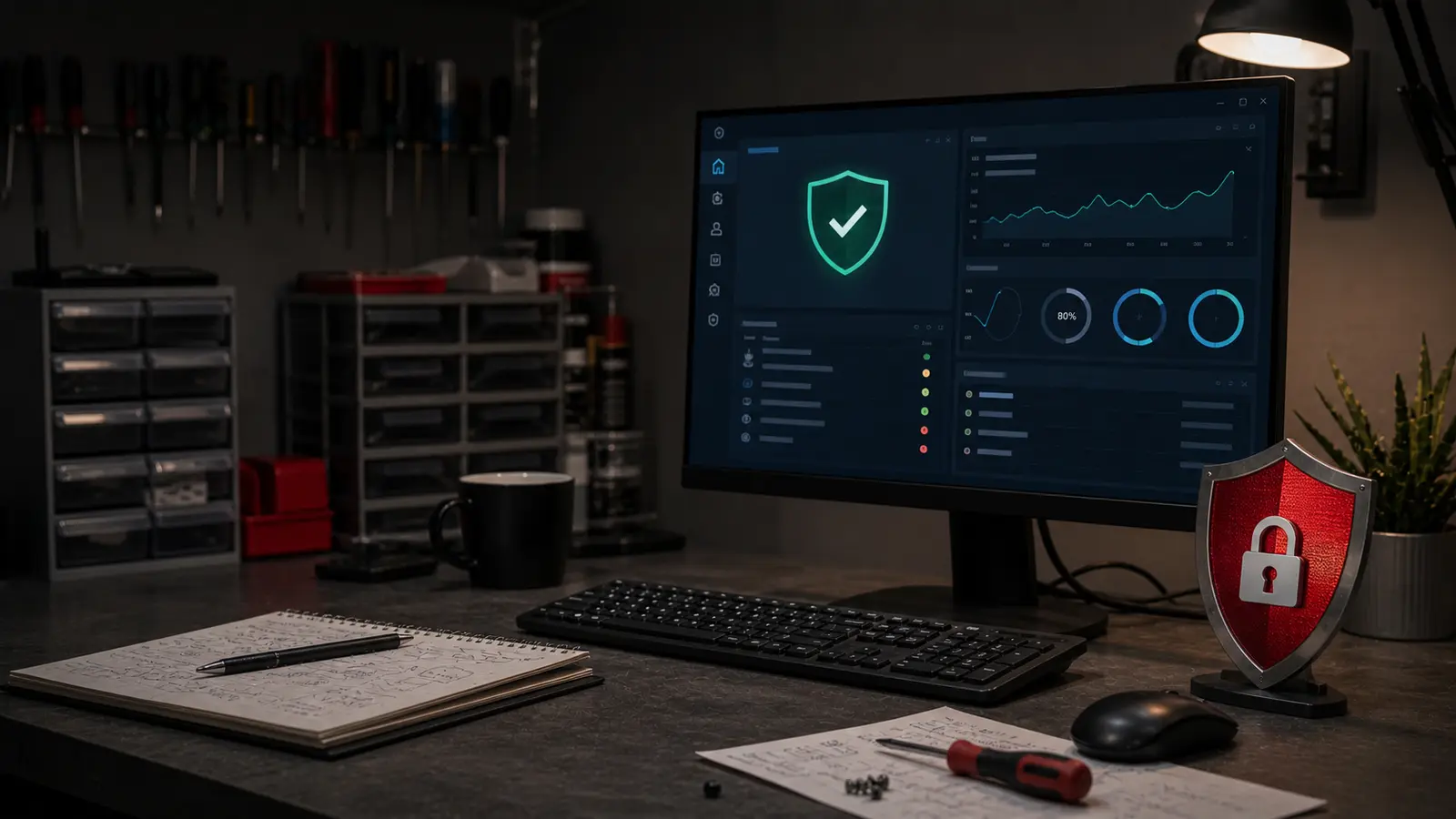
Whether your protection actually protects you depends more than the name on the box: whether the system updates, who notices alerts from individual computers, whether you have a backup that can’t be overwritten, and whether an attacker can access accounts with a leaked password. The best antivirus is the one whose status someone actually monitors.
The immediate answer: For a regular home computer with updated Windows 11, Microsoft Defender, which is part of the system, is generally sufficient — if you have real-time protection, cloud-delivered protection, and SmartScreen enabled, and back up important data elsewhere. A household with multiple devices and different systems is better served by ESET or Bitdefender. A small business needs a solution with central management (Microsoft Defender for Business, ESET PROTECT, Bitdefender GravityZone) so someone can see where updates fail or who added an exclusion. However, no antivirus replaces multi-factor authentication, a patched system, and an isolated backup.
Brief Verdict: What’s Enough for Whom
The table is based on cases we most often deal with at our Brno service center:
| Situation | Reasonable choice | Why |
|---|---|---|
| Grandma with email and Facebook | Microsoft Defender free | It’s in the system, doesn’t bother you, is enough for this usage |
| Home computer with Windows 11 | Microsoft Defender, properly configured | Settings and backups matter, not the brand |
| Older laptop (4+ years) | ESET | Lower system load, Czech interface and support |
| Household with multiple different devices | ESET HOME Security or Bitdefender Total Security | One license for Windows, macOS, and Android |
| Family with children | Bitdefender Total Security | Parental control and multi-device management included |
| Sole trader with one work laptop | Defender, if configured and data is backed up | A license fee won’t save unbacked-up invoices |
| Company with several computers | ESET PROTECT, Microsoft Defender for Business, or Bitdefender GravityZone | Without central management, no one will see an unprotected device |
| Computer suspected of infection | Diagnostics first | A new antivirus alone may not remove the problem |
What an Antivirus Actually Stops
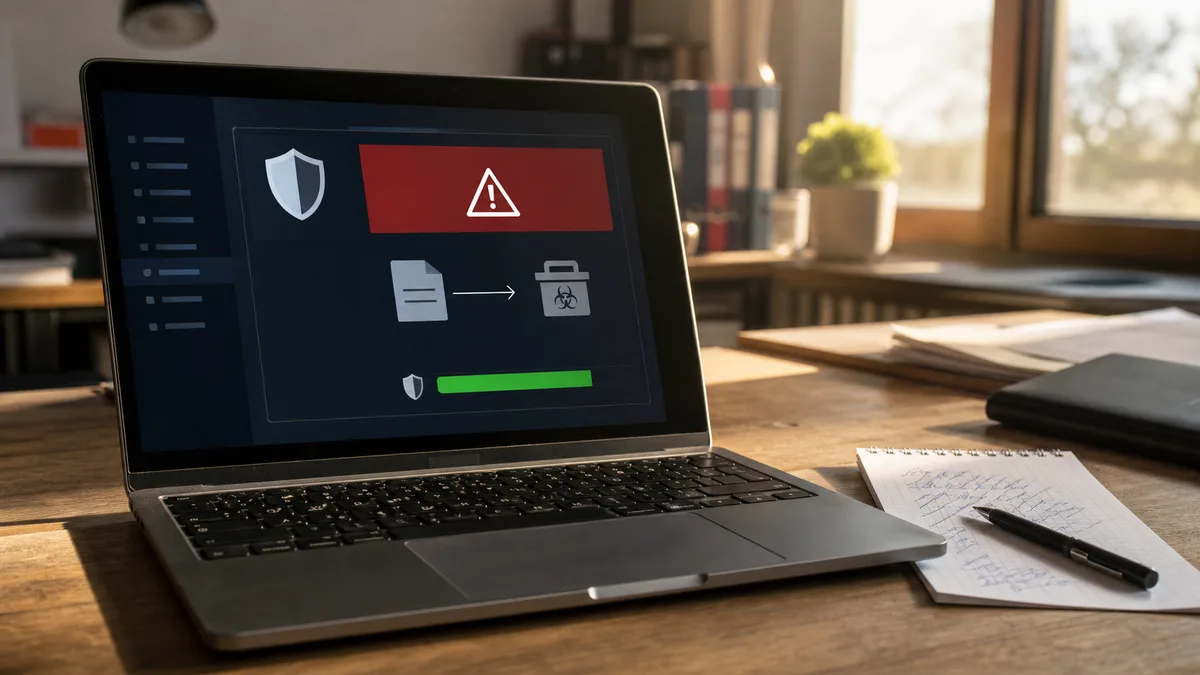
A modern antivirus doesn’t just check files against a list of known viruses. It also monitors the behavior of running programs, suspicious system changes, downloaded files, and part of web traffic. In practice, it can:
- block a known malicious file in an attachment;
- stop a program that suddenly tries to modify a large number of documents;
- warn about a known phishing page;
- catch a dangerous script or installer;
- prevent an unknown application from writing to protected folders;
- isolate a found file into quarantine.
In Windows, Microsoft Defender uses, among other things, cloud-delivered protection, the SmartScreen filter, and Tamper Protection to prevent an attacker or malicious program from turning off protection as a first step. You can also enable Controlled folder access, which blocks unknown applications from writing to selected directories, such as Documents or Pictures.
This feature can help against ransomware, but test it in a company before deployment. An accounting, warehouse, or design program legitimately writes to folders that Windows evaluates as protected — and without an exception, it will stop saving.
What Even a Paid Antivirus Won’t Stop
An antivirus is not a substitute for a patched system, backups, or secured accounts. It won’t reliably protect you if a user:
- dictates a verification code to an attacker over the phone;
- logs in to a convincing copy of a Microsoft 365 login page;
- confirms a fraudulent payment posing as an executive’s order;
- installs AnyDesk or TeamViewer at the caller’s instruction;
- grants a stranger remote access and administrator rights;
- repeatedly clicks through security warnings.
These are the most common entry points today, and the antivirus stands aside during them — we write about recognizing scams in how to spot a phishing email. Likewise, an antivirus won’t fix an unpatched operating system: a computer with Windows 10 after end of support won’t become secure just by installing a paid product on it.
Against ransomware, you also need an isolated backup. If the backup disk is permanently connected or the user has permission to overwrite files on network storage, ransomware will encrypt this copy too. We discuss the practical basics in backup according to the 3-2-1 rule and specific defense in the article ransomware at home.
Is Microsoft Defender Free Enough?
For a household, usually yes, if all these points are true simultaneously:
- you use supported Windows 11;
- Windows, the browser, and other programs are updated;
- real-time protection and cloud-delivered protection are not turned off;
- you don’t install programs from dubious sources;
- you have multi-factor authentication enabled for important accounts;
- you maintain a separate backup of important files.
Defender has one practical advantage over free competitors: it’s part of the system, doesn’t require registration with another vendor, and won’t switch to a limited mode after the subscription expires. We discuss its capabilities in more detail in the article Do I still need an antivirus? What free Defender can do.
The weakness of a free solution isn’t necessarily detection. The problem arises when no one checks the alerts. A business owner might have Defender on six computers, but without central management, they won’t find out that updates have been failing on one device for weeks, and someone added a folder-wide exclusion on another. An exclusion means the antivirus doesn’t scan those files or processes at all — which is why attackers try to create one themselves or talk a user into doing it for them.
How to Set Up Defender So It’s Worth Something
If you stick with Defender, do these three things. Most people don’t, and then they’re surprised:
- Turn on Controlled folder access. Windows Security → Virus & threat protection → Ransomware protection settings → Turn on. Then add folders with documents, photos, and work files. Without this, Defender won’t stop ransomware.
- Check real-time protection. Sometimes, after installing and uninstalling another antivirus, it remains off. Verify it’s running — and also leave Tamper Protection enabled.
- Run a manual scan once a month. Automatic scans sometimes don’t happen, especially on laptops that aren’t left on overnight.
When ESET or Bitdefender Is Worth It
A paid antivirus makes sense when you use its additional layers or need simpler management for multiple devices.
ESET HOME Security is suitable for households and individuals who want an antivirus, web protection, and a clear interface. In Brno, we see it mainly among sole traders and smaller companies — its lower load on older machines is often noticeable, and people appreciate the Czech localization and support. Higher tiers add encryption for selected files, a password manager, or a VPN; don’t buy them automatically, as they don’t improve malware detection on their own.
Bitdefender Total Security is another well-known multi-platform suite for households (Windows, macOS, Android) and is suitable where you’re managing several devices at once or want parental controls. However, its overhead is often more noticeable on older laptops than with ESET. When comparing, watch the number of included devices, supported systems, and especially the renewal price — the promotional first-year price may not match the cost of the next period.
For a company, choose a business version, not an extra home license:
- ESET Small Business Security targets smaller operations with computers, mobiles, and a server;
- ESET PROTECT adds a central console, policies, and an overview of device status;
- Bitdefender GravityZone Business Security consolidates management of workstations and security events;
- Microsoft Defender for Business builds on the Microsoft 365 environment — it’s part of some business plans or purchased separately.
Don’t consider a home subscription a cheaper substitute for a business product without checking the license terms.
How Much an Antivirus Roughly Costs
Microsoft Defender is part of Windows, so you don’t pay any subscription for the antivirus itself.
Paid home packages roughly cost from a few hundred to lower thousands of crowns per year, depending on the number of devices and features. The decisive factor is the automatic renewal price, not the introductory discount — the jump is usually most noticeable upon renewal.
For business products, expect roughly hundreds to lower thousands of crowns per user or device per year. The final price is affected by the number of licenses, server protection, central management, encryption, email protection, and technical support. The cheapest license doesn’t mean the lowest costs — if no one addresses the alerts, a paid console just collects problems no one looks at.
How to Recognize a Quality Antivirus
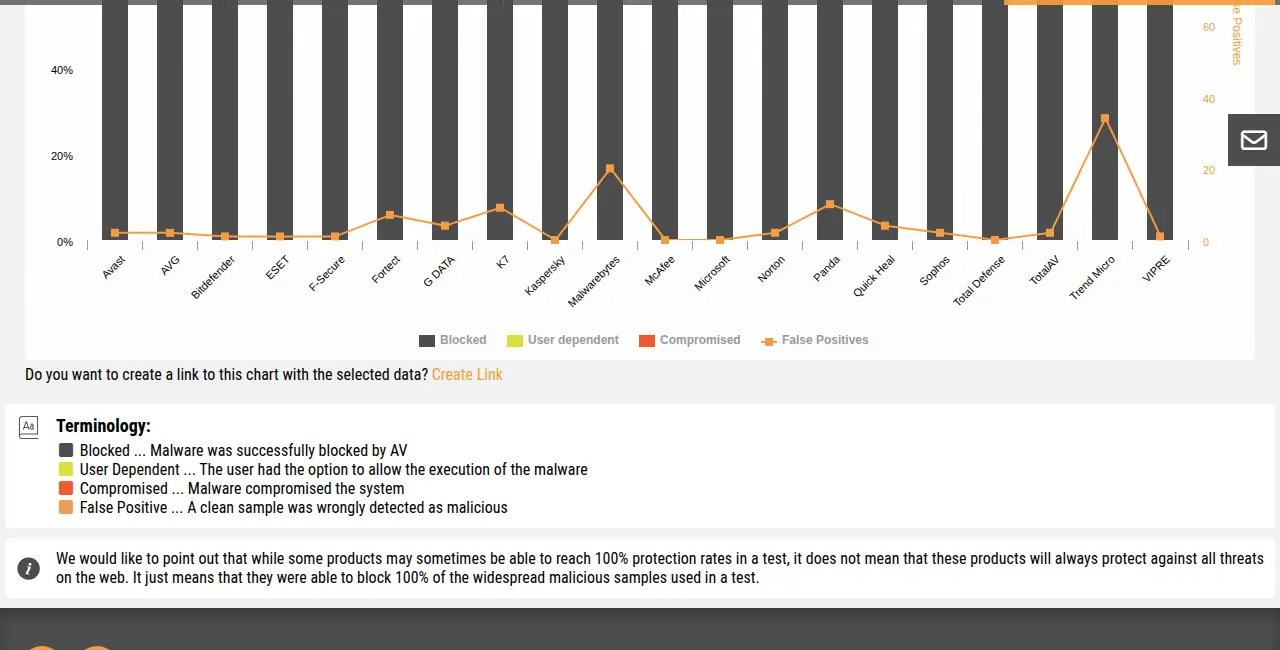
The publicly available chart from AV-Comparatives shows what gets lost in reviews: the differences in detection between major products are small. More interesting is the orange false positives column — how often a product flags a clean file as a threat. False alarms are the reason people in companies bypass protection. Source: AV-Comparatives, www.av-comparatives.org.
Therefore, don’t decide based on a single percentage point from one test. The results from labs like AV-Comparatives, AV-Test, or SE Labs vary by period and methodology. In the long term, mainly track these properties:
- Protection against real-world attacks. Not just scanning a prepared collection of files, but also blocking malicious websites and launched threats.
- False positives. An antivirus that blocks an accounting program or regular documents will be bypassed by employees — opening a door for attackers.
- Computer performance load. On an older laptop, intensive scanning can noticeably worsen system startup and disk work.
- Protection of settings. Neither a user nor a malicious program should easily turn off scanning or add a broad exclusion.
- Central management. A company needs to see unprotected devices, update status, and found threats in one place.
- Supported systems. Verify Windows, macOS, and possibly servers and mobiles — features differ between platforms.
- Clear licensing. Check the number of devices, automatic renewal, and the ability to transfer the license to a new computer.
Do not install two antiviruses with real-time protection simultaneously. We regularly get a computer in our service center with two or three antiviruses at once — typically when a user forgot to uninstall the old one before installing the new one. They scan the same files, conflict over them, and opening a folder can then take ten seconds; removing the duplicates usually restores performance immediately. Use a one-time tool, such as ESET Online Scanner or Malwarebytes, for a second opinion, not as a replacement for permanent protection.
Virus, Ads, or Just a Computer Malfunction?
Not every suspicious symptom means an infection. Before you buy a new antivirus, it helps to distinguish the cause.
| Symptom | Possible cause |
|---|---|
| Ads pop up even without an open website | Allowed web notifications, adware, or a background program |
| Browser changes the search engine or homepage on its own | Unwanted extension or changed settings |
| Computer is slow and the fan is loud | Malware, updates, clogged cooling, or a demanding process |
| Files can’t be opened and have changed extension | Possible ransomware — disconnect the device from the network immediately |
| Antivirus is suddenly turned off | Another security product, system error, or malicious program interference |
| Disk is constantly at 100% usage | Antivirus scan, updates, low memory, or a faulty disk |
If ads come from allowed website notifications, buying a new antivirus won’t remove them — they are turned off in the browser settings. But if symptoms return after cleaning, files disappear, or you don’t know what the attacker did on the computer through remote access, it’s safer not to use the device for banking and company email anymore. During diagnostics, it’s necessary to distinguish an active infection, adware remnants, and a hardware fault; only then can you decide whether cleaning is enough or a clean system installation is safer. We can help with this and with virus removal and computer inspection in Brno — change passwords afterward from another, trusted device.
What to Set Up in a Company Before a More Expensive License
Before you buy the top security suite, go through the basics. These things stop more attacks than the difference between two antiviruses:
- automatic updates for Windows and applications;
- multi-factor authentication for email and accounting;
- standard user accounts without administrator rights;
- a backup that cannot be overwritten from the work computer;
- an inventory of all laptops and their users;
- protection of antivirus settings against changes;
- a clear procedure for a lost laptop and a suspicious email;
- removal of unused remote access tools.
For a single home station, free Defender is usually the best choice. For a company, the best antivirus is one whose status someone actually checks and that fits into the management of devices, accounts, and backups — not the one with the most expensive license.
When It’s Too Late for Prevention
Sometimes the computer is encrypted, data is inaccessible, or the system behaves strangely and you don’t know why. At that point, it’s better to stop clicking and leave it to someone who does this for a living.
If you’re dealing with this problem in Brno, check our page on antivirus and ransomware Brno or call +420 774 777 774. The initial diagnostic assessment for data recovery from an HDD is free — we’ll tell you if there’s a chance to save the data, and only then do you decide.
== END ==
Rather not deal with it yourself?
Book a diagnosis in Brno — you get the price up front and we start only once you agree.
Where to find us
We are a PC and laptop repair shop in Brno-Židenice: diagnostics and repairs of computers and laptops, data recovery from drives, and out-of-warranty Apple repairs (iPhone 12 and newer, MacBook, iPad).
Viniční 3587/216, 615 00 Brno-Židenice, Czech Republic Mon–Fri 10:00–16:00
Call +420 774 777 774 Computer repair and laptop service in Brno
We put the repair price in writing after diagnostics and carry on only once you agree.