The short answer: Reflow may bring a laptop back to life, but without a confirmed cause, it is not a reliable permanent repair. The chip remains on the board and the original solder is remelted—if the fault really was in that solder, the joint may hold; if the cause lies inside the package, in overheating, or in another component, heating will not remove it and the fault will return. More permanent procedures have different names: reballing (chip off, new balls, chip back on), chip replacement, or board replacement. None of these should be ordered before diagnosis—a black screen, lines, and artifacts can also be caused by the display, cable, memory, power supply, or driver. If you want reflow without a confirmed cause, make sure the work order states that it is an attempt with an uncertain lifespan.
What actually happens during reflow
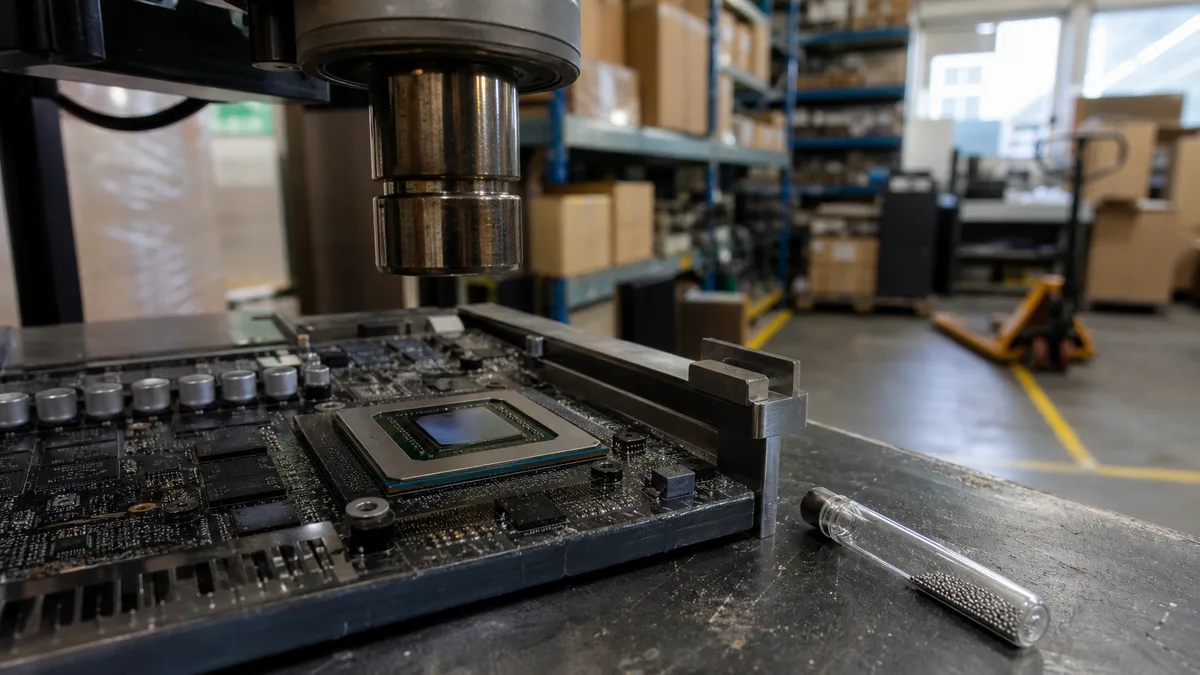
Graphics chips, processors, and chipsets in laptops use BGA packages—there are no pins around the edges; instead, an array of solder balls sits beneath the package. Larger GPUs may have hundreds or even more than a thousand of them. They cannot be seen, and measuring them externally is practically impossible.
During reflow, the chip remains in place. The technician heats the surrounding area until the existing solder melts; surface tension then realigns the joint to some extent. If the problem was a disrupted contact, the display may indeed start working again. However, the board is still left with:
- the original, thermally fatigued solder—now one remelting cycle older; if the fault really was in the solder, this may be enough, but it is not new material;
- the same chip, including any defect inside the package;
- the original cooling system and original temperatures, including the cause if that was where it lay;
- any warping of the board that has already occurred;
- often also epoxy underfill or corner adhesive beneath the package, which does not melt during heating and prevents the joints beneath it from moving.
The logic of what has actually been demonstrated also matters. The statement “it started after heating, so the solder balls must have been cracked” is not a diagnosis. Heat temporarily changes the geometry of the entire board and may affect a connection inside the package or a contact in a completely different component. Reflow is therefore a crude test, not proof.
Why the fault often returns
Solder joints expand and contract slightly with every heating and cooling cycle—and crucially, each material does so at a different rate. A silicon chip expands by roughly 2.6 ppm per degree, while motherboard laminate expands in its plane by approximately 14–17 ppm. A laptop repeatedly moves from idle to load and back again throughout the day, and this difference is transferred to the joints between the chip and the board every time. Over the years, fatigue microcracks can develop, usually first at the corners of the package, where the stress is greatest.
There is also one change shared by most modern boards: since mid-2006, consumer electronics have used lead-free solder because of the European RoHS directive. The most common alloy, SAC305, melts at around 217 °C, compared with approximately 183 °C for the older tin-lead solder. For repairs, this means higher working temperatures and a smaller safety margin before the board, connectors, and surrounding components suffer damage.
Remelting reconnects the existing material, but does not replace it with new material. If the cooling system and operating conditions remain unchanged, thermal cycling continues to affect the same solder.
The second possibility is worse: the fault is not between the chip and the board, but inside the package. The wave of mobile GeForce failures between 2007 and 2009 showed that this is not merely theoretical—NVIDIA publicly acknowledged an unusually high failure rate caused by the packaging material used and set aside roughly two hundred million dollars to cover it; both HP and Apple extended warranties for affected machines. If something is cracking inside the package, even reballing the same chip will not provide a lasting solution. The solder balls beneath the package simply are not the part that is failing.
That is why any offer of reflow before anyone knows where the fault lies should be treated with suspicion.
Reflow, reballing, and chip replacement are not the same
| Procedure | What is actually done | When it makes sense |
|---|---|---|
| Reflow | The chip remains on the board and the original joints are remelted | When the fault has been confirmed in an external joint—otherwise only as an explicitly identified diagnostic or temporary attempt |
| Reballing | The chip is removed, the old balls are taken off, the pads are cleaned, a new set is applied, and the chip is installed again | When the joints beneath the package are defective but the chip itself is sound |
| Chip replacement | The original chip is replaced with another unit | When the chip is defective; success depends entirely on the origin and condition of the replacement part |
| Board replacement | The entire motherboard is replaced | The most predictable result—provided the board is available and its price is reasonable relative to the machine’s value |
Proper reballing can be recognized by the equipment and procedure used: a station with bottom preheating, a measured temperature profile, a solder-ball stencil matching the package type, and a fixture that limits board warping. The new balls must match the solder being used—blindly mixing leaded and lead-free solder is a recipe for a joint that looks good but does not work.
Even reballing is not an automatic guarantee. A replacement GPU desoldered from another discarded board may have the same defect as the original, only not yet apparent. And if the repair shop cannot distinguish a defective joint from a defective chip, you will pay for a more demanding procedure and receive an equally short-lived result.
Models most often offered a “baking” repair
Board “baking” became widely known through home repairs of the Xbox 360 and its three red lights; in 2007, Microsoft extended the warranty for that fault to three years and recorded a charge of more than one billion dollars. The method spread from consoles to laptops—but even for consoles it was not a repair, merely a delay.
Today, it remains common on the repair bench for two groups of machines:
- 15″ MacBook Pro (A1286) and 17″ MacBook Pro (A1297) models from 2011 with discrete AMD Radeon graphics. In 2015, Apple introduced a free repair programme for display faults affecting MacBook Pro models from 2010–2012; that programme ended long ago, so these machines now go to independent repair shops—and that is where the word reflow is most often mentioned.
- The 2007–2009 generation with mobile GeForce 8400M/8600M chips: Dell XPS M1330 and M1530, HP Pavilion dv6000 and dv9000, and MacBook Pro models from that period. Ironically, this wave of failures was largely caused by a problem inside the package—exactly the situation in which heating is least effective.
A product-line name is not a diagnosis. The A1286 designation covers several model years with different graphics processors, so the complete model identifier and the actual installed chip must be verified. And in a newer laptop that merely loses performance or restarts under load, the cause is typically cooling, power delivery, or memory—damaged BGA joints should be among the last possibilities considered.
Diagnose first, choose the procedure second
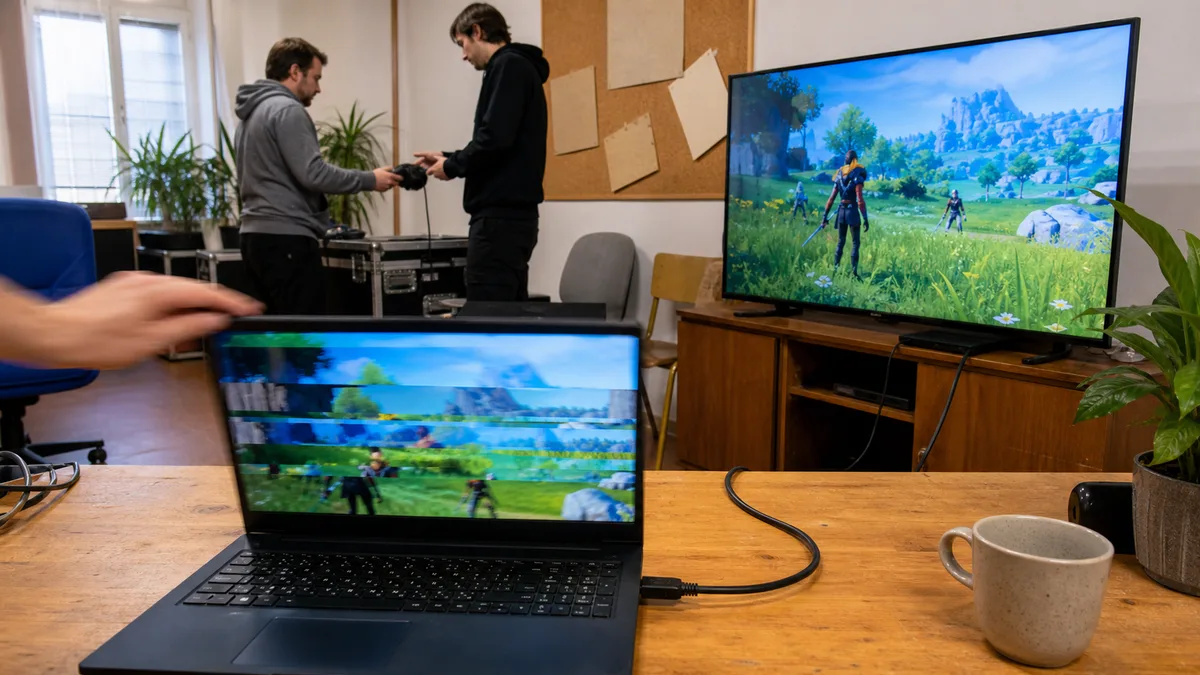
Before deciding how to heat the board, you must establish whether the board is even defective. A black screen, lines, and artifacts can also be caused by:
- the display, backlight, or display cable—the cable in a hinged lid bends and rubs for years; if HDMI or USB‑C produces a clean picture on an external monitor, the panel and cable are suspect, not the chip;
- memory—on machines with replaceable RAM, reseat the modules and test them one at a time;
- the power supply and battery—unstable voltage can cause display failures that resemble a dying GPU;
- the driver or a recent update—a clean driver reinstall and a boot into safe mode take five minutes.
We discuss individual symptoms separately in graphics problems: artifacts, lines, or a black screen and faulty motherboard: how to identify one. If you do not feel confident doing this yourself or do not want to keep powering on a defective board, we can perform the diagnosis for you—only its results can determine what is worth repairing, if anything.
What temperature tells you—and what it cannot reveal
Many Intel mobile processors have a maximum junction temperature of around 100 °C; the exact value varies by model. As the processor approaches this limit, it reduces its clock speed and performance—this is called thermal throttling, and it is a protective measure, not a fault.
Sustained temperatures of 90–100 °C under load are a reason to inspect the cooling system. They are not proof that reflow is needed. The sensor inside the processor also measures something different from the temperature of the joints beneath the graphics chip. In thin laptops, the CPU and GPU often share a single heat pipe and exhaust, so a clogged heatsink restricts both at once.
The order of inspection is therefore always the same: the fan, airflow through the heatsink fins (a clump of dust between the fins is visible to the eye), heatsink mounting pressure, thermal paste, and thermal pads of the correct thickness. Paste between a chip and its heatsink cannot replace a pad designed to bridge a gap above memory chips or the power-delivery circuitry; details are available in thermal pads, not just paste.
Why a board does not belong in an oven or an ultrasonic cleaner
A domestic oven cannot follow a controlled profile suitable for BGA repair. You do not know the temperature at a particular point on the board, how quickly it is heating, or whether large metal parts are heating at a completely different rate from their surroundings. The usual results are a warped board, displaced components, and melted plastic connectors—and once that happens, even reballing may no longer be possible.
Heating with a hot-air gun for a duration copied from a video has the same flaw. Two boards that look alike may have different thicknesses, different components, and different heat-dissipation characteristics; without measurement, the procedure is not reproducible, merely a gamble. The airflow can also displace adjacent components, including tiny crystals and connectors.
An ultrasonic cleaner is not a cheap alternative to reflow—it cannot remelt solder at all; it uses cavitation to clean. An assembled laptop does not belong in a cleaning bath: the liquid will reach the display, battery, and fans, wash away thermal materials, and may destroy sensitive components such as crystal oscillators or MEMS microphones. Professional cleaning of a removed board after liquid damage is a different, controlled process using suitable chemicals and thorough drying.
How to recognize an honest repair offer
Before approving the repair, ask:
- How did you determine that the problem is beneath the graphics chip? (And what did you rule out—the display, cable, memory, or power supply?)
- Will this be a reflow, reballing, or chip replacement?
- Will the chip actually be removed during the repair?
- What happens if the chip itself is defective—and how much will the next step cost?
- Will you inspect and repair the cooling system as well?
- What warranty applies specifically to this procedure?
- Will the work order state whether this is a permanent repair or a temporary intervention?
A warning-sign answer is “these models just need heating” or “reflow and reballing are the same thing.” They are not. A repair shop that does not distinguish between them in its offer is unlikely to distinguish between them on the workbench either.
When temporary heating can still make sense
There is one scenario in which it may be reasonable even without a confirmed cause: you need to recover data or settings from the machine, and nothing more. Even then, the safer option should be tried first—remove the drive and read it in another computer without powering on the defective board. There are two complications worth knowing in advance: in thin ultrabooks and MacBooks with a T2 chip or later, the storage is soldered in place and tied to the board, so it cannot be removed; and with an encrypted drive (BitLocker or FileVault), the data remains inaccessible without the key even after the drive is removed. The procedure in such cases is summarised in data recovery in Brno.
For continued everyday use, compare four factors: the laptop’s value, the availability of the chip or complete board, the diagnostic findings, and the cost of another failure.
| Situation | More reasonable option |
|---|---|
| the data is backed up and the machine has mainly sentimental value | leave it as it is, or try heating as an explicitly identified experiment |
| your main priority is recovering data | read the drive outside the board and only then consider reviving the machine |
| a more expensive work machine with confirmed defective joints and a sound chip | reballing |
| a confirmed defective graphics chip | replace the chip or board, depending on the price and origin of the part |
| the board is warped, has suffered liquid damage, or the fault returned after repair | replace the board or the laptop |
| the machine is very old and the board costs half as much as a new laptop | replace the machine |
What we do before recommending a repair
A laptop needs diagnosis first, not automatic board heating. We verify the symptoms, startup behaviour, power delivery, display outputs including an external monitor, the condition of the cooling system, and the exact board configuration. Only then can we determine whether component-level repair, board replacement, or no further investment makes economic sense.
We will not present reflow as a permanent repair unless the location of the fault has been confirmed. When used without that confirmation, it is a temporary or diagnostic intervention—and we will say so in advance, not only when you return with a warranty claim. Bring a laptop that produces no picture together with its charger; you can arrange a visit here.
Rather not deal with it yourself?
Book a diagnosis in Brno — you get the price up front and we start only once you agree.
Where to find us
We are a PC and laptop repair shop in Brno-Židenice: diagnostics and repairs of computers and laptops, data recovery from drives, and out-of-warranty Apple repairs (iPhone 12 and newer, MacBook, iPad).
Viniční 3587/216, 615 00 Brno-Židenice, Czech Republic Mon–Fri 10:00–16:00
Call +420 774 777 774 Computer repair and laptop service in Brno
We put the repair price in writing after diagnostics and carry on only once you agree.