The classic question before every new purchase: desktop PC, or laptop? In 2026 the answer has shifted — laptops have caught up in performance for most office tasks, but for gaming, graphics work and long-term lifespan they still lag behind. Here’s a decision matrix that’ll save you hours of googling.
The short answer
A laptop makes sense if you need:
- mobility (you travel, work from several places, a student on the move)
- one device instead of two
- limited space at home (no desk)
- a battery — working without mains power
A desktop PC makes sense if you want:
- more performance for the same money
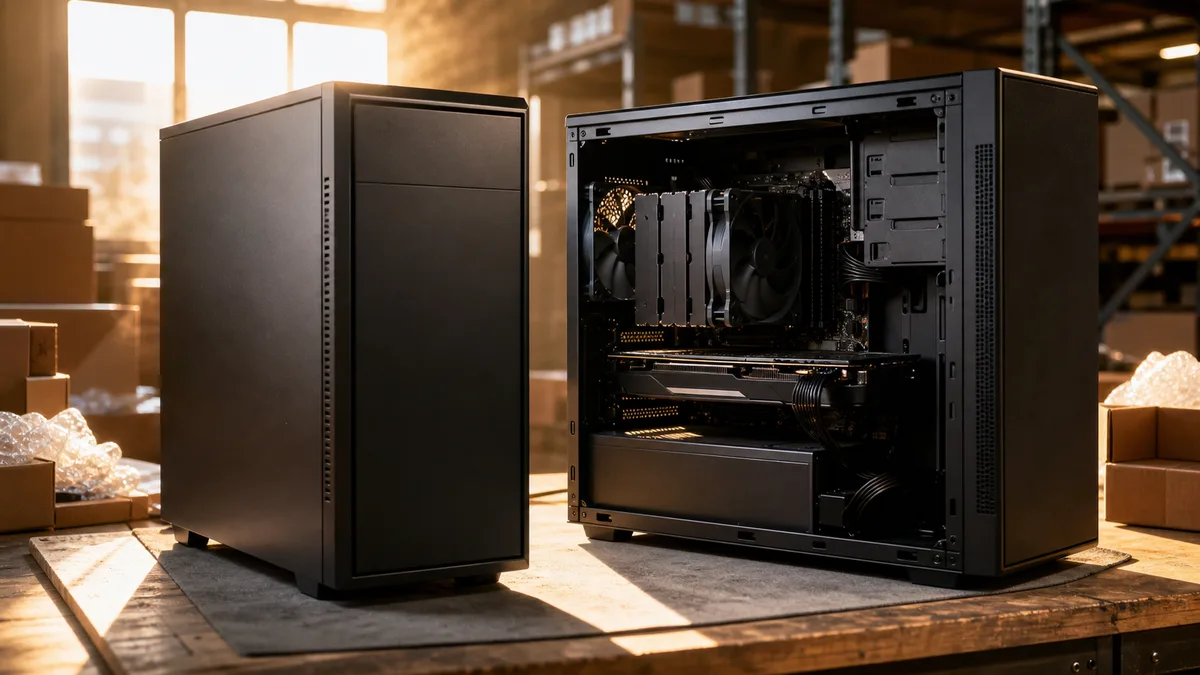
- quiet cooling and easy servicing
- the ability to upgrade gradually (RAM, SSD, graphics)
- a long lifespan (10+ years with the occasional component swap)
- to game seriously, edit video or do 3D
Detail: performance
For the office, email, browser, Office apps, accounting and ordinary study, any laptop today with an i5/Ryzen 5, 16 GB of RAM and an SSD is enough. A desktop PC for the same money gives more performance, but for these tasks you won’t use it.
For gaming the difference is enormous. A gaming laptop with an RTX 5060 costs noticeably more than a desktop PC you could build with the same graphics card. And the desktop isn’t constrained by temperatures, so the GPU runs at full power even after hours.
For video editing, 3D, graphics, CAD or programming a desktop PC is the clear choice. More RAM, better CPU cooling, a more powerful GPU, bigger drives.
Detail: servicing and repairs
From a service standpoint, a desktop PC is far simpler. Open the case, swap the component, close it. A fault in one part (power supply, RAM, drive) is fixed by replacement — the part is available, the price reasonable.
With a laptop it comes down to the specific model. A Lenovo ThinkPad or Dell Latitude has service parts available even after 5 years. Lighter ultrabooks (HP EliteBook, ASUS ZenBook, MacBook Air) often have glued-in components — the RAM and SSD can’t be swapped, and the battery is awkward to replace.
Typical relative cost differences for repairs:
| Fault | Desktop PC | Laptop |
|---|---|---|
| SSD replacement | low + cost of the drive | higher + the drive |
| RAM replacement | low + cost of the RAM | higher, or impossible |
| GPU replacement | moderate + cost of the GPU | impossible (bar rare exceptions) |
| Battery replacement | not needed | moderate + the battery |
| Display replacement | not needed | high + the panel |
With a laptop, after 5 years it’s often not worth repairing the motherboard.
Detail: noise and temperatures
A desktop PC cools better. A big box, room for airflow, larger fans that run slower and quieter. During ordinary work a quiet PC today sits around 25–30 dB — you hear your own breathing more.
Laptops have to squeeze the cooling into a few millimetres. Even a good gaming laptop under load roars like a vacuum cleaner — 45–55 dB at load. Fanless ultrabooks are quiet, but they’re not up to graphics work.
Detail: upgrades
A desktop PC grows with you. You start with an i5 + 16 GB + 500 GB SSD + integrated graphics, in two years you add a GPU, two years later you upgrade the RAM to 32 GB and add a second SSD. After 6–8 years you swap the motherboard and CPU — the rest stays.
A laptop doesn’t. Glued or taped RAM, a fixed GPU, a fixed CPU. After 4–5 years you’re where you were the day after you bought it. You can only swap the SSD and the battery.
Detail: price and lifespan
For the same performance you’ll pay roughly 30–50% more for a laptop than for a desktop PC. The reason: a laptop additionally contains a display, keyboard, battery and cooling crammed into a miniaturised body. That costs money.
Lifespan: a quality desktop PC lasts 8–12 years with the occasional upgrade. A laptop 4–6 years — then the battery, hinges, keyboard or outdated components without any swap option catch up with it.
When you spread the cost over the years, a desktop PC comes out significantly cheaper. But you can’t take a desktop PC on the road.
What suits whom
For a university student: a laptop with an i5/Ryzen 5, 16 GB of RAM, a 512 GB SSD. A Lenovo ThinkPad/IdeaPad, Dell Latitude/Inspiron, HP ProBook. More detail in How to choose a laptop in 2026.
For freelancers / offices: it depends on the work. An accountant or designer working from home → a desktop PC. A consultant / salesperson / programmer / someone who travels → a laptop, plus possibly an external monitor at home.
For gamers: a desktop PC, no question. A gaming laptop has its place, but for the same money a desktop PC gives you significantly more performance and comfort.
For graphics / video / 3D: a desktop PC. Or a powerful laptop (a MacBook Pro M3/M4 or a Windows workstation) if you need mobility — but then expect to pay a premium.
For an ordinary household: a laptop. It doesn’t take up the desk, it can be moved, and the performance is enough for everything except gaming and video editing.
What to do if you have an old PC
If your current machine has slowed down, a new one isn’t automatically the right answer. Often all it takes is:
- swapping an HDD for an SSD
- adding RAM (on a laptop, check whether it’s taped in)
- cleaning the cooling and replacing the thermal paste
- a clean reinstall of Windows
Often you can revive a 5-year-old laptop into a second sensible life for very little. Before buying new, it’s worth checking whether an upgrade would do the job.
When you need help choosing
The principle is simple: match the machine to the purpose and the budget. A desktop PC built around what you actually do, or a specific laptop recommendation (with an eye on service-part availability) plus a clean install of Windows, drivers and basic software — that beats grabbing whatever’s on the shelf. Start by writing down what you’ll do on the computer every day.
This is a general buying guide. Component availability and prices change over time — always check current details with the retailer.
Rather not deal with it yourself?
Book a diagnosis in Brno — you get the price up front and we start only once you agree.
Where to find us
We are a PC and laptop repair shop in Brno-Židenice: diagnostics and repairs of computers and laptops, data recovery from drives, and out-of-warranty Apple repairs (iPhone 12 and newer, MacBook, iPad).
Viniční 3587/216, 615 00 Brno-Židenice, Czech Republic Mon–Fri 10:00–16:00
Call +420 774 777 774 Computer repair and laptop service in Brno
We put the repair price in writing after diagnostics and carry on only once you agree.