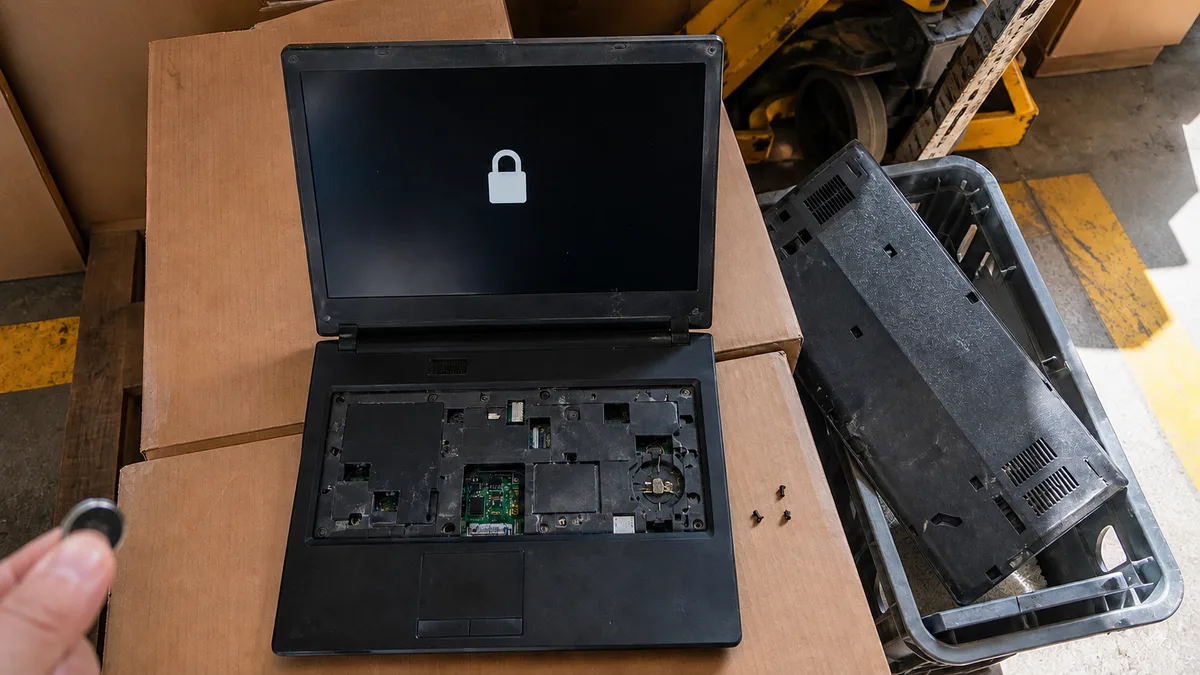
The short answer: A ThinkPad BIOS password is not stored in the CMOS memory maintained by the coin-cell battery, so removing that battery will not clear it, unlike on desktop computers from the 1990s. For a forgotten supervisor password, Lenovo states that “there is no service procedure to remove the password” and refers users to an authorised service provider for a motherboard replacement. If an NVMe (disk) password has been forgotten, Lenovo will neither reset the password nor recover the data; the drive must be replaced. A power-on password can only be removed if the supervisor or system management password is available. We do not open locked machines without proof of ownership.
Three passwords people often confuse
Locked ThinkPads regularly arrive at our repair shop in Brno, and the conversation almost always begins the same way: “My BIOS has a password.” But that can describe three entirely different situations with three entirely different outcomes. Lenovo describes the passwords in the user guides for its current T and P series as follows:
- Power-on password — a password prompt appears immediately after startup, and the computer will not boot without it.
- Supervisor password — according to Lenovo, it “protects the system information stored in UEFI BIOS”, meaning the BIOS settings themselves. It has higher authority and overrides the power-on password.
- System management password — it protects the same information as the supervisor password, but “it has lower authority by default”. It can also be set remotely through Windows Management Instrumentation, so it is encountered mainly on company machines.
- NVMe password — this protects the drive rather than the computer. In single-password mode, the files and applications on the drive cannot be accessed without it. In dual-password mode, there is also an admin password that gives an administrator access across company machines, and “only the administrator can remove the user NVMe password”.
The distinction is crucial. A locked BIOS means a machine that cannot be configured or started, although the drive itself may be fine. A locked drive means the data is inaccessible regardless of what device you connect it to.
Why removing the battery does not help
The idea that the BIOS can be “reset” by disconnecting the coin-cell battery comes from desktop computers, where both the settings and password used to be stored in CMOS memory powered by that battery. Disconnect the power, the memory forgets, and the password disappears.
That does not apply to a ThinkPad, and this is intentional. If the lock disappeared when the battery was disconnected, it would be useless: anyone could open a company laptop with a screwdriver in five minutes. The password is therefore stored in persistent memory on the motherboard, which retains its contents without power.
The best evidence comes from the manufacturer itself. If there were a way to erase the password, Lenovo would document it. Instead, its user guide states that there is no service procedure for a forgotten supervisor password and that the solution is to have the motherboard replaced by an authorised service provider. Replacing the entire board is expensive and inconvenient; nobody would prescribe it if disconnecting a component were enough.
You will not find instructions for bypassing the lock here. We neither publish nor perform such procedures. This is not mere caution: instructions for defeating someone else’s security would also serve as instructions for turning a stolen laptop into cash.
What Lenovo says about each password
| Forgotten password | What it blocks | Official solution according to Lenovo | Data |
|---|---|---|---|
| Power-on | Computer startup | If you know the supervisor or system management password, remove it in the BIOS (F1 → Security → Password). Otherwise, contact an authorised service provider. | Remains intact |
| System management | BIOS settings | Remove it using the supervisor password; otherwise, contact a service provider | Remains intact |
| Supervisor | BIOS settings; overrides power-on | “There is no service procedure to remove the password” — replace the motherboard | Remains on the drive, but the machine is unusable without a replacement board |
| NVMe (disk) | Access to data on the drive | Lenovo will neither reset the password nor recover the data; replace the drive | Inaccessible |
One more sentence from the user guide deserves to be mentioned upfront: “If you forget any of your passwords, any potential repair actions required are not covered under warranty.” A forgotten password is therefore not a warranty defect, even if the laptop is new.
A disk password is a different matter from BitLocker
An NVMe password often raises the question of whether the drive could be “read externally” by removing it, putting it into an adapter and copying the data. It cannot. The lock is enforced not by Windows or the BIOS but by the drive’s own controller. In another computer, the drive will report itself as locked and disclose nothing. That is why Lenovo’s answer is so concise: it will not reset the password, it will not recover the data, and the drive must be replaced.
This is what distinguishes a disk password from BitLocker encryption, which has a recovery key that may be found in a Microsoft account or obtained from a company administrator. We discuss that in our article on disk encryption on company laptops. A disk password has no equivalent recovery key for the end user. If a company managed the machine and configured a pair of passwords, the only route is through its administrator, who can remove the user password. If the company no longer exists or the administrator has left, that route ends there.
We encounter the same boundary in data recovery. Our article data recovery: when it is and is not possible explains what can be recovered from a physically defective drive. A healthy but locked drive belongs in the “not possible” category—and rightly so, because that is precisely why someone set the password in the first place.
What a repair shop can actually do and what it will ask for
Our role when dealing with a locked machine is deliberately narrow, and it is worth stating clearly:
- We identify exactly what is locked. We determine whether it is a power-on, supervisor, system management or disk password, or a combination of them. Customers need this information to make a decision, and it cannot be established reliably from a description over the phone.
- We tell you whether there is a legitimate way forward. Sometimes there is: for a power-on password, the supervisor password held by the IT administrator or recorded in the former owner’s notes may be enough.
- We replace the drive if that is the only locked component. The laptop will then operate normally, but with a clean system and without the old data.
- We help you decide whether the repair makes financial sense. With an older motherboard, buying another machine is often cheaper than paying for the board replacement prescribed by the manufacturer.
What we need from you is proof that the machine belongs to you. This may be an invoice or receipt, a purchase agreement from a second-hand shop or private seller, a company handover or disposal record, or probate documentation for an inherited laptop. For a company device, an order from the employer that owns it is sufficient.
We will not work on a locked machine without this proof. Online offers to “unlock any BIOS” do exist, and they are attractive precisely to people who have no proof of ownership. We do not want that role. A legitimate customer loses nothing by this rule because they can document the machine’s origin.
Second-hand ThinkPad: what to check before paying
Large numbers of ex-lease ThinkPads from the T, X and L series reach the Czech second-hand market, and the overwhelming majority are fine. Occasionally, however, a machine appears with a corporate lock that someone forgot to remove. You can identify it within a few minutes—and before paying:
- Boot into the BIOS. Press F1 after switching the laptop on. If a password prompt appears before Setup itself opens, look for another machine.
- Try to save a change. If you can enter Setup, change an innocuous setting and save it with F10. If the machine asks for a password only at this point, a supervisor password has been set and the BIOS settings are locked.
- Check Security → Password. You will see whether each password is marked “Enabled”.
- Make sure the drive is visible and usable. Boot from a Windows installation USB drive or a standard live Linux environment, then verify that the drive is detected and can be written to. A locked NVMe drive will appear as inaccessible or may not appear at all.
- Ask for proof of origin. A seller who acquired the machine legally will provide documentation. A seller who refuses has just answered the question of why the laptop is so cheap.
Our complete fifteen-minute inspection, including the battery, hinges and display, is covered in second-hand laptop: how to check it in 15 minutes. The economics of the purchase are discussed in refurbished laptop: when it is worth buying.
Realistic expectations
Let us be specific so there are no surprises:
- A forgotten supervisor password on an older ThinkPad usually means the end of the road. The motherboard replacement prescribed by the manufacturer makes no financial sense for a seven-year-old machine.
- A forgotten disk password means losing the data. Always. A new drive will return the laptop to service, but it will not bring the data back.
- A forgotten power-on password when the supervisor password is available is the best-case scenario. Once the administrator or former owner has been found, resolving it usually takes only a few minutes.
- A locked machine bought second-hand should be returned to the seller as defective goods, not taken to a repair shop. You were sold an unusable product.
Finally, prevention—because the main purpose of this article is to stop the problem from happening: record BIOS passwords somewhere outside the computer, and for company equipment, insist that the administrator maintain a proper record. Lenovo puts it in one sentence in its user guide: “you should record all your passwords and store them in a safe place”. It is the only advice that works every time.
If the fault survives these checks, or the damage is mechanical, laptop repair in Brno takes over.
What to prepare before visiting the repair shop
Bring the exact model designation and machine type from the label on the underside—on ThinkPads, this is typically in the form 20XXXXXX—along with information about when and where you acquired the machine, proof of ownership, and a description of exactly what appears on the screen and at what point. A photo of the screen taken with your phone is more useful than a verbal description because it lets us identify the type of lock immediately. You should also decide whether your priority is the data or a working laptop; these are two different objectives with different outcomes.
Frequently asked questions
Why does removing the battery not clear the BIOS password?
Because on ThinkPads it is not stored in CMOS memory powered by the coin-cell battery, but in persistent memory on the motherboard. If disconnecting the power removed it, corporate laptop protection would be pointless.
Can Lenovo provide a universal unlock code?
No. For a supervisor password, the user guide explicitly states that there is no service procedure for removing it and that the motherboard must be replaced.
Will I lose my data if only the BIOS is locked?
No. The disk password and BIOS password are two different things. If only the BIOS is locked and the drive has no password, its data can be read in another computer without any problems.
What if the machine belonged to a company that no longer exists?
You will need proof of lawful acquisition, such as a disposal record, purchase agreement or documentation from an insolvency sale. We will not address the lock without proof of ownership.
Is replacing the motherboard worth it?
Sometimes it is for a newer machine still within a reasonable warranty-age range. For a laptop that is seven years old or more, it is almost never worthwhile. The difference compared with the price of a decent refurbished machine usually makes the replacement uneconomical.
At Servis PC Brno, we can quickly identify the type of password protecting your ThinkPad and tell you whether there is a legitimate way forward. Distinguishing a power-on password from a supervisor or disk password takes only a few minutes, and it is worth knowing the answer before you send anyone money. We do not provide security-bypass services or unlock machines belonging to other people, and we will not work on a device without proof of ownership. You can also bring in a second-hand machine for inspection before buying it, while you still have the option to walk away. Book an appointment through our booking form or call 774 777 774. Include the machine type from the label and attach a photo of the password prompt.
Order online: Laptop repair — tell us the model and what happens, and we will come back with the next step.
Sources
- Lenovo ThinkPad T14/T16/P14s/P16s User Guide — Password types
- Lenovo ThinkPad T14/T16/P14s/P16s User Guide — Set, change, and remove a password
- Lenovo ThinkPad T14 Gen 5 / T16 Gen 3 User Guide — What to do if you forget your power-on password
- Lenovo Support: How to remove Hard Disk Drive (HDD) Password — ThinkPad
Rather not deal with it yourself?
Book a diagnosis in Brno — you get the price up front and we start only once you agree.
Where to find us
We are a PC and laptop repair shop in Brno-Židenice: diagnostics and repairs of computers and laptops, data recovery from drives, and out-of-warranty Apple repairs (iPhone 12 and newer, MacBook, iPad).
Viniční 3587/216, 615 00 Brno-Židenice, Czech Republic Mon–Fri 10:00–16:00
Call +420 774 777 774 Computer repair and laptop service in Brno
We put the repair price in writing after diagnostics and carry on only once you agree.