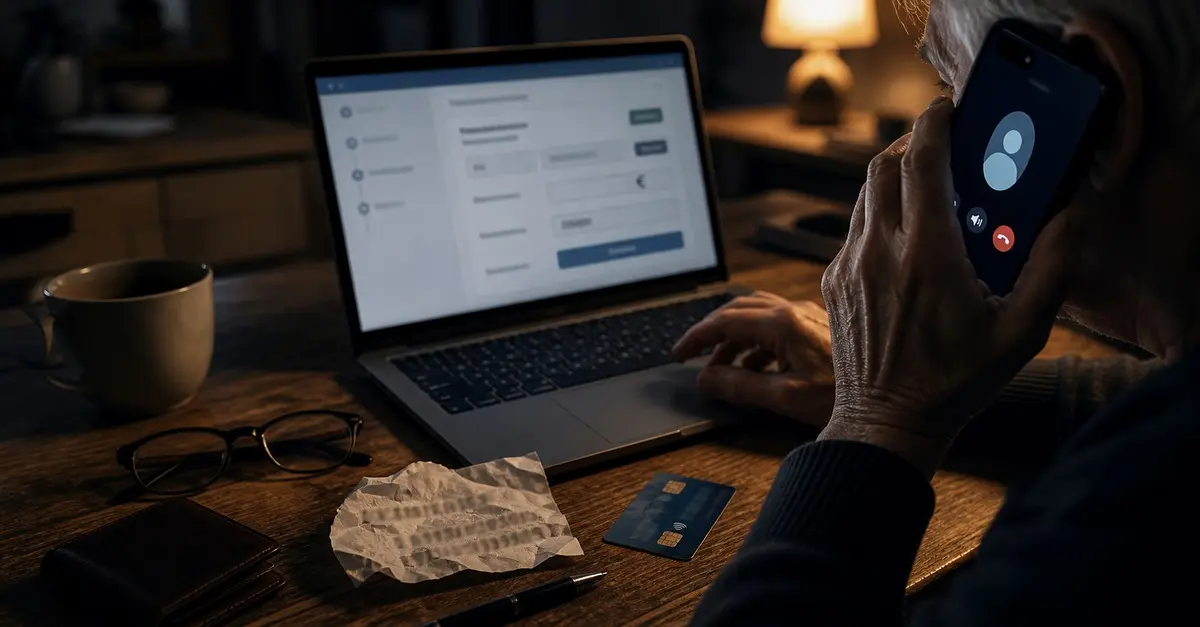
Your phone rings. The screen shows a number that looks like your bank’s hotline — you might even have it saved. A calm, professional voice comes on: a lady from the “security department.” She’s polite, she doesn’t push, she just wants to flag an unusual payment or an old, forgotten account that supposedly still holds your money. It doesn’t sound like a scam. It sounds like a service.
And that’s the whole trick. This isn’t a script for the naive. The people who fall for it are smart, careful, well-educated — the same people who’d spot a phishing email at a glance. On the phone it’s different. Someone is talking to you live, pressing on time, playing on the fear of losing your own money, and you don’t get a moment to think it over.
I deal with the fallout from these calls fairly regularly in the shop — typically someone shows up with a laptop that suddenly has a remote-access program installed, one they “had to install for the bank.” This article is about catching the call before it gets to that part. No guide to running the scam — just how to spot it and hang up.
What it looks like today (2026)
The technical names are vishing (a scam over the phone, “voice phishing”) and spoofing (faking the number that shows on your screen). The Czech Police describe it as one of today’s leading trends — the goal is to get money or login details out of you.
The script almost always has the same skeleton:
- The cover story. A “banker,” a “security officer” or a “detective” calls. They claim there’s a suspicious payment on your account, that someone broke into your online banking, or — this is the fresh spring-2026 variant — that you have a “forgotten account” with old money that needs to be transferred.
- Building trust. They speak calmly, matter-of-factly, they know fragments of your details, and the spoofed number on the screen checks out. Often they hand the call over to a “colleague from the police” who confirms the first story. Two voices, two “authorities” — suddenly it feels credible.
- The action. This is where it really starts. Either they walk you into transferring money to a so-called “safe” or “reserve” account (just temporarily, they say, until it’s sorted). Or they guide you step by step — even over WhatsApp — to set up online banking and key in a series of payments yourself. Or they ask you to install a remote-access app for your computer (AnyDesk, TeamViewer, “Quick Assist”) so they can “help” you.
How that can actually play out was shown by a case the Czech Police described in May 2026. An 88-year-old man from the Ústí region was called by a woman from a Slovak number who introduced herself as “Sofie” and talked about a forgotten account from 2024. Then a second caller joined in. Under their guidance the man set up online banking and, over the phone and WhatsApp, sent 18 payments one by one to various accounts — the attackers claimed the account had to be “cleaned out.” He only realised it was a scam two days later, when they asked him for another hundred thousand. The total loss came to more than 290,000 CZK.
The point isn’t “watch out, the victims are seniors.” The point is that the mechanism works on anyone it catches at the wrong moment. The attackers are patient and can stretch a call out for hours.
Why people fall for it
It isn’t about intelligence. It’s that the scam is built on things that work on all of us:
- The number on your screen can be faked. That’s spoofing, and it’s the core of the whole con — you see “your” bank, so you trust the call. I won’t get into how it’s done technically; the only thing that matters for you is this: you must not trust the number on the screen. The Czech Police put it bluntly — an attacker can imitate any phone number, any SMS sender, even an email address.
- Authority. The bank, the police, the “security department.” People are conditioned to comply with authority and not ask questions.
- Urgency. “We have to act right now or you’ll lose the money.” Haste switches off critical thinking — which is exactly the goal.
- Secrecy. “Don’t tell anyone, not even at the branch, the investigation is confidential.” That cuts you off from the one person who’d stop you.
And in case you think this is a fringe problem: according to the Czech Banking Association, cyber scammers hit over 69,000 clients of Czech banks in 2024, with damages reaching roughly 1.35 billion CZK. By mid-March 2026 alone, the police had recorded hundreds of cases of someone impersonating a banker or police officer, according to ČT24 (Czech Television).
The good news is that defences work. The Czech Telecommunication Office reports that thanks to new measures Czech carriers now block a few million fraudulent call attempts every month, and that the institutions it surveyed see scam numbers falling. But the filter isn’t perfect, and attackers are moving to foreign numbers and anonymous SIM cards. The last line of defence is still you.
A textbook sentence that should set off the alarm: “Mr Novák, there’s a suspicious payment on your account. Don’t tell anyone right now, and for your safety, transfer the money to the reserve account I’ll read out to you.”
Five sentences that mean: hang up immediately
If any of these come up in the call, it’s a scam. Not “maybe.” It is.
- “Transfer the money to a safe / reserve account.” There is no such thing as a safe account. The Czech Police say it word for word: “There is no safe account. It’s just a method to strip you of your savings.”
- “Install an app so we can help you.” AnyDesk, TeamViewer, “Quick Assist” — any remote-access app hands the attacker your screen and the controls. A bank will never ask you for this.
- “Key in the payments as I read them out to you.” Whether over WhatsApp or during the call. A real bank does not walk you through entering payments over the phone.
- “Tell me your PIN / full password / the code from the SMS.” Both the Czech National Bank (ČNB) and the banks repeat it: no legitimate party asks for your login details, PIN or authorisation codes over the phone. That code from the SMS confirms your payment — read it out, and you’re confirming the payment for the attacker.
- “It’s confidential, don’t call anyone.” A real bank or police force will never forbid you from discussing it with someone. The push for secrecy and speed is a giveaway in itself.
What to do — one rule is enough
Your bank and the police will NEVER ask you to transfer money to a “safe account” or to install a remote-access app. Full stop. The moment that comes up in a call, you’re done — you don’t need to deal with the rest.
And the general approach that works on any suspicious call, the police boil down to three words — stop, hang up, check:
- Stop. Don’t let yourself be rushed. A real bank will wait.
- Hang up. No explanation needed. Save your manners for people who aren’t trying to empty your account.
- Check it yourself. Call the number on the back of your card or in your bank’s official app — never the number from the call, from an SMS, or “by calling back” the one that just rang you. That number may be spoofed. NÚKIB (the Czech cyber-security agency) adds one line worth memorising: “Never send money anywhere on the basis of a phone call and in a hurry. It is almost certainly a scam.”
And one more thing not to underestimate: talk about this with your parents and grandparents. This scam targets a lot of people who live alone and have no one to check the call with on the spot. Five minutes on the phone with you might be the only thing that stops them. Show them this article, or go through the five sentences above together.
If it already happened
If you’ve sent the money, read out the details or installed the app, speed is what counts. The sooner you act, the higher the chance the payment gets caught. According to the Czech Banking Association, banks can stop or reverse a share of fraudulent transactions — but only if it’s done in time. Work through this in order:
- Call your bank straight away (the number from your card / the app) and report the fraud. Have your card and account blocked and try to stop the payments you sent. This is the first step; every minute matters.
- Report it to the police — emergency line 158 (or 112). Even if it looks hopeless, it helps the investigation and improves the odds of stopping the money.
- If you installed a remote-access app, uninstall it immediately and, ideally, have the computer checked — the attacker may have left something else behind or downloaded your data. We’re happy to help with that.
- Change your passwords for online banking and email (from a different, clean device). If they got into your email too, go through What to do when your email gets hacked.
Summary
- Don’t trust the number on the screen — it can be faked (spoofing).
- There is no safe account. A transfer to one = a scam.
- A bank or the police will never ask for your PIN, full password, the code from an SMS or to install a remote-access app.
- Stop, hang up, check — and only call back on the official number from your card or app.
- Haste and “don’t tell anyone” are warning signs in their own right.
- Warn your parents and grandparents before the call comes.
A phone scam is now a close relative of AI scams in 2026 — the attacker no longer needs to write in broken Czech; they can be calm and convincing. All the more reason that what decides it is behaviour, not how the call sounds. The same logic applies to email: how to handle it is in How to spot a phishing email.
Official sources where you can verify all this and find the latest warnings: Czech Police — Is it the police or the bank calling?, Czech Police — Vishing and spoofing, ČNB — Online scams and NÚKIB.
Not sure whether that was a scammer who just called — or has it already happened and there’s an unfamiliar remote-access app on your computer? Get in touch, we’ll go through it together and check the machine. Call +420 774 777 774 (Mon–Fri 10:00–16:00). If money is leaving your account right now or there’s an unknown remote-access app on your computer, there’s a 24/7 line at 775 556 063. A few minutes of phone consultation is free — sometimes a bit of advice is all it takes, and you don’t have to go anywhere.
→ Related service: Antivirus and ransomware Brno
Rather not deal with it yourself?
Book a diagnosis in Brno — you get the price up front and we start only once you agree.
Where to find us
We are a PC and laptop repair shop in Brno-Židenice: diagnostics and repairs of computers and laptops, data recovery from drives, and out-of-warranty Apple repairs (iPhone 12 and newer, MacBook, iPad).
Viniční 3587/216, 615 00 Brno-Židenice, Czech Republic Mon–Fri 10:00–16:00
Call +420 774 777 774 Computer repair and laptop service in Brno
We put the repair price in writing after diagnostics and carry on only once you agree.